Best MacBooks For Video Editing That Creators Love
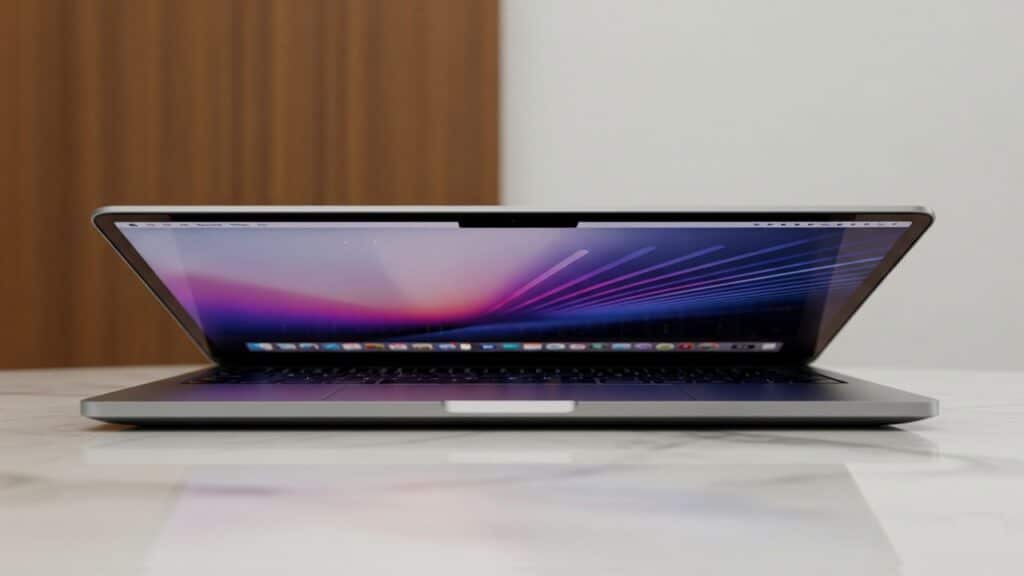
Introduction In today’s digital landscape, the demand for high-quality video content is exploding. From YouTube vlogs and TikTok shorts to professional documentaries and brand advertisements, video is everywhere. But to create compelling visuals, you need more than just a camera; you need powerful editing tools that can keep up with your creative vision. This is where your computer becomes your most crucial ally. For years, MacBooks have been the go-to choice for countless video creators, and for good reason. With the revolutionary Apple Silicon chips (like the M-series), MacBooks offer an unparalleled blend of raw power, incredible efficiency, and seamless integration with macOS. This means faster rendering, smoother playback, and less downtime waiting for your machine to catch up. Beyond the chips, Apple’s renowned ecosystem provides a cohesive and intuitive workflow, while their stunning display quality ensures your footage looks exactly as you intend, making color grading and detailed edits a joy. Navigating the various MacBook models can be tricky, especially with new iterations arriving regularly. That’s why this comprehensive guide “Best MacBooks for Video Editing That Creators Love”, is here to help. We’ll break down the essential features and specs to consider, dive into the best MacBooks for different levels of video editing, and ultimately help you choose the right MacBook for your unique video editing needs, empowering you to bring your creative projects to life with confidence. Key Considerations For Video Editing MacBooks Choosing the best MacBooks for video editing means understanding how each core component contributes to your workflow. Here’s a deep dive into the specifications that truly matter for creators: Processor (Apple Silicon – M-series chips) The heart of modern MacBooks for video editing is Apple’s revolutionary M-series chips. Unlike traditional Intel processors, Apple Silicon integrates the CPU, GPU, Neural Engine, and unified memory onto a single chip (System on a Chip or SoC), leading to incredible efficiency and performance. Unified Memory (RAM) Apple’s unified memory architecture is a game-changer, allowing the CPU and GPU to access the same pool of high-bandwidth memory. This reduces latency and improves overall efficiency compared to systems with separate CPU RAM and GPU VRAM. Storage (SSD) Your storage drive is where your video files, project files, and applications reside. Its speed and capacity directly impact your editing experience. Display For video editors, the display is your canvas. Accurate colors, high brightness, and sufficient resolution are paramount. Ports Connectivity is vital for any video editor, allowing you to connect external drives, displays, and peripherals. Battery Life For creators on the go, excellent battery life is a significant advantage. Cooling System Sustained performance during intensive tasks like video rendering heavily relies on an effective cooling system. Best MacBooks For Different Creator Needs Choosing the right MacBook for video editing isn’t a one-size-fits-all decision. Your ideal machine will depend heavily on the intensity of your projects, your budget, and how much portability you need. Here’s a breakdown of the best MacBooks tailored for various creator profiles: Best Overall / Professional Choice – MacBook Pro 16-inch (M3 Max/M4 Max) When it comes to uncompromised performance for serious video professionals, the 16-inch MacBook Pro with the M3 Max or M4 Max chip reigns supreme. This is the top-tier option for creators who demand the absolute best and whose livelihoods depend on efficient, high-fidelity video production. Excellent All-Rounder – MacBook Pro 14-inch (M3 Pro/M4 Pro or M3 Max/M4 Max) The 14-inch MacBook Pro strikes a fantastic balance between raw power and portability, making it a highly versatile choice for a broad range of creators. Great for On-the-Go / Casual Editing – MacBook Air (M2/M3/M4) The MacBook Air has transformed from a light-duty laptop into a surprisingly capable video editing machine, especially with the latest M-series chips. It’s the go-to for creators who prioritize portability, silent operation, and value. Choosing the best MacBooks for video editing ultimately comes down to matching your specific workflow, budget, and portability requirements with the capabilities of each model. Understanding Apple Silicon Tiers For Video Editing When it comes to choosing the best MacBooks for video editing, understanding Apple’s powerful M-series chips is paramount. These chips, from the base M3/M4 to the formidable M3 Max/M4 Max, represent a significant leap in performance and efficiency, fundamentally changing what’s possible on a laptop for video creators. Each tier is designed with different levels of processing power, graphics capabilities, and media engines to cater to varying demands of video editing workflows. M3/M4 (Base Chip) – The Capable Entry Point The standard M3 or M4 chip, found in models like the MacBook Air and the entry-level MacBook Pro 14-inch, serves as an incredibly capable starting point for many video editors. While it might be considered the “base” model, its performance is anything but basic, especially when compared to older Intel Macs. M3 Pro/M4 Pro – The Professional’s Sweet Spot Stepping up to the M3 Pro or M4 Pro chip, primarily found in the MacBook Pro 14-inch and 16-inch models, delivers a significant leap in performance for more demanding video editing tasks. This tier adds more CPU and GPU cores, increased unified memory bandwidth, and enhanced media engines. M3 Max/M4 Max – Uncompromising Performance for Elite Creators The M3 Max or M4 Max chip represents the pinnacle of Apple Silicon’s performance for video editing, designed for the most demanding professionals, studios, and anyone who needs the absolute fastest rendering and real-time playback possible. Available in the higher-end MacBook Pro 14-inch and 16-inch configurations, these chips are engineering marvels. In essence, when choosing the best MacBooks for video editing, consider your current and future editing needs. The M3/M4 is a solid workhorse for lighter tasks and proxy workflows. The M3 Pro/M4 Pro is the ideal choice for most professional 4K editing scenarios. And the M3 Max/M4 Max is for those who demand the ultimate in performance for multi-stream high-resolution editing and heavy effects work. Tips for Maximizing Your MacBook’s Video Editing Performance Even with a top-tier MacBook, optimizing your workflow can significantly boost your video editing experience.
Best MacBooks For Video Editing That Creators Love Read More »