MPD

Chromebooks

The Ultimate Guide To Chromebooks – Everything You Need To Know

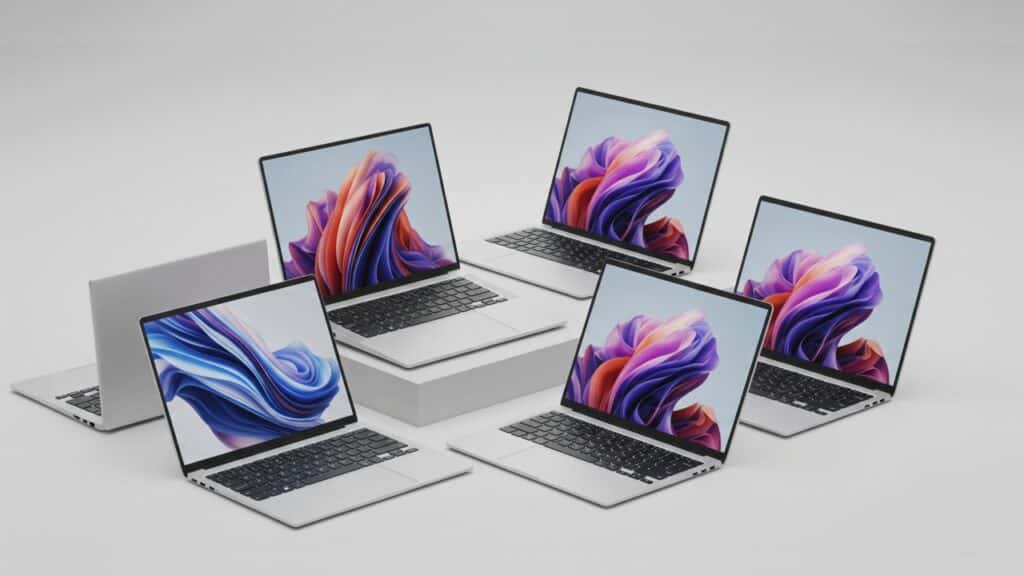
Introduction Gone are the days when laptops meant choosing between a hefty price tag or sluggish performance. In recent years, Chromebooks have surged in popularity, becoming a compelling alternative for millions. Their appeal lies in their simplicity, speed, and often, their incredibly attractive price point, making them a favorite for everything from quick web Browse to getting schoolwork done. So, who exactly is a Chromebook for? If you’re a student looking for a reliable and affordable device for classes and homework, a casual user who primarily surfs the web, checks email, streams content, or manages social media, or someone needing a laptop for light productivity tasks without the complexities of traditional operating systems, a Chromebook could be your ideal match. They’re particularly well-suited for the budget-conscious shopper seeking excellent value without compromising on a smooth, secure computing experience. This comprehensive guide is designed to be your one-stop resource, covering everything you need to know about Chromebooks before you make a purchase. We’ll demystify what a Chromebook is, explore its unique advantages and limitations, and walk you through the key factors to consider to ensure you pick the perfect one for your needs. What Exactly Is A Chromebook? At its heart, a Chromebook is a laptop that runs Google’s Chrome OS as its operating system. Unlike the familiar Windows or macOS you might be used to, Chrome OS is built on the Linux kernel and uses the Chrome web browser as its primary user interface. Think of it as a super-powered web browser that can do much more! The core philosophy behind Chromebooks is all about simplicity, speed, and security, with a heavy emphasis on being cloud-centric and web-based. This means a lot of your work and storage happens online, making your device incredibly light and fast. You don’t need powerful hardware to run complex software locally, as most of what you do is handled by Google’s robust cloud infrastructure. This approach leads to several key differentiators from traditional laptops running Windows or macOS: The Pros Of Owning A Chromebook Chromebooks have carved out a significant niche in the laptop market, and for good reason. They offer a compelling set of advantages that make them ideal for a wide range of users. Here’s a closer look at the key benefits of owning a Chromebook: Affordability One of the most attractive aspects of Chromebooks is their excellent value for money. Compared to traditional Windows or macOS laptops with similar specifications, Chromebooks are generally much more affordable. This makes them a fantastic option for students, families, or anyone on a budget who needs a reliable computing device without breaking the bank. You can often find well-performing Chromebooks at prices that are significantly lower than entry-level laptops from other operating systems. Simplicity & Ease Of Use Chrome OS, the operating system that powers Chromebooks, is renowned for its simplicity and user-friendly interface. If you’re comfortable with the Google Chrome web browser, you’ll feel right at home. The learning curve is minimal, making it easy for anyone, regardless of technical expertise, to pick up and start using immediately. Plus, Chromebooks are known for their quick boot times, often ready to go in mere seconds, so you can jump straight into your tasks without waiting around. Speed & Performance Thanks to its lightweight nature, Chrome OS is incredibly efficient. This translates to fast Browse and a generally snappy experience, even on more modest hardware. Unlike traditional operating systems that can slow down over time with accumulated software and files, Chromebooks tend to maintain their consistent performance because most of the work is done in the cloud and the OS handles updates and maintenance seamlessly in the background. Security Security is a major strong suit for Chromebooks. They come with built-in antivirus protection and a robust security architecture. Chrome OS uses a process called sandboxing, which isolates individual web pages and applications, preventing malicious software from affecting the entire system. Furthermore, automatic updates are pushed out regularly by Google, ensuring your device is always running the latest and most secure version of the operating system without you having to lift a finger. Battery Life You’ll often find that Chromebooks boast excellent battery life. Because Chrome OS is designed to be highly efficient and relies heavily on web-based applications, it consumes less power than more resource-intensive operating systems. This means you can typically get through a full day of work, classes, or casual Browse without needing to reach for your charger, making them perfect for on-the-go use. Portability Many Chromebooks are designed with portability in mind. They are frequently lightweight and compact, making them easy to carry in a backpack or bag. Whether you’re commuting to work, heading to class, or just moving around the house, a Chromebook’s slim profile and light build make it a convenient companion. Integration With Google Ecosystem For anyone deeply ingrained in Google’s services, the seamless integration with the Google ecosystem is a huge plus. You get instant, effortless access to all your favorite Google apps and services like Google Drive for cloud storage, Gmail for email, Google Docs, Sheets, and Slides for productivity, Google Photos, and more. Your files and settings are synced across devices, making for a consistent and convenient user experience. Android App Support Modern Chromebooks have expanded their capabilities significantly with Android app support. This means you can access and run millions of apps from the Google Play Store directly on your Chromebook. From popular social media apps and streaming services to mobile games and productivity tools, this feature dramatically broadens the functionality of a Chromebook beyond just web Browse. Linux App Support (for advanced users) For those who need more advanced capabilities, many Chromebooks now offer Linux app support. This allows users to run a full Linux environment within Chrome OS, opening up a world of possibilities for developers, programmers, and users who need specific desktop applications that aren’t available as web or Android apps. While it requires a bit more technical know-how, it expands the capabilities

The Ultimate Guide To Chromebooks – Everything You Need To Know Read More »
The Ultimate Guide To 2-in-1 Laptops – Everything You Need To Know Before You Buy

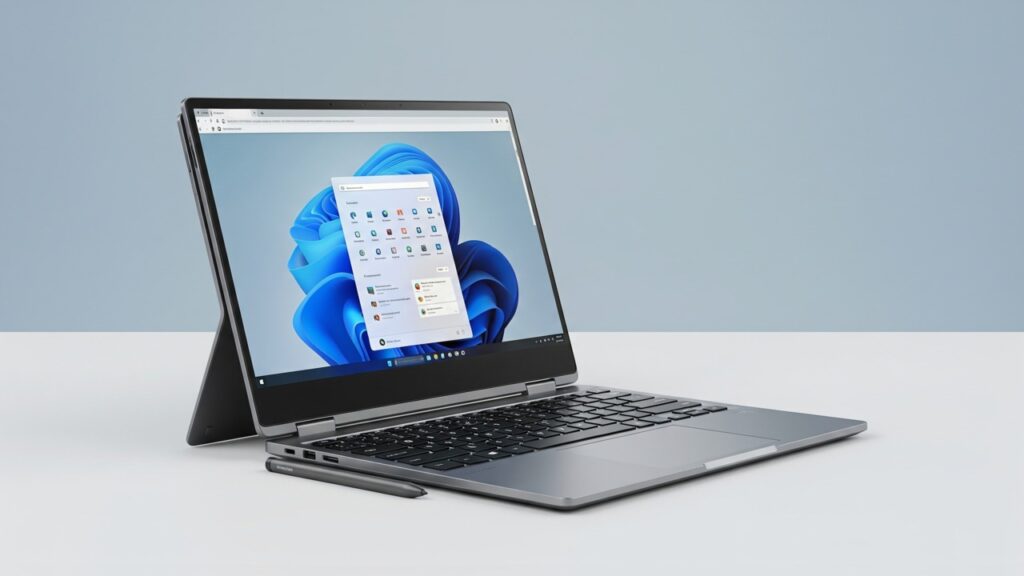
Introduction The 2-in-1 laptop is a hybrid device that cleverly combines the best features of a traditional laptop and a tablet into one ingenious package. Imagine a single device that can transform from a fully functional laptop with a physical keyboard for typing essays or crunching numbers, into a responsive touchscreen tablet perfect for unwinding with a movie, sketching digital art, or jotting down notes in a meeting. This incredible versatility is precisely why 2-in-1s are soaring in popularity. They offer unparalleled portability, allowing you to carry less while doing more. Their inherent flexibility means they can adapt to virtually any task or environment, whether you’re working from a desk, presenting in a boardroom, or lounging on the couch. And ultimately, they deliver exceptional value, giving you the functionality of two distinct devices for the price of one. This comprehensive guide is designed to be your ultimate resource. We’ll dive deep into everything you need to know about 2-in-1 laptops, from understanding their different types and identifying their key advantages and potential drawbacks, to breaking down the crucial factors you should consider before making your purchase. By the end, you’ll be well-equipped to decide if a 2-in-1 is the perfect tech companion for your lifestyle. Understanding 2-in-1 Laptops – Types And Form Factors When we talk about 2-in-1 laptops, we’re broadly categorizing devices that can seamlessly transform between a traditional laptop and a tablet. However, not all 2-in-1s are built the same. There are two primary types, each offering a unique approach to versatility: Convertible 2-in-1s (The 360-Degree Hinge) Imagine a laptop where the screen can flip all the way around, touching the back of the keyboard. That’s essentially a convertible 2-in-1. These devices feature a specialized 360-degree hinge that allows the display to rotate fully, offering a variety of modes beyond just a standard laptop. Detachable 2-in-1s (The Tablet That Thinks It’s a Laptop) In contrast to convertibles, detachable 2-in-1s are designed with a tablet-first mentality. Here, the keyboard is not permanently attached but instead detaches completely from the screen, usually via magnetic connectors or a locking mechanism. Key Components Common to All 2-in-1s Despite their differences in form factor, all 2-in-1 laptops share a few fundamental components that set them apart from standard tablets or traditional laptops: The Advantages Of Owning A 2-in-1 Laptop Owning a 2-in-1 laptop isn’t just about having a device that can bend and flip; it’s about unlocking a new level of convenience and functionality that traditional laptops and standalone tablets simply can’t offer. Here’s why a 2-in-1 might be the perfect fit for your digital life: Unmatched Versatility & Flexibility This is the core appeal of a 2-in-1. Unlike a standard laptop that’s great for typing but awkward for reading, or a tablet that’s fantastic for Browse but limiting for serious work, a 2-in-1 effortlessly transitions between roles. Superior Portability In an increasingly mobile world, carrying less is always a win. A 2-in-1 excels here by truly combining two devices into one, significantly reducing clutter and weight in your bag. Enhanced Interaction The touchscreen is at the heart of the 2-in-1 experience, offering a more intuitive and direct way to interact with your digital world. Boosted Productivity While touch interaction is great, the inclusion of a stylus (often sold separately, but sometimes bundled) elevates productivity significantly, especially for specific workflows. Superior Entertainment Experience 2-in-1s truly shine when it comes to consuming media, offering a more immersive and comfortable experience than a standard laptop. Exceptional Value While 2-in-1s can sometimes be pricier than equivalent traditional laptops, they often represent excellent value when you consider what you’re getting. Potential Considerations And Disadvantages Of 2-in-1 Laptops While 2-in-1 laptops offer incredible versatility, they aren’t without their drawbacks. Understanding these potential downsides before you buy can help you set realistic expectations and make a more informed decision. Price Tag Let’s start with your wallet. Generally, 2-in-1 laptops tend to be more expensive than traditional laptops with comparable specifications. You’re essentially paying a premium for that added flexibility and touchscreen technology. While budget-friendly options exist, if you’re looking for strong performance combined with the 2-in-1 design, expect to shell out a bit more cash than you would for a standard clamshell laptop. Performance Trade-offs Sometimes, versatility comes at the cost of raw power. Especially with detachable 2-in-1s, which prioritize a tablet-first experience, you might find that the processors and graphics capabilities aren’t as robust as those in dedicated laptops of a similar price point. This is often due to the need for a thinner, lighter design and efficient heat management in a tablet form factor. While this isn’t always true for high-end convertible models, it’s a crucial point to consider if your primary need is intensive tasks like video editing, serious gaming, or complex CAD work. Durability Concerns The very features that make 2-in-1s so appealing – their hinges and detachable mechanisms – can also be their Achilles’ heel. The 360-degree hinges on convertibles are constantly in motion, and while manufacturers design them to be robust, they are points of potential wear and tear over time. Similarly, the connecting mechanisms on detachable 2-in-1s need to be sturdy enough for repeated use. While most modern 2-in-1s are built well, these moving parts introduce a slight risk of mechanical failure compared to the fixed design of a traditional laptop. Weight and Bulk While 2-in-1s aim for portability, it’s important to note that convertible models are still significantly heavier and bulkier than a pure tablet. When folded into tablet mode, a 13-inch or 14-inch convertible can feel cumbersome to hold for extended periods, especially with one hand. If your main goal is a lightweight device for reading or casual Browse in tablet mode, a dedicated tablet might still offer a more comfortable experience. Limited Upgradeability Like many modern slim devices, 2-in-1 laptops often have integrated components, meaning the RAM, storage, and even sometimes the Wi-Fi card are soldered directly onto the motherboard. This makes upgrading virtually impossible down the line.

The Ultimate Guide To 2-in-1 Laptops – Everything You Need To Know Before You Buy Read More »

traditional laptop

The Ultimate Buyer’s Guide To Traditional Laptop – Performance, Portability And Value

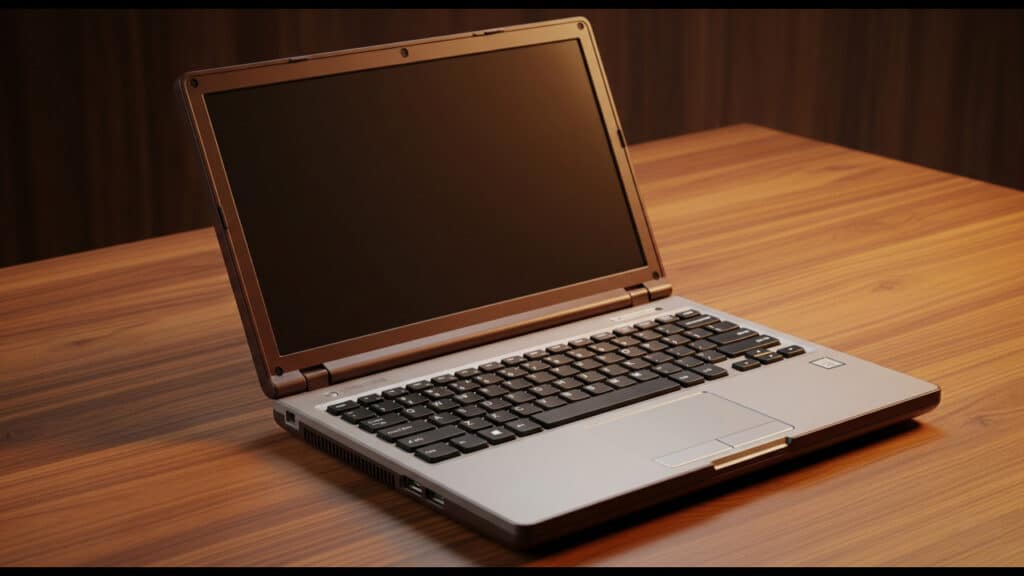
Introduction In today’s fast-paced world, a laptop isn’t just a gadget; it’s an essential tool for work, creativity, and connection. But if you’ve recently started looking for a new one, you’ve probably felt the sheer weight of overwhelming choices. From ultrabooks to gaming rigs, 2-in-1s to tablets, the market is flooded with options, each promising to be the “perfect” device. How do you even begin to sort through the noise? This guide “The Ultimate Guide To Choosing Your Next Traditional Laptop – Everything You Need To Know”, cuts through the confusion by focusing on a specific, yet incredibly vital, category: the traditional laptop. Why traditional? Because while hybrid devices and tablets have their place, the classic clamshell laptop remains the undisputed champion for consistent productivity, unwavering reliability, and a familiar, comfortable form factor. It’s the go-to choice for students, professionals, and anyone who needs a dependable machine for focused work, extensive typing, and robust performance without compromise. In this comprehensive guide, you’ll learn everything you need to make an informed decision. We’ll break down the key specifications, demystify technical jargon, and help you understand what truly matters when investing in a new device. We’ll cover everything from processors and RAM to storage, display quality, and essential features, ensuring you’re equipped with the knowledge to navigate the market confidently. Understanding Your Needs Before you even start looking at specifications and models, the most critical thing you can do is understand what you actually need your laptop for. This isn’t just about what you want it to do, but what it must do to support your daily life, work, or studies. Skipping this step is like trying to buy a car without knowing if you need it for daily commutes, off-roading, or hauling heavy loads – you’ll likely end up with something that doesn’t quite fit. Purpose & Usage Think about your primary activities and how often you’ll be performing them. This will directly influence the type of processor, RAM, and graphics capabilities you’ll need. Portability vs. Power This is a fundamental trade-off when choosing a laptop. Generally, the more powerful a laptop is, the heavier and bulkier it tends to be. Budget Definition Your budget is a significant limiting factor, but understanding the general price tiers can help set realistic expectations for performance and features. Key Components & Specifications Of Traditional Laptop Explained Understanding the core components of a laptop is crucial to making an informed decision. Think of each part as a vital organ working together to deliver a seamless computing experience. Processor (CPU) The Processor, or CPU (Central Processing Unit), is the “brain” of your laptop. It’s responsible for executing instructions and performing calculations. A powerful CPU means a snappier, more responsive machine. Random Access Memory (RAM) RAM (Random Access Memory) is your laptop’s short-term memory. It stores data that the CPU needs to access quickly, allowing you to run multiple applications simultaneously without slowdowns. Storage Your laptop’s storage is where your operating system, applications, and files are permanently saved. The type and amount of storage significantly impact your laptop’s speed and how many files you can store. Graphics Card (GPU) The Graphics Card, or GPU (Graphics Processing Unit), is responsible for rendering images, videos, and animations on your display. Display The display is your primary interface with the laptop, so its quality significantly impacts your experience. Battery Life Battery life is a critical consideration for portability. Nobody wants to be constantly searching for an outlet. Operating System (OS) The Operating System (OS) is the software that manages your laptop’s hardware and software resources, providing the user interface you interact with. Other Important Features & Considerations For Traditional Laptop While processing power, RAM, and storage often grab the headlines, a traditional laptop’s true usability often hinges on a host of other crucial features. Don’t overlook these details when making your choice, as they significantly impact your daily experience. Keyboard & Trackpad A comfortable and responsive keyboard and trackpad are paramount for productivity and overall enjoyment. Ports & Connectivity Your laptop’s ports and wireless connectivity determine how easily you can connect to peripherals, external displays, and the internet. Build Quality & Materials The build quality of your laptop impacts its durability, feel, and aesthetic appeal. Webcam & Microphone In today’s connected world, a quality webcam and microphone are no longer optional. Speakers The quality of your laptop’s speakers can greatly influence your multimedia experience. Cooling System For sustained performance, especially in more powerful laptops, the cooling system is vital. Security Features Protecting your data and privacy is more important than ever, and many laptops now include advanced security features. Top Traditional Laptop Brands & Series Navigating the vast landscape of laptop brands can feel overwhelming. Each manufacturer offers a distinct philosophy, catering to different user needs and budgets. Understanding their core strengths and popular series is crucial to making an informed decision. Dell – Innovation Meets Reliability Dell has long been a dominant force in the laptop market, renowned for its diverse offerings that span from budget-friendly options to premium powerhouses. Their commitment to reliable performance and strong customer support makes them a consistent favorite. HP – Style, Performance And Business Acumen HP (Hewlett-Packard) offers a broad spectrum of laptops, from stylish consumer models to robust business machines. They are known for their sleek designs, innovative features, and strong performance across their various lines. Lenovo – The King Of Keyboards And Business Productivity Lenovo has carved out a strong niche, particularly in the professional and business sectors, with a reputation for exceptional keyboards and robust, reliable machines. Their consumer lines also offer compelling value. Apple – The Ecosystem Of Creativity And Seamless Integration Apple’s MacBook lineup stands distinct in the traditional laptop space, known for its intuitive macOS operating system, premium build quality, and powerful performance, especially for creative professionals. The seamless integration within the Apple ecosystem is a major draw for many. Acer – Value-Packed Performance And Gaming Prowess Acer has established itself as a brand that consistently

The Ultimate Buyer’s Guide To Traditional Laptop – Performance, Portability And Value Read More »

traditional laptops for students

Best Traditional Laptops For Students On A Budget

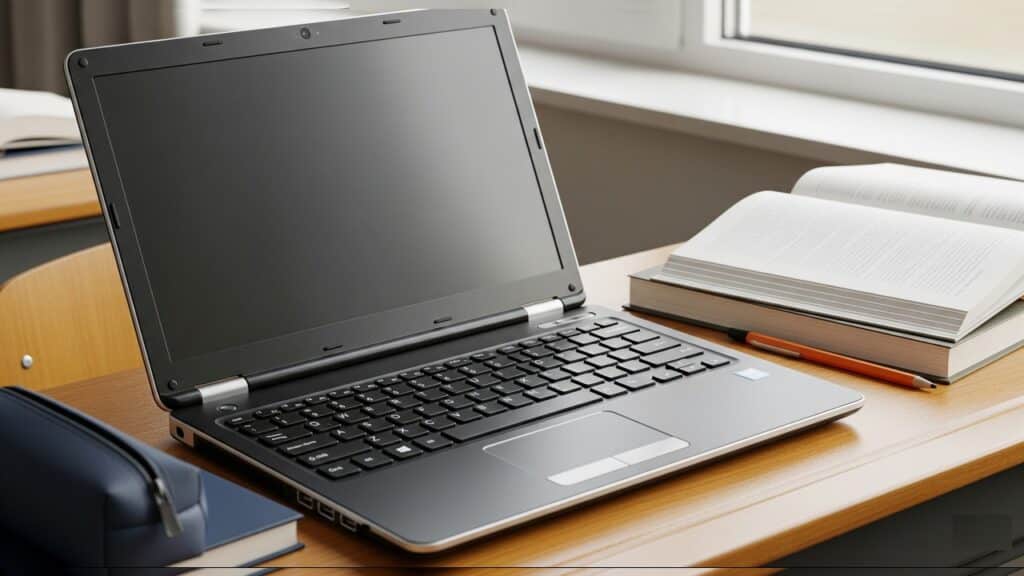
Introduction Let’s face it, being a student often means juggling textbooks, late-night study sessions, and, more often than not, a tight budget. And when it comes to finding a reliable laptop, that budget can feel like a major roadblock. You need a machine that can keep up with your coursework, handle research, and maybe even offer a little entertainment, all without breaking the bank. It’s a common dilemma: how do you get the power you need without emptying your wallet? That’s where traditional laptops come in. You might be seeing a lot of buzz about sleek 2-in-1s that transform into tablets or super-affordable Chromebooks. While those have their place, for many students, a good old-fashioned clamshell laptop is still the champion. Why? Because they typically offer a full-fledged operating system (like Windows), providing more power and storage for diverse software needs, and a classic, stable form factor that’s ideal for focused work. We’re talking about machines built for typing long papers, running various essential software applications, and delivering consistent, reliable performance throughout your academic journey. This guide is designed to cut through the noise and help you navigate the often-overwhelming world of budget laptops. We’ll walk you through the key features to prioritize, explain what to look for to get the best bang for your buck, and ultimately, provide our top recommendations for traditional laptops that won’t strain your finances but will definitely empower your studies. What To Look For In Budget Traditional Laptops for Students Navigating the specifications of laptops can feel like learning a new language, especially when you’re trying to stick to a budget. However, understanding a few key components will empower you to make an informed decision. Here’s a breakdown of what truly matters for a student’s traditional laptop: Performance (CPU & RAM) Storage Display Battery Life Portability & Build Quality Keyboard & Trackpad Operating System Ports & Connectivity Top Traditional Laptop Recommendations This section highlights specific models and general specifications you can expect within each price bracket. Remember that prices can fluctuate, especially with online sales and new model releases. Always check current listings before making a purchase. Under ₹30,000 (Entry-Level but Capable) This segment is for students with very tight budgets who primarily need a laptop for web Browse, document creation, online classes, and light media consumption. Don’t expect blazing speeds or premium features, but these machines will get the core academic tasks done. ₹30,000 – ₹45,000 (Best Value Sweet Spot) This is often the sweet spot for students, offering a significant jump in performance and usability without breaking the bank. Laptops in this range are generally well-equipped for the diverse needs of most college students. ₹45,000 – ₹60,000 (Stepping Up Performance/Features) This category offers a noticeable upgrade in terms of build quality, performance, and user experience. Laptops here often include more premium features and are better equipped for slightly more demanding academic workloads or simply a more comfortable daily usage. Tips For Buying A Budget Laptop Navigating the laptop market on a tight budget requires a savvy approach. Here are essential tips to help you get the most bang for your buck: Look For Sales And Deals Consider Student Discounts Prioritize Needs Read Reviews Check Return Policies & Warranty Conclusion Finding the perfect laptop for your student life doesn’t have to break the bank. As we’ve explored, the key lies in balancing essential features with your budget. You don’t need the flashiest or most expensive machine to succeed. Instead, focus on reliable performance from a decent processor and ample RAM, speedy SSD storage, a comfortable keyboard for those late-night essays, and enough battery life to get you through a day of classes. Ultimately, a budget-friendly traditional laptop is more than capable of meeting the diverse needs of today’s students. Whether you’re writing papers, conducting research, attending online lectures, or even tackling some light coding, there’s a laptop out there that offers excellent value without compromising on the fundamentals. It’s about smart choices, not big spending.

Best Traditional Laptops For Students On A Budget Read More »

affordable traditional laptops

Top Affordable Traditional Laptops For Everyday Use

Introduction In a tech landscape increasingly dominated by sleek convertibles, featherlight ultrabooks, and versatile 2-in-1s, it’s easy to think the classic laptop might be a relic. But don’t be fooled! The traditional laptop still holds a powerful, enduring appeal, and for good reason. We’re talking about the familiar clamshell design—a robust, reliable workhorse where the keyboard and touchpad are front and center, designed for comfortable, efficient work. There are no fancy detaching screens or intricate folding mechanisms here; just pure, unadulterated productivity. Why stick with tradition, especially when “affordable” and “everyday use” are the key drivers? Because for the vast majority of us, a laptop isn’t about cutting-edge gimmicks; it’s about getting things done without breaking the bank. We need a machine that can handle our daily grind—whether that’s online classes, managing emails, streaming our favorite shows, or staying connected with friends and family. It’s about balancing your budget with practical performance for the tasks that truly matter, delivering consistent reliability without unnecessary bells and whistles. This post is your essential guide to navigating the market for these dependable devices. We’ll show you the best affordable traditional laptops that truly excel in everyday use, offering that sweet spot where solid performance, unwavering reliability, and incredible value all come together. What to Look For In An Affordable Traditional Laptop For Everyday Use When you’re sifting through the numerous options for an affordable traditional laptop, it’s easy to get lost in technical jargon. However, for everyday use, you don’t need the most cutting-edge, expensive components. Instead, focus on a balanced set of specifications that deliver reliable performance for your common tasks. Performance Essentials These components are the heart of your laptop, determining how quickly and smoothly it handles your daily workload. Display And Ergonomics These aspects directly impact your comfort and overall user experience during long sessions. Battery Life Connectivity Build Quality Operating System Top Affordable Traditional Laptops Navigating the vast market of affordable laptops can be daunting. To simplify your search, we’ve curated a list of popular and reliable series that consistently deliver excellent value for everyday use. Remember that specific configurations within these series will vary, so always double-check the exact specifications before purchasing. Acer Aspire Series The Acer Aspire series has long been a go-to for budget-conscious consumers seeking dependable performance without unnecessary frills. The Acer Aspire 3 typically represents the most entry-level option, while the Acer Aspire 5 offers a slight step up in terms of build quality and often includes more powerful processors. Lenovo IdeaPad Series Lenovo’s IdeaPad line is renowned for its practical design and robust build quality, often trickling down features from their more premium ThinkPad series. The IdeaPad 3 is a popular choice for its balance of affordability and functionality, while the IdeaPad Slim 3 often offers a more portable and refined design. HP Pavilion Series The HP Pavilion series strikes a balance between performance, design, and affordability, often standing out with more aesthetic appeal than some of its direct competitors. The HP Pavilion 15 is a common configuration that offers a good sized screen for everyday use. ASUS VivoBook Series ASUS VivoBooks are known for their diversity in configurations and often offer sleek, lightweight designs within an affordable price bracket, making them highly competitive. Entry-Level Dell Inspiron Series Dell’s Inspiron line represents their consumer-focused offerings, and the entry-level models deliver on Dell’s reputation for dependable and sturdy machines. Chromebooks While not “traditional” in the Windows/macOS sense, Chromebooks offer a compelling alternative for specific use cases, focusing on cloud-based computing. Tips for Buying An Affordable Traditional Laptop Navigating the market for an affordable traditional laptop can feel overwhelming, but with a few smart strategies, you can find the perfect device without breaking the bank. Here’s what to keep in mind: Set A Realistic Budget Before you even start Browse, decide on a firm budget. “Affordable” means different things to different people. For traditional laptops, a good sweet spot for everyday use is often between ₹30,000 and ₹60,000 in India. Setting a limit helps you narrow down your choices and avoid being swayed by features you don’t need. Remember, the goal is value, not just the lowest price. Prioritize Your Needs What will you primarily use the laptop for? This is the most crucial question. Are you mainly Browse the web and checking emails? Or do you need something for word processing, light photo editing, or online classes? Don’t get caught up in high-end specifications like dedicated graphics cards if you’re not gaming or doing heavy video editing. Every extra feature adds to the cost. Read Reviews Diligently Once you have a few models in mind, dive into reviews. Look for both professional tech reviews and, more importantly, user experiences. User reviews can highlight real-world issues like battery life discrepancies, keyboard comfort, or common software glitches that professional reviews might miss. Pay attention to feedback regarding: Check For Deals And Sales Timing your purchase can save you a significant amount. Keep an eye out for: Subscribing to newsletters from major retailers can alert you to upcoming sales. Consider Reputable Refurbished Options Buying refurbished can offer fantastic value, but proceed with caution. A refurbished laptop is typically a used device that has been professionally inspected, repaired, and certified to be in good working order. While you can save a lot, be aware that these might have minor cosmetic imperfections. Don’t Overspend On Unnecessary Features It’s easy to get drawn into marketing hype for features you don’t need. If your primary use is everyday tasks, avoid paying extra for: By focusing on your actual needs and sticking to these tips, you’ll be well-equipped to find an affordable, reliable traditional laptop that serves you well for years to come. Conclusion As we’ve seen, affordable traditional laptops remain an incredibly strong contender for everyday computing, proving that you don’t need to break the bank to get a reliable and efficient machine. While flashy convertibles and ultrabooks have their place, the enduring appeal of the classic clamshell design, focused

Top Affordable Traditional Laptops For Everyday Use Read More »

Laptop

The Ultimate Guide To Buying The Perfect Laptop

Introduction Choosing a new laptop can feel like navigating a maze blindfolded. With countless models, specifications, and features constantly popping up, it’s easy to get overwhelmed. But here’s the thing: your laptop isn’t just another gadget. It’s an investment – in your productivity, your entertainment, your education, and even your connection to the world. It’s the device that helps you nail that presentation, binge-watch your favorite series, connect with loved ones, or unleash your creative potential. A well-chosen laptop can feel like an extension of yourself, seamlessly integrating into your daily life. A mismatched one, however, can be a constant source of frustration. That’s exactly why we’ve put together this ultimate guide. By the time you finish reading, you won’t just have a list of specs; you’ll have the knowledge and confidence to cut through the marketing noise and pinpoint exactly what you need. Our goal is to empower you to make an informed decision that you’ll be happy with for years to come. Before we dive deep, let’s get one thing straight: there’s no such thing as the single “best” laptop out there. What’s perfect for a hardcore gamer won’t be ideal for a minimalist student, and a busy professional’s needs will differ vastly from a casual browser’s. This guide isn’t about telling you what to buy; it’s about helping you discover the right laptop for you, tailored to your unique lifestyle, budget, and priorities. So, let’s begin your journey to finding your perfect portable companion! Defining Your Needs & Budget – The Foundation of Your Decision Before you get lost in the dazzling array of specifications and sleek designs, take a step back. The most crucial part of buying your perfect laptop isn’t about finding the most powerful or the most expensive one; it’s about finding the right one for you. This journey begins by honestly evaluating what you need your laptop to do and how much you’re willing to spend. Purpose First – What’s Your Laptop’s Primary Mission? Think of your laptop as a tool. What specific tasks will it primarily be used for? Clearly defining its main purpose will immediately narrow down your options and prevent you from overspending on features you don’t need, or worse, underspending on essential capabilities. Budgeting Realistically – Setting Your Financial Parameters Once you know why you need a laptop, it’s time to consider how much you’re willing to spend. Setting a realistic budget from the outset will help you manage expectations and avoid “sticker shock” when you start Browse. By taking the time to thoroughly address your needs and budget before diving into specifications, you’ll lay a solid foundation for making an intelligent and satisfying laptop purchase. Core Components – Your Laptop’s Inner Workings Explained Stepping into the world of laptop specifications can feel like learning a new language. But fear not! Understanding the core components is the key to making an informed decision and finding a laptop that truly meets your needs. Let’s break down the essential parts that make your laptop tick. Processor (CPU) Often called the “brain” of your laptop, the Central Processing Unit (CPU) is responsible for executing instructions and performing calculations. A powerful CPU ensures smooth performance, whether you’re Browse the web, editing documents, or running complex applications. Random Access Memory (RAM) Think of RAM as your laptop’s short-term memory. It temporarily stores data that your active programs and the operating system are currently using. The more RAM you have, the more applications you can run simultaneously without experiencing slowdowns. Storage (SSD vs. HDD) Your laptop’s storage is where all your files, programs, and the operating system are permanently kept. The two main types are Solid State Drives (SSDs) and Hard Disk Drives (HDDs), each with distinct advantages. Graphics Card (GPU) The Graphics Processing Unit (GPU) is dedicated to rendering images, videos, and animations. Its importance varies greatly depending on your laptop’s primary use. External Factors – What You See & Feel Beyond the raw power inside, a laptop’s external features dictate your day-to-day experience. These are the elements you directly interact with, influencing everything from visual comfort to typing efficiency. Let’s delve into what to look for when it comes to the “outside” of your perfect laptop. Display The screen is arguably the most crucial component for visual interaction. Don’t underestimate its impact on your productivity and enjoyment. Operating System (OS) The operating system is the software foundation that dictates how you interact with your laptop. Each OS offers a distinct user experience, software compatibility, and ecosystem. Build Quality & Materials A laptop’s construction materials significantly impact its durability, weight, and overall aesthetic appeal. Keyboard & Touchpad You’ll spend countless hours interacting with your keyboard and touchpad. Their quality can make or break your user experience, especially if you do a lot of typing. Ports & Connectivity The availability and type of ports determine how easily you can connect external devices, peripherals, and networks. Battery Life For many, battery life is a critical factor, especially for students, commuters, or anyone who works away from a power outlet. Webcam & Audio While often overlooked, the quality of your webcam and speakers has become increasingly important in our interconnected world. Choosing By Use Case Finding the “perfect” laptop isn’t about the most expensive or feature-packed model; it’s about finding the right tool for your specific needs. To help you navigate the vast sea of options, we’ve broken down the key considerations for different user types. Use this quick reference guide to identify your primary use case and narrow down your search. For Students Student life demands a laptop that can keep up with lectures, late-night study sessions, and a bit of downtime fun. Your ideal machine is a blend of practicality and performance, without breaking the bank. For Gamers For gamers, a laptop isn’t just a computer; it’s a dedicated portal to immersive virtual worlds. Performance is king, and every component plays a vital role in delivering a smooth, high-fidelity gaming experience. For Creative Professionals

The Ultimate Guide To Buying The Perfect Laptop Read More »

hp tower pc for gaming

Best HP Tower PC For Gaming On Any Budget

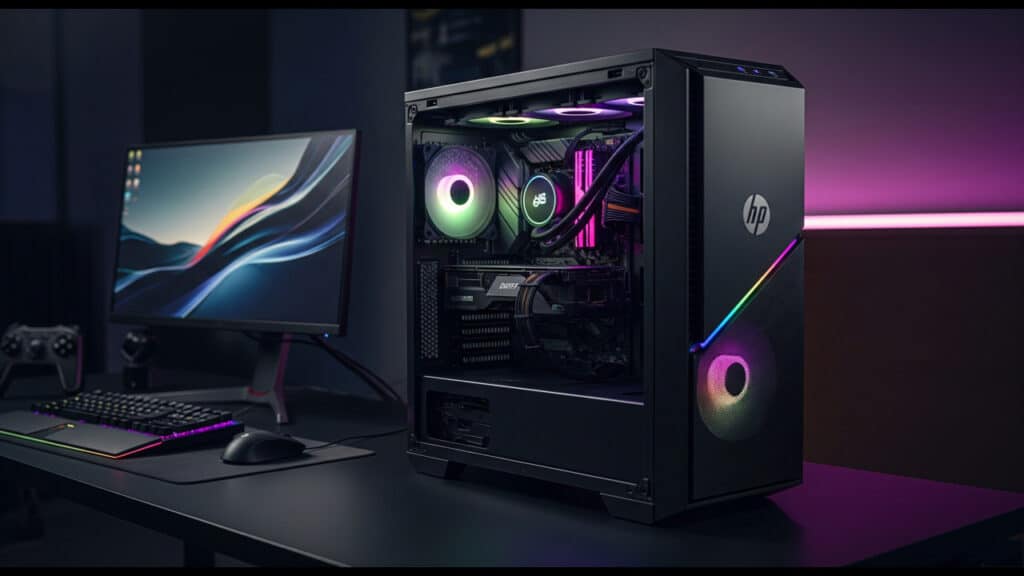
Introduction The thrill of PC gaming is undeniable – the crisp graphics, lightning-fast action, and immersive worlds draw millions in. But to truly dive into those digital adventures, you need a reliable, powerful machine that won’t stutter or crash when the action heats up. For many aspiring and seasoned gamers alike, the quest for the perfect gaming PC can feel like a boss battle in itself, especially when you’re trying to stick to a budget. With countless brands and configurations out there, it’s easy to get overwhelmed. That’s where HP comes in. As a long-standing and highly reputable brand in the computing world, HP has a strong presence in the gaming arena with its dedicated Omen and Pavilion Gaming series. They offer a diverse range of tower PCs designed to cater to various performance needs and, crucially, different budget constraints. This guide is your ultimate weapon in finding the best HP tower PC for gaming, no matter your budget. We’ll cut through the confusion, highlighting key features and providing solid recommendations across different price points. You can expect a breakdown of budget-friendly, mid-range powerhouse, and high-end beast categories, ensuring you discover an HP gaming PC that perfectly fits your play style and your wallet. Why Choose HP For Gaming? When diving into the world of PC gaming, choosing the right brand is crucial, and HP stands out for several compelling reasons. First off, HP boasts a strong brand reputation built on years of delivering reliable and quality products. You can trust that an HP gaming PC is engineered for performance and durability, backed by solid customer support should you ever need it. A major draw for gamers is HP’s dedicated gaming sub-brand, Omen. These towers aren’t just standard PCs; they’re purpose-built machines designed with serious gamers in mind, offering cutting-edge components and optimized cooling solutions. Furthermore, many HP gaming towers, including those in the Omen series, provide excellent customization and upgradability. This means you’re not locked into your initial specs; there’s often plenty of room to add more RAM, upgrade your graphics card, or expand storage as your gaming needs evolve. Finally, the pre-built convenience of HP gaming PCs means you can unbox, set up, and jump into your favorite games almost instantly, without the hassle of sourcing individual components or building a PC from scratch. Understanding Gaming PC Components To make an informed decision, it’s crucial to understand the core components of a gaming PC. CPU (Processor) Often called the “brain” of the PC, the CPU handles general computing tasks and game logic. You’ll primarily see options from Intel (Core i-series) and AMD (Ryzen series). Key specs to look for are core counts (more cores are better for multitasking and some modern games) and clock speed (higher means faster processing). While important, for gaming, the GPU typically has a greater impact. GPU (Graphics Card) This is arguably the most crucial component for gaming, directly responsible for rendering the visuals you see on your screen. The two main players are NVIDIA (GeForce RTX/GTX series) and AMD (Radeon RX series). Pay close attention to the model number (e.g., RTX 4070 vs. RTX 4060) and VRAM (Video Random Access Memory), which stores graphical data; more VRAM is better, especially at higher resolutions. RAM (Memory) RAM acts as your PC’s short-term memory, allowing it to quickly access data needed by games and applications. While 8GB is a bare minimum, 16GB is currently the sweet spot for smooth game performance and multitasking. For high-end systems, 32GB can offer a slight edge. Storage This is where your operating system, games, and files are stored. SSDs (Solid State Drives) are significantly faster than older HDDs (Hard Disk Drives), drastically reducing game load times and boot-up speeds. For ultimate speed, look for NVMe SSDs, which are even faster than standard SATA SSDs. A common setup is a smaller NVMe SSD for the OS and a few favorite games, complemented by a larger SATA SSD or HDD for mass storage. Power Supply (PSU) The PSU delivers power to all your PC components. Its wattage rating must be sufficient to meet the demands of your CPU and GPU, especially if you plan to upgrade. A reliable PSU is vital for system stability and longevity. Cooling High-performance components generate heat, and efficient cooling is essential to prevent throttling and maintain performance. You’ll find two primary types: air cooling (heatsinks and fans) and liquid cooling (AIO – All-in-One coolers). Liquid cooling often offers better performance, especially for higher-end components, and can be quieter. Best Budget-Friendly HP Gaming PCs Options (Under ₹80,000) Stepping into the world of PC gaming doesn’t have to break the bank, and HP offers some excellent budget-friendly towers that provide a fantastic entry point. These machines are perfect for casual gamers who enjoy a variety of titles without needing ultra-high settings, esports enthusiasts focusing on competitive games like Valorant, CS: GO, or League of Legends where high frame rates are key, beginners eager to experience PC gaming for the first time, and those upgrading from consoles looking for enhanced visuals, modding capabilities, and a wider game library. When considering an HP gaming PC in this price range, the key consideration is achieving playable frame rates at 1080p resolution. This means you’ll typically be targeting 60 FPS (frames per second) or higher in most games, though for more demanding AAA titles, you might need to dial down graphic settings to medium or even low to maintain smooth performance. The goal here is a solid, enjoyable gaming experience without significant stuttering or visual compromises that hinder gameplay. What To Expect From Budget-Friendly HP Gaming PCs You’ll generally find these systems built around a combination of efficient processors and entry-to-mid-range graphics cards. Recommended HP Models & Typical Configurations While exact models vary, you’ll predominantly find these configurations under the HP Pavilion Gaming Desktop line or sometimes an entry-level HP Omen 25L if you catch a sale. What To Expect (Performance-wise) With these budget-friendly HP gaming PCs, you can confidently expect

Best HP Tower PC For Gaming On Any Budget Read More »

ASUS tower PC with RTX graphics

Power Unleashed – ASUS Tower PC With RTX Graphics

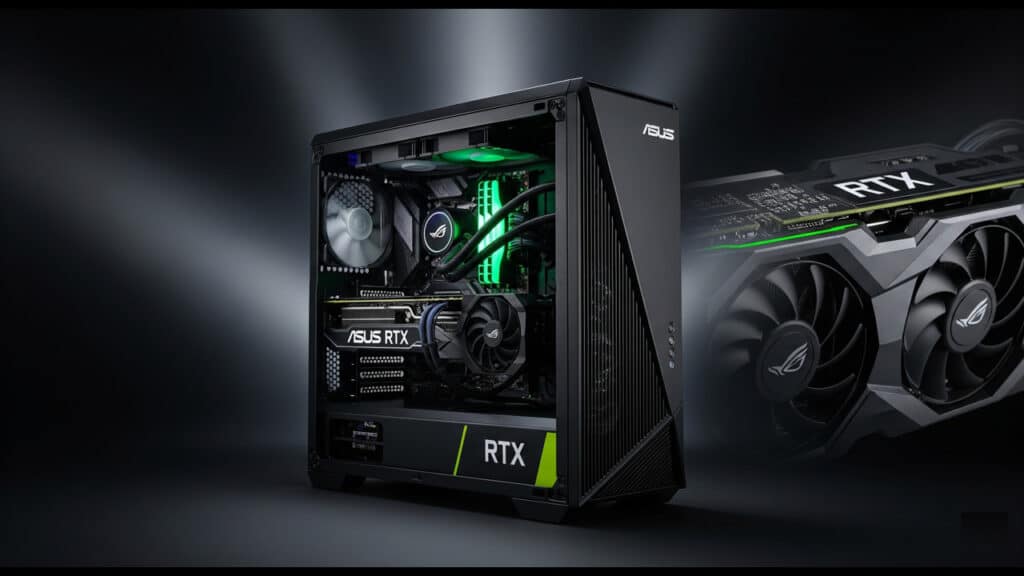
Introduction There’s nothing quite like the thrill of high-performance gaming, where every frame is butter-smooth and every virtual world comes to life with breathtaking detail. Or perhaps you’re a creative professional, demanding immense graphical horsepower to render intricate 3D models or edit high-resolution videos without a hitch. In either case, the allure of cutting-edge graphics and raw processing power is undeniable. When it comes to delivering on that promise, ASUS tower PCs stand out as a formidable force in the gaming and creative arena. Known for their robust engineering, innovative designs, and unwavering commitment to quality, ASUS has consistently pushed the boundaries of what’s possible in desktop computing. This blog post “Power Unleashed – ASUS Tower PC With RTX Graphics”, will dive deep into the remarkable power and capabilities of ASUS tower PCs when they’re equipped with NVIDIA’s groundbreaking RTX graphics cards. We’ll explore how this powerful combination unlocks unparalleled gaming experiences, accelerates demanding creative workflows, and why an ASUS RTX-powered PC is not just a choice, but an investment for serious gamers and content creators alike. The Power Of ASUS Tower PC With RTX Graphics When it comes to pre-built gaming desktops, ASUS has carved out an undeniable reputation as a leader in PC hardware. Their commitment to quality, innovation, and reliability is evident in every tower PC they produce. This isn’t just about assembling components; it’s about engineering a cohesive system that delivers a premium experience. A significant part of what makes ASUS tower PCs stand out is their exceptional design and build quality. These aren’t generic boxes; they are thoughtfully crafted machines. ASUS places a strong emphasis on cooling and airflow, understanding that efficient thermal management is crucial for sustained performance, especially during intense gaming sessions. You’ll often find strategically placed fans, robust heatsinks, and optimized internal layouts that ensure components stay cool even under heavy loads. Beyond raw performance, the aesthetic appeal of ASUS towers is undeniable. From sleek, minimalist designs that blend into any setup to aggressive, gamer-centric aesthetics with customizable RGB lighting, ASUS offers a range of styles to suit individual preferences. The durable chassis not only looks good but also provides a sturdy foundation for the high-performance components within. While the focus of this blog post is on the mighty RTX graphics, it’s crucial to remember that an ASUS tower PC is a complete, meticulously engineered system. The power of these machines extends far beyond just the GPU, thanks to a careful selection of other key components: Unveiling NVIDIA RTX Graphics NVIDIA’s RTX graphics cards have revolutionized the way we experience games and demanding applications. Far beyond traditional graphics processing, RTX introduces groundbreaking technologies that deliver unparalleled visual fidelity and performance. What is RTX? The Architecture Explained At its core, RTX refers to NVIDIA’s RTX architecture, a specialized GPU design that integrates dedicated cores for specific tasks. Unlike older GPU architectures that primarily focused on rasterization (the traditional method of rendering 3D images), RTX introduces: Key RTX Technologies The power of RTX truly shines through its innovative technologies: Synergistic Performance – ASUS And RTX Combined The true magic happens when the cutting-edge power of NVIDIA’s RTX graphics cards is meticulously integrated into an ASUS tower PC. This isn’t just about plugging components together; it’s about a symbiotic relationship where ASUS’s engineering prowess unlocks the full potential of RTX technology, delivering an unparalleled computing experience. Optimized Performance ASUS doesn’t just build PCs; they engineer platforms designed for peak performance. When it comes to housing an RTX graphics card, their focus on optimization is evident in several key areas: Elevating The Gaming Experience For gamers, the combination of an ASUS tower PC and an RTX graphics card is a game-changer, transforming the virtual world into an incredibly lifelike and responsive experience: Powering Content Creation And Productivity The raw horsepower of an ASUS tower PC with RTX graphics extends far beyond gaming, making it an invaluable tool for professionals and enthusiasts in various fields: Choosing Your ASUS RTX Gaming PC So you’re convinced of the power of an ASUS tower PC with RTX graphics – excellent! Now comes the exciting part: selecting the right one for your specific needs. With a range of configurations and models available, making an informed decision is key to maximizing your gaming and creative potential. Factors To Consider When navigating the world of ASUS RTX gaming PCs, keep these crucial elements in mind: Popular ASUS Gaming PC Series Examples ASUS categorizes its gaming PCs into distinct series, each catering to different performance tiers and user preferences: By carefully considering these factors and understanding the distinctions between ASUS’s popular gaming PC series, you’ll be well-equipped to select an ASUS tower PC with RTX graphics that perfectly aligns with your gaming ambitions and budget. Conclusion An ASUS tower PC with RTX graphics isn’t just a gaming machine; it’s a gateway to unparalleled digital experiences. We’ve seen how the meticulous engineering of ASUS combined with the revolutionary power of NVIDIA’s RTX graphics cards delivers an unbeatable package. From the breathtaking realism of ray tracing and the performance boost of DLSS to the raw processing power for demanding creative tasks, the benefits are clear: unmatched gaming performance, superior visuals, and powerful capabilities for content creation. Investing in an ASUS RTX system is a strategic move for anyone looking to future-proof their gaming and productivity setup. These machines are built to handle today’s most demanding titles and are more than ready for the innovations coming tomorrow. You’re not just buying a PC; you’re investing in a robust, high-performance platform that will keep you ahead of the curve for years to come.

Power Unleashed – ASUS Tower PC With RTX Graphics Read More »

Best ASUS Tower PC for Gaming

Best ASUS Tower PC for Gaming – Performance Unleashed

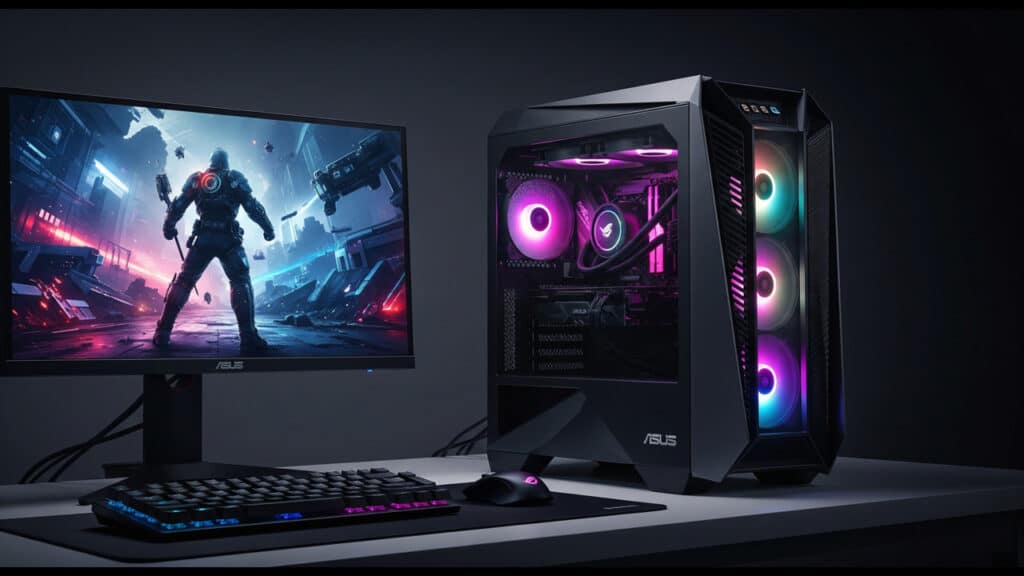
Introduction In the electrifying, ever-evolving world of PC gaming, the pursuit of the ultimate rig is a journey many enthusiasts embark on. From the crisp, high-fidelity graphics that pull you into fantastical realms to the lightning-fast frame rates that give you a competitive edge, your gaming PC is the beating heart of your virtual adventures. As games become more demanding and experiences more immersive, the need for a powerful, reliable, and future-proof machine has never been greater. When it comes to crafting top-tier gaming hardware, one name consistently rises above the rest: ASUS. Renowned for its unwavering commitment to quality, groundbreaking innovation, and a deep understanding of gamers’ needs, ASUS has solidified its reputation as a leader in the industry. Their Republic of Gamers (ROG) series, in particular, has become synonymous with cutting-edge performance, superior cooling, and features designed specifically to elevate your gaming experience. Choosing an ASUS tower PC isn’t just buying a computer; it’s investing in a legacy of gaming excellence. Navigating the vast landscape of gaming PCs can be daunting, especially with ASUS’s diverse and impressive lineup of tower systems. This comprehensive guide “best ASUS tower PC for gaming”, is designed to be your ultimate resource, helping you cut through the noise and pinpoint the ideal ASUS tower PC for your specific gaming ambitions. We’ll delve into various models, highlight their strengths, and ultimately empower you to make an informed decision that will bring your gaming dreams to life. Understanding ASUS’s Gaming Tower PC Lines ASUS offers a compelling range of gaming tower PCs, each meticulously designed to deliver an exceptional gaming experience. From battle-hardened veterans to budget-conscious newcomers, there’s an ASUS gaming PC tailored to your needs. Their primary lines, ROG (Republic of Gamers) and TUF Gaming, represent distinct philosophies in performance, aesthetics, and value. Understanding these series is crucial for making an informed decision about your next gaming rig. ROG Strix Series ROG Huracan / ROG Gxx Series (or equivalent high-end) TUF Gaming Series Other Potential Lines While ROG and TUF Gaming cover the primary gaming tower PC segments, ASUS also offers other lines that may include models with significant gaming capabilities. For instance, certain ProArt workstations, while primarily aimed at content creators, can house powerful GPUs that make them viable for gaming. Similarly, some of ASUS’s more compact PC offerings, while not traditionally “towers,” might offer surprising gaming prowess for niche users seeking a smaller footprint. Key Components To Look For In An ASUS Gaming PC Processor (CPU) The CPU is the heart of your gaming PC. ASUS offers systems with both Intel and AMD processors. For Intel, look towards the Intel Core Ultra Series or the latest generation of i5, i7, or i9 chips. On the AMD side, the Ryzen 7000/8000 series (or current generation) offers fierce competition. When gaming, both core count and clock speed are vital. Higher core counts benefit multitasking and certain game engines, while higher clock speeds generally translate to better in-game performance. For budget-conscious gamers, an i5 or Ryzen 5 might suffice for 1080p gaming, whereas an i7/Ryzen 7 or i9/Ryzen 9 is ideal for high refresh rate 1440p or 4K gaming and future-proofing. Graphics Card (GPU) For gaming, the GPU is arguably the most critical component. You’ll primarily find ASUS systems featuring either NVIDIA GeForce RTX 50 Series (or current generation 40 Series) or AMD Radeon RX 8000/9000 Series (or current generation) graphics cards. Key specifications to consider include VRAM (Video RAM), which dictates the amount of graphical data the card can handle, crucial for higher resolutions and texture settings. Features like ray tracing capabilities offer incredibly realistic lighting and reflections, while NVIDIA’s DLSS and AMD’s FSR are AI-powered upscaling technologies that boost frame rates without a significant loss in visual quality. GPUs come in tiers, influencing the resolution and frame rates you can achieve. Entry-level cards might be suitable for 1080p gaming, mid-range for smooth 1440p, and high-end cards are essential for demanding 4K gaming. RAM (Memory) RAM directly impacts your system’s ability to handle multiple applications and game assets simultaneously. DDR5 is the current standard, offering significant speed improvements over older DDR4. While DDR4 might still appear in some budget builds, DDR5 is highly recommended for optimal performance. Aim for a minimum of 16GB of RAM, but 32GB is ideal for future-proofing and ensuring smooth performance in memory-intensive games and multitasking scenarios. Also, pay attention to the clock speed (MHz) of the RAM, as higher speeds contribute to better overall system responsiveness. Storage For rapid boot times and lightning-fast game loading, an NVMe SSD is non-negotiable. Look for PCIe Gen 4 as a minimum for your primary drive, with Gen 5 being even faster if available and within budget. The significant speed difference an SSD offers over traditional hard drives dramatically improves the gaming experience. While an SSD is crucial for your operating system and frequently played games, a secondary HDD for mass storage might be a cost-effective option if you have a vast game library or large media files. Cooling System High-performance components generate heat, and effective cooling is vital for sustained performance and the longevity of your PC. You’ll typically find systems employing either robust air cooling solutions or more advanced liquid cooling (AIOs – All-in-One). Adequate cooling prevents thermal throttling, ensuring your CPU and GPU can maintain their boost clocks. ASUS often integrates its own impressive cooling solutions, such as their ROG AIOs, designed to efficiently dissipate heat from high-end components. Power Supply Unit (PSU) Often overlooked, the Power Supply Unit (PSU) is critical. Ensure the PSU has sufficient wattage to power all your components, with some headroom for future upgrades. An 80 Plus certification (Bronze, Gold, Platinum, Titanium) indicates the PSU’s efficiency in converting AC power to DC power, leading to less wasted energy and heat. Choosing a higher wattage and efficiency-rated PSU also provides peace of mind for potential GPU upgrades down the line. Top ASUS Tower PC Recommendations For Gaming When it comes to gaming, ASUS consistently delivers

Best ASUS Tower PC for Gaming – Performance Unleashed Read More »

Alienware Gaming Tower PC

Alienware Gaming Tower PC – Unleash Your Gaming Potential

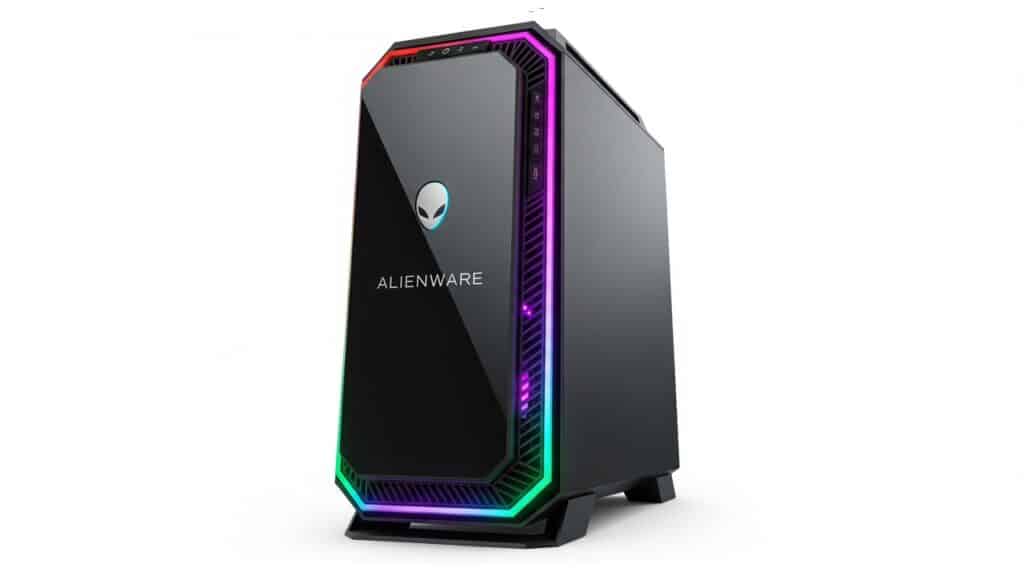
Introduction The world of PC gaming has never been more vibrant, dynamic, or demanding. What began as a niche hobby has blossomed into a global phenomenon, with cutting-edge graphics and immersive virtual worlds pushing the boundaries of what’s possible. As games become increasingly sophisticated, so too does the need for hardware that can keep pace, delivering seamless performance and breathtaking visuals. This relentless pursuit of the ultimate gaming experience leads many enthusiasts to a brand synonymous with power, innovation, and an unmistakable aesthetic: Alienware. Born from Dell’s commitment to the high-performance computing market, Alienware has long been the gold standard for dedicated gamers. Known for its distinctive, often futuristic designs and uncompromising internal specifications, an Alienware gaming tower PC isn’t just a machine, it’s a statement. But beyond the striking appearance, lies a carefully engineered beast built for one purpose: to dominate the digital battlefield. In this blog post, we’ll delve into why an Alienware gaming tower PC remains a top-tier choice for serious gamers, exploring its cutting-edge components, superior cooling, intuitive software, and unparalleled design that collectively unleash your true gaming potential. What Makes An Alienware Gaming Tower PC Stand Out? Alienware gaming tower PCs aren’t just powerful machines; they’re meticulously engineered systems designed to deliver an unparalleled gaming experience right out of the box. Several key elements converge to set them apart from the competition. Performance And Raw Power At the core of every Alienware gaming tower PC lies cutting-edge hardware, meticulously selected to push the boundaries of gaming performance. You’ll find the absolute latest processors, from Intel’s formidable Core i9 and i7 series to AMD’s blazing-fast Ryzen 9 and 7 CPUs. These powerhouses ensure seamless multitasking, incredible frame rates, and smooth performance even in the most CPU-intensive games. Equally critical are the high-end graphics cards Alienware gaming tower PC integrates. Expect to see NVIDIA’s dominant GeForce RTX series or AMD’s powerful Radeon RX series, equipped with abundant VRAM and advanced features like ray tracing and DLSS/FSR. This translates into breathtaking visuals, realistic lighting, and incredibly fluid gameplay at high resolutions. Complementing this, ample RAM (typically 16GB, 32GB, or even more of the latest DDR4 or DDR5 memory) ensures quick loading times and smooth transitions between applications. Finally, fast storage, primarily lightning-quick NVMe SSDs, drastically reduces game load times and system boot-ups, with optional traditional HDDs available for expansive game libraries. Iconic Design And Aesthetics Alienware gaming tower PCs are instantly recognizable, boasting distinctive chassis designs like the sleek and futuristic Legend industrial design. These aren’t just functional enclosures; they’re statement pieces for any gaming setup. Beyond the striking form, customizable AlienFX RGB lighting allows you to personalize your tower with millions of colors and dynamic effects, syncing with your gameplay for an immersive experience. Every detail, from the sculpted lines to the vents, speaks to a premium build quality and materials, ensuring durability and a luxurious feel that stands the test of time. Advanced Cooling Solutions Such immense power generates heat, and Alienware gaming tower PC excels at managing it. Their towers feature advanced cooling solutions, often including robust liquid cooling options for the CPU, which efficiently dissipates heat for sustained peak performance. Combined with optimized airflow and intelligent fan configurations, every component remains within optimal temperature ranges, preventing thermal throttling and ensuring consistent, high frame rates during extended gaming sessions. This meticulous attention to cooling is paramount for sustained performance, allowing your Alienware tower to deliver its full potential without compromise. Key Features And Technologies Beyond raw performance, Alienware gaming tower PC are engineered with forward-thinking features and a user-centric experience in mind, ensuring your investment remains relevant and enjoyable for years to come. Future-Proofing One of the most compelling aspects of an Alienware gaming tower PC is its commitment to future-proofing. Recognizing the rapid evolution of gaming technology, Alienware designs its systems with longevity in mind. This starts with exceptional upgradeability, offering surprisingly easy access to internal components. Unlike some pre-built systems that can be a nightmare to open, Alienware often prioritizes tool-less or minimal-tool access, making RAM, storage, and even GPU upgrades straightforward. This means when new, more demanding games arrive, you can simply slot in upgraded parts rather than buying an entirely new system. Furthermore, Alienware gaming tower PCs typically embrace the latest industry standards like PCIe 4.0 and increasingly, PCIe 5.0 support. This ensures that your high-speed NVMe SSDs and cutting-edge graphics cards can operate at their full potential, eliminating bottlenecks and delivering lightning-fast data transfer. For external peripherals, the inclusion of Thunderbolt and multiple USB-C ports provides versatile, high-bandwidth connectivity for everything from external SSDs and docks to virtual reality headsets, future-proofing your system against evolving peripheral demands. Software And User Experience An Alienware gaming tower PC isn’t just about the hardware; it’s also about the intelligent software that ties it all together. The heart of this ecosystem is the Alienware Command Center. This intuitive, centralized hub allows you to fine-tune virtually every aspect of your PC. From customizing the mesmerizing AlienFX RGB lighting across your chassis and peripherals to optimizing performance profiles for different games, managing audio settings, and monitoring system vitals, the Command Center puts you in complete control. For enthusiasts seeking to push their system’s limits, many Alienware gaming tower PC models offer robust overclocking capabilities directly through the Command Center. This allows you to safely boost CPU and GPU clock speeds, squeezing out extra frames per second for that competitive edge. What’s more, Alienware generally prides itself on a clean software installation. While some useful utilities are pre-installed, you’ll find a remarkable lack of unnecessary “bloatware,” ensuring a smooth and responsive operating system right out of the box, letting you dive straight into gaming without tedious uninstallations. Connectivity A robust array of connectivity options is crucial for any serious gaming setup, and Alienware gaming tower PCs deliver. You’ll find a generous number of multiple USB ports, including both traditional Type-A and modern, reversible Type-C, strategically placed for easy access for all your peripherals – keyboards, mice,

Alienware Gaming Tower PC – Unleash Your Gaming Potential Read More »