MPD

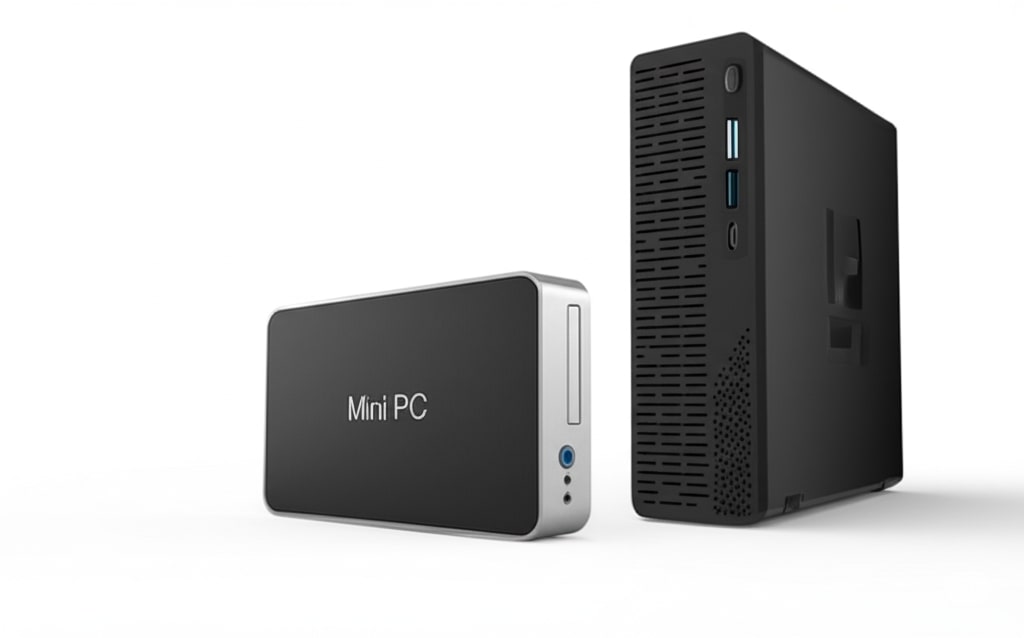
intel mini pc

Explore Intel Mini PC Options

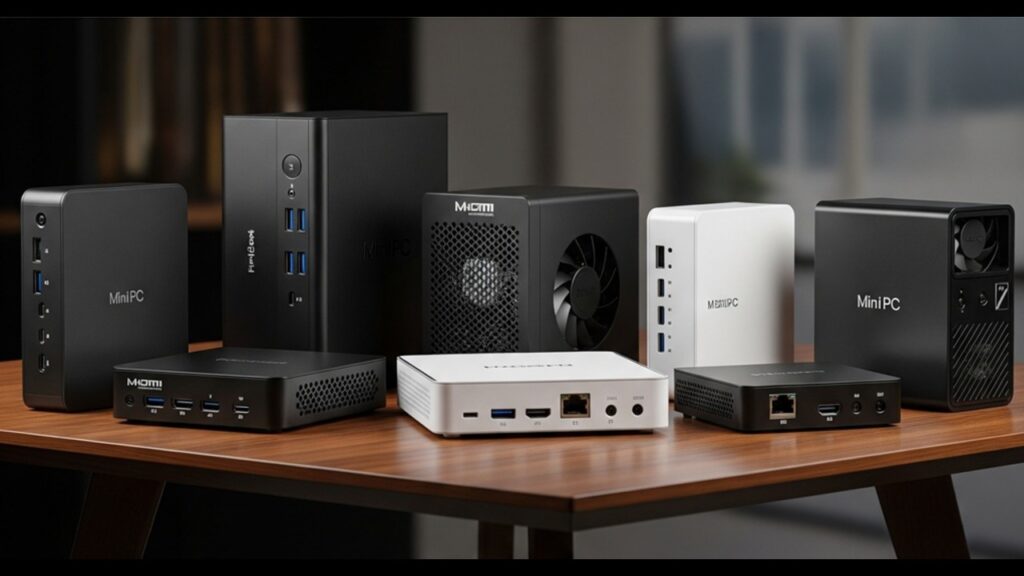
Introduction In an increasingly digital world, our reliance on powerful yet compact computing solutions has never been greater. Gone are the days when a high-performing computer necessarily meant a bulky tower taking up valuable desk space. Enter the mini PC – a marvel of modern engineering that crams surprising power into incredibly small form factors. These diminutive dynamos are rapidly gaining traction, offering a compelling alternative for anyone seeking efficiency without compromise. This blog post is your comprehensive guide to navigating the exciting landscape of Intel mini PC options. We’ll delve into the myriad choices available, from Intel’s own renowned NUC series to offerings from leading manufacturers, helping you understand what makes each unique. Whether you’re reclaiming desk space, building a discreet home theater setup, or powering a specialized business application, an Intel mini PC offers an irresistible blend of compact size, remarkable versatility, and robust performance for a vast array of tasks. Get ready to discover how these tiny titans can transform your computing experience. Here’s the expanded section for “What is an Intel Mini PC?”: What is an Intel Mini PC? At its core, an Intel Mini PC is a compact, fully functional computer designed to perform the same tasks as a traditional desktop, but in a significantly smaller footprint. Think of it as a powerhouse shrunk down, often no larger than a paperback book or a small lunchbox. Key characteristics of these pint-sized powerhouses include their small form factor, allowing them to be discreetly placed on a desk, mounted behind a monitor, or integrated into an entertainment system. They boast a range of Intel processor types, from energy-efficient Celeron and Pentium chips for basic tasks to powerful Core i7 and i9 CPUs capable of handling demanding workloads. While most utilize integrated Intel graphics, some higher-end models even offer dedicated GPU options for light gaming or creative work. Unlike bulky traditional desktops, Mini PCs prioritize space-saving, and while they offer similar functionality to laptops, they lack an integrated screen, keyboard, and trackpad, making them ideal for stationary setups where external peripherals are preferred. Advantages Of Intel Mini PCs When you’re looking to upgrade your tech, why consider an Intel mini PC? These compact powerhouses pack a surprising punch, offering a host of benefits that traditional desktops simply can’t match. First and foremost is their space-saving design. In an age where desk real estate is precious, Intel mini PCs are a breath of fresh air. They’re incredibly small, often no larger than a thick paperback book, making them ideal for cramped desks, tucked away in entertainment centers as a Home Theater PC (HTPC), or even mounted discreetly behind a monitor for a clutter-free setup. This minimalist approach extends to aesthetics too; their sleek, modern designs blend seamlessly into any environment, adding a touch of sophistication without the bulk of a tower. Beyond their diminutive size, energy efficiency is a significant advantage. Intel mini PCs consume far less power than conventional desktop computers, which translates to lower electricity bills and a smaller carbon footprint. This makes them a greener and more economical choice for everyday computing. Finally, their versatility is truly remarkable. Don’t let their size fool you; these machines are capable of handling a wide array of tasks. From seamless office work and productivity applications to enjoyable light gaming and multimedia streaming, they’re surprisingly capable. Their robust performance also makes them perfect for specialized uses like digital signage, interactive kiosks, or even as reliable home servers. And while not truly portable like a laptop, their small size and light weight make them relatively portable, allowing you to easily move your computing hub between rooms or even different locations as needed. Key Factors To Consider When Choosing an Intel Mini PC Selecting the right Intel mini PC hinges on understanding your specific needs and how different components contribute to overall performance. Processor (CPU) The processor dictates your mini PC’s speed and capability. For everyday productivity, web Browse, and media consumption, Intel Celeron and Pentium processors offer cost-effective solutions. They are ideal for basic tasks and act as excellent budget-friendly options. Stepping up, the Intel Core i3, i5, i7, and i9 series provide progressively higher performance. An i3 is great for general home or office use, while an i5 balances performance and value for more demanding multitasking. For power users, content creators, or light gaming, an i7 offers substantial processing power. The top-tier i9 is reserved for the most intensive workloads. Lastly, Intel Atom processors are found in ultra-compact, fanless designs, best suited for dedicated, low-power applications like digital signage or thin clients. RAM (Memory) RAM, or Random Access Memory, is crucial for smooth multitasking. For basic use, 8GB of RAM is generally sufficient. However, if you frequently run multiple applications simultaneously, engage in light content creation, or have numerous browser tabs open, 16GB will provide a much smoother experience. For more intensive tasks like video editing or advanced multitasking, 32GB or more is recommended. Also, consider the expandability of the RAM – some mini PCs allow you to add more memory later. Storage Your storage choice impacts both speed and capacity. Solid State Drives (SSDs), particularly M.2 NVMe SSDs, offer significantly faster boot times and application loading compared to traditional Hard Disk Drives (HDDs). For optimal performance, an SSD is highly recommended for the operating system and frequently used applications. Many mini PCs also offer additional 2.5″ drive bays for a SATA SSD or HDD, allowing you to combine a fast primary drive with a larger, more affordable secondary drive for mass storage. Graphics (GPU) For most everyday tasks, streaming, and basic photo editing, the integrated Intel Iris Xe or UHD Graphics found in many Intel processors are perfectly adequate. These handle high-resolution displays and even some light gaming surprisingly well. However, if you plan on more demanding gaming, video editing, or graphic design, look for mini PCs that offer dedicated GPU options or NUCs specifically designed for enthusiast computing, which provide significantly more graphical horsepower. Ports And Connectivity

Explore Intel Mini PC Options Read More »
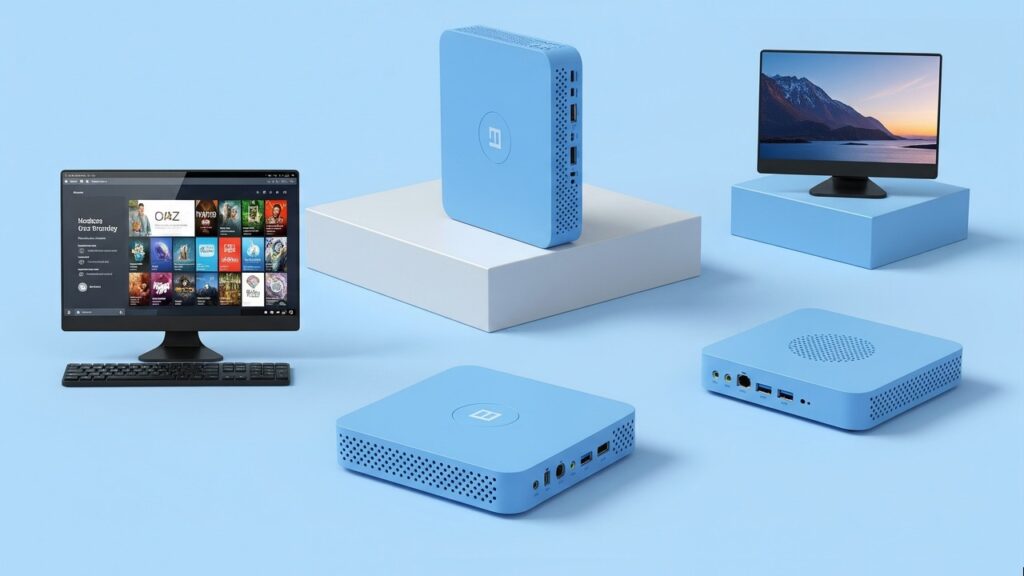
budget mini PC

Budget Mini PC Options That Impress

Introduction In an age where desk space is a premium and energy efficiency is more important than ever, the humble mini PC has rapidly risen in popularity. These compact powerhouses, often no bigger than a paperback novel, offer an incredibly appealing blend of small footprint, impressive energy efficiency, and remarkable versatility. From discreet home theater PCs nestled under your TV to silent workhorses powering your home office, mini PCs are redefining what we expect from a desktop computer. However, a common misconception often shadows the mini PC market, particularly when the word “budget” enters the conversation. Many believe that opting for an affordable mini PC inevitably means compromising on performance, settling for a sluggish machine that struggles with anything beyond basic Browse. We’re here to shatter that myth. This blog post will emphatically prove that “budget” does not equate to “underpowered.” You’ll discover that truly impressive mini PCs are readily available even on a modest budget, offering surprising processing power, excellent integrated graphics, and a wealth of features that cater to a wide array of needs—from seamless 4K streaming to productive multitasking and even light gaming. By the end of this guide, you’ll not only understand how to effectively choose a budget mini PC that suits your specific requirements but also gain insight into the key features to prioritize and walk away with specific, compelling recommendations that promise to impress without breaking the bank. Why Choose A Budget Mini PC? In a world where desk space is precious and electricity bills seem to climb endlessly, budget mini PCs emerge as a surprisingly compelling alternative to traditional bulky desktops. Their appeal extends far beyond just saving a few rupees; they offer a smarter, more efficient way to compute for a wide range of users. Firstly, their space-saving design is a major draw. These pint-sized powerhouses can discreetly tuck behind a monitor, sit unobtrusively on a small shelf, or even be mounted out of sight, decluttering your workspace and freeing up valuable real estate. Secondly, their inherent energy efficiency translates directly into lower electricity bills. Designed with low-power components, mini PCs consume significantly less wattage than their full-sized counterparts, making them an eco-friendly and economically sound choice for continuous operation. Beyond their physical footprint and frugality, budget mini PCs boast incredible versatility. Need a dedicated Home Theater PC (HTPC) for streaming 4K content to your living room TV? A compact workstation for your home office? A machine for light gaming or even driving digital signage? A budget mini PC can handle it all, often with surprising performance. This leads directly to their affordability and exceptional value for money. You get a capable computing experience without the hefty price tag often associated with powerful, larger machines. Finally, their ease of setup and portability makes them ideal for anyone needing a quick plug-and-play solution or the flexibility to move their computing hub between different locations. What To Look For In A Budget Mini PC – Key Specifications & Features Don’t let the “budget” label fool you; you can still find mini PCs packed with impressive features. Knowing what specifications to prioritize will help you make an informed decision that perfectly matches your needs without overspending. Processor (CPU) The CPU is the brain of your mini PC, dictating its overall speed and performance. For basic tasks like web Browse, email, and word processing, an Intel Celeron or Pentium processor offers excellent value and energy efficiency. However, if you plan to tackle more demanding applications such as light photo editing, casual gaming, or extensive multitasking, aim for an AMD Ryzen 3/5 or an Intel Core i3/i5 (even an older generation). These offer significantly more processing power. Crucially, pay attention to integrated graphics like Intel’s UHD/Iris Xe or AMD’s Radeon Graphics. These are vital for smooth video playback (especially 4K streaming), casual gaming, and running graphical interfaces without a dedicated graphics card, which is rare in budget mini PCs. RAM (Memory) RAM, or Random Access Memory, is where your PC temporarily stores data for quick access. For a truly smooth user experience, we strongly recommend a minimum of 8GB of RAM. This allows for comfortable multitasking, letting you run multiple browser tabs, applications, and even video conferences simultaneously without slowdowns. If your budget allows, 16GB of RAM is ideal for future-proofing and handling more intensive applications or more complex workloads. Always check if the RAM is upgradable, as some mini PCs allow you to easily add more memory later. Storage (SSD) When it comes to storage, speed is paramount. An NVMe SSD (Solid State Drive) is the preferred choice, offering significantly faster boot times and application loading compared to traditional hard drives. Aim for at least 256GB, though 512GB is highly recommended for sufficient space for your operating system, software, and files. If NVMe isn’t an option within your budget, a SATA SSD is a perfectly viable alternative, still miles ahead of an old-fashioned HDD. Look for mini PCs that offer expandable storage options, such as an additional 2.5-inch drive bay for a larger SATA SSD/HDD or an extra M.2 slot for another NVMe drive, allowing you to easily increase storage capacity down the line. Connectivity A well-equipped mini PC should offer a variety of ports to connect all your peripherals. Ensure it has a good selection of USB ports, including both older Type-A and modern, versatile Type-C ports. For display, look for at least one HDMI output; DisplayPort is a bonus, especially if you plan to connect dual monitors for enhanced productivity. Reliable wireless connectivity is a must, so ensure it supports Wi-Fi 5 (802.11ac) or preferably Wi-Fi 6 (802.11ax) for faster and more stable internet connections, along with Bluetooth for wireless peripherals like keyboards, mice, and headphones. An Ethernet port is also essential for a stable wired network connection. Operating System Budget mini PCs often come in two flavors: those with a Windows operating system pre-installed and “barebones” units. If you’re comfortable installing an OS yourself, barebones units can be cheaper and allow you

Budget Mini PC Options That Impress Read More »

Affordable Mini PCs Under 30000

Top 10 Affordable Mini PCs Under 30000

Introduction Are you tired of bulky desktop towers hogging your precious desk space, or perhaps you’re simply looking for a computing solution that won’t break the bank? If you’ve nodded along to any of these, then you’re in the right place! Get ready to discover the world of Mini PCs – the compact, powerful, and incredibly budget-friendly answer to your computing needs. In a market often dominated by high-priced electronics, we understand that finding a capable computer within a strict budget can feel like a daunting task. That’s precisely why this guide focuses on the sweet spot: Mini PCs under ₹30,000. This price point, particularly in India, offers incredible value, striking a fantastic balance between performance and affordability. You’ll be surprised at the power and features packed into these machines without having to stretch your wallet. By the time you finish reading this post “Top 10 Affordable Mini PCs Under 30000”, you won’t just have a theoretical understanding of Mini PCs. We’ve meticulously researched and curated a list of the Top 10 Affordable Mini PCs under ₹30,000 available in the Indian market. Our goal is to cut through the clutter and present you with actionable insights, helping you make a truly informed decision on which compact powerhouse is the perfect fit for your home office, entertainment setup, student needs, or everyday computing tasks. Let’s dive in! Key Factors To Consider When Buying a Mini PC Under ₹30,000 Navigating the world of Mini PCs, especially within a strict budget, requires a keen eye for specifications that truly matter. Here’s a breakdown of the crucial factors to consider to ensure you get the best bang for your buck under ₹30,000: Processor (CPU) The CPU dictates the overall performance of your Mini PC. In the sub-₹30,000 segment, you’ll primarily encounter Intel’s Celeron, Pentium, and sometimes Atom processors, along with AMD’s Athlon series, and occasionally an entry-level Ryzen 3. RAM (Random Access Memory) RAM is crucial for multitasking and running applications smoothly. Storage The type and amount of storage significantly impact the overall speed and responsiveness of your Mini PC. Connectivity The number and type of ports are crucial for connecting peripherals and displays. Operating System Mini PCs come with various OS configurations: Cooling Cooling is vital for performance and longevity, and it affects noise levels. Brand Reputation & Support In the budget segment, brand reputation becomes even more important. Top 10 Affordable Mini PCs Under ₹30,000 Navigating the vast sea of Mini PCs can be challenging, especially when you’re aiming for a strict budget of ₹30,000. While specific models fluctuate based on market availability and ongoing deals, we’ve categorized the best options you’re likely to find, focusing on their strengths and ideal use cases. This curated list aims to provide a clear picture of what to expect in this price range. The Ultra-Compact Productivity Hub: Beelink Mini S12 Pro or GMKtec NucBox G1 The Reliable Workhorse: Intel NUC 10 Essential Kit (Celeron J4005/J4025 variant) The Media Enthusiast’s Choice: AMD Athlon 300U/3050U Based Mini PC (e.g., specific AceMagician or Koorui models) The Silent Guardian: Zotac ZBOX C Series (Fanless) or similar generic fanless Mini PC The Future-Proof Budgeter: Mini PC with two RAM slots and M.2 NVMe + 2.5″ bay (e.g., certain Minisforum or Beelink models) The Connectivity King: Generic Mini PC with plentiful ports (e.g., Kingdel or industrial-focused generic models) The Ready-to-Go Bargain: Brand X Mini PC with Windows 11 Home/Pro Pre-installed The Unexpected Performer: Lesser-known brand with an older, but powerful chip (e.g., specific Refurbished/Open Box deals with older Core i3/i5 or specific Chinese brands) The VESA Mount Champion: Ultra-Slim Mini PC with included VESA bracket (e.g., some HP or Dell Thin Client repurposed Mini PCs, or specific generic models) The All-Round Value King: Minisforum N100 / Beelink S12 Pro (or similar latest generation budget Mini PC) Ideal Use Cases For Mini PCs Under ₹30,000 Don’t let the compact size or the affordable price tag fool you – Mini PCs under ₹30,000 are surprisingly versatile. Their efficiency and small footprint make them perfect for a wide range of applications, fitting seamlessly into various environments. Here are some of the most common and effective ways you can utilize these budget-friendly powerhouses: Home Office & Productivity Forget bulky desktops that hog your desk space. A Mini PC is a dream come true for your home office setup. With enough processing power (think Intel Celeron, Pentium, or AMD Athlon/Ryzen 3) and sufficient RAM (preferably 8GB), these machines handle everyday productivity tasks with ease. Student Computing For students, a Mini PC is an economical and practical alternative to a laptop, especially if they already own a monitor. They offer the necessary power for academic pursuits without breaking the bank. Home Theater PC (HTPC) & Media Streaming Transform your living room into an entertainment hub. Mini PCs are fantastic as dedicated media machines, plugging directly into your TV via HDMI and offering a more robust experience than many smart TV interfaces. Light Gaming & Emulation While they won’t run the latest AAA titles at maximum settings, Mini PCs under ₹30,000 are surprisingly capable for casual gaming and especially for reliving classic gaming memories. Point of Sale (POS) Systems For small businesses, retail outlets, cafes, or restaurants, a Mini PC offers a compact, cost-effective, and reliable solution for managing transactions. Digital Signage Mini PCs are an excellent choice for powering digital displays in various commercial and public settings. Conclusion As we’ve explored, Mini PCs under ₹30,000 truly punch above their weight, offering an incredible blend of value, versatility, and compact power. Gone are the days when a capable computer meant a bulky tower dominating your desk. These pint-sized powerhouses prove you don’t need to break the bank to get a machine that can handle your everyday tasks, from smooth Browse and productivity to enjoyable media consumption and even light gaming. When choosing your perfect Mini PC, remember to prioritize the processor for the core performance, ensure you have sufficient RAM (8GB is often the sweet spot for

Top 10 Affordable Mini PCs Under 30000 Read More »

Intel NUC vs AMD Mini PCs

Intel NUC vs AMD Mini PCs: Pros & Cons

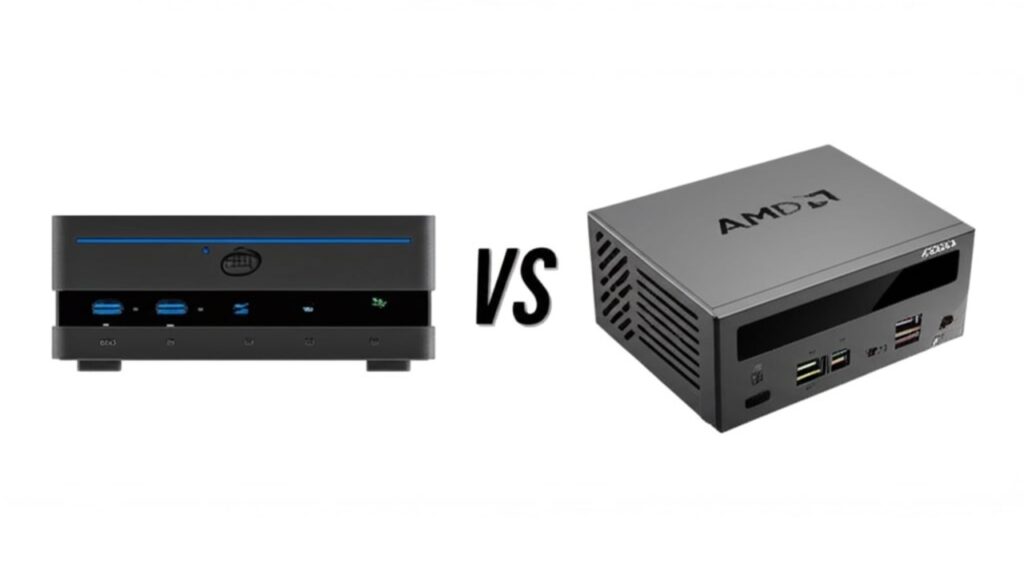
Introduction In an increasingly compact world, the humble desktop PC has undergone a remarkable transformation. Gone are the days when powerful computing was synonymous with bulky towers taking up valuable desk space. Enter the era of the mini PC – diminutive dynamos packing surprising punch into incredibly small footprints. These compact computers have rapidly gained traction, offering an enticing blend of space-saving design, energy efficiency, and enough performance for a vast array of tasks. From seamless home theater setups and discreet office workstations to capable coding machines and even surprisingly robust gaming rigs, mini PCs are redefining what’s possible in small-form-factor computing. Their versatility makes them an attractive option for anyone looking to declutter their space without compromising on productivity or entertainment. At the forefront of this mini PC revolution stand two titans: Intel and AMD. For years, Intel’s Next Unit of Computing, affectionately known as the Intel NUC, has been a pioneering force, setting the standard for compact, barebones computing. Renowned for its reliability, wide range of configurations, and robust feature sets, the NUC has cultivated a loyal following. However, the landscape has evolved dramatically with the ascendancy of AMD’s Ryzen processors and integrated Radeon graphics. This has paved the way for a flourishing ecosystem of AMD Mini PCs, offered by a variety of manufacturers, which often challenge Intel’s offerings with competitive performance, particularly in graphics and multi-core workloads. With both Intel NUCs and the diverse array of AMD Mini PCs presenting compelling options, choosing the right one can feel like navigating a maze of specifications and promises. This comprehensive guide “Intel NUC vs AMD Mini PCs: Pros & Cons”, aims to illuminate the path forward. We will dive deep into a head-to-head comparison, dissecting the core strengths and weaknesses of both Intel NUCs and AMD Mini PCs. By thoroughly examining their performance, features, connectivity, pricing, and ideal use cases, we will empower you with the knowledge needed to make an informed decision that perfectly aligns with your computing needs and budget. Understanding Intel NUCs What is Intel NUC? The acronym NUC stands for “Next Unit of Computing,” and it’s a testament to Intel’s vision of ultra-compact yet powerful computing. Launched in 2012, the Intel NUC was pioneering in creating a standardized, small-form-factor PC that could fit in the palm of your hand or behind a monitor. Initially conceived to showcase Intel’s latest processors and integrated graphics in a tiny package, NUCs quickly evolved into versatile, full-fledged computers capable of handling a wide range of tasks. Unlike traditional desktop PCs, NUCs are typically sold as barebones kits (requiring users to add RAM, storage, and an operating system) or as complete, ready-to-use systems. Their design philosophy centers around miniaturization without compromising performance, making them an ideal solution for space-conscious users. Key Characteristics And Features Intel NUCs are defined by a set of core characteristics and features that make them distinct in the mini PC landscape: Typical Use Cases The versatility of Intel NUCs makes them suitable for a diverse range of applications across home, office, and commercial environments: Understanding AMD Mini PCs While Intel pioneered the “mini PC” concept with its NUC line, the landscape has been significantly enriched by the rise of AMD-powered mini PCs. Unlike Intel, which primarily offers its NUCs as a distinct product line, AMD provides the powerful processors (APUs) that numerous manufacturers then integrate into their own compact designs. This has led to a vibrant and competitive market filled with innovative solutions from brands like Beelink, Minisforum, ASUS, ACEMAGIC, ASRock, and many others. These manufacturers leverage AMD’s advanced APU technology to deliver mini PCs that often stand out for their strong performance, particularly in graphics. What Are AMD Mini PCs? At their core, AMD Mini PCs are small form-factor computers built around AMD’s Accelerated Processing Units (APUs). An APU is a single chip that combines a CPU (Central Processing Unit) for general computing tasks with a powerful GPU (Graphics Processing Unit) for visual rendering. This integration is where AMD mini PCs often shine, as their integrated Radeon Graphics tend to offer a significant performance advantage over Intel’s integrated graphics solutions, especially in scenarios involving gaming or content creation. The proliferation of AMD’s highly efficient and capable Ryzen APUs (which combine Zen CPU cores with Radeon graphics) has fueled the growth of this segment, offering consumers a compelling alternative to traditional desktop towers and even Intel’s NUCs. Key Characteristics And Features AMD Mini PCs share many fundamental characteristics with their Intel counterparts, while introducing their own distinct advantages: Typical Use Cases The strengths of AMD’s APUs make their mini PCs well-suited for a variety of applications: Intel NUC vs AMD Mini PCs: Pros & Cons Comparison When it comes to choosing between an Intel NUC and an AMD Mini PC, a direct comparison across several key areas is essential. Each platform brings its own set of advantages and disadvantages, catering to different user priorities and budgets. Performance The processing power, both CPU and GPU, is often the first consideration for many users. This is where Intel and AMD have historically carved out distinct niches. Features & Connectivity Performance isn’t everything; how a mini PC connects to the world and what unique features it offers can be equally important. Ecosystem & Support The broader ecosystem and the level of support available can influence the overall user experience. Pricing Price is almost always a deciding factor, and here too, Intel and AMD mini PCs often present different value propositions. Innovation & Future-proofing Both companies are constantly innovating, but their focus areas can differ. Who Should Choose Which? (Target Audience Recommendations) Deciding between an Intel NUC and an AMD Mini PC ultimately boils down to your specific needs, budget, and priorities. While both offer compact and capable computing, their underlying architectures often lend themselves to different strengths. Conclusion So, after diving deep into the world of Intel NUCs and AMD Mini PCs, what have we learned? Essentially, both offer compelling, compact computing solutions, but they often excel in

Intel NUC vs AMD Mini PCs: Pros & Cons Read More »

HP vs Dell AIO PCs

HP vs Dell AIO PCs: Brand Comparison

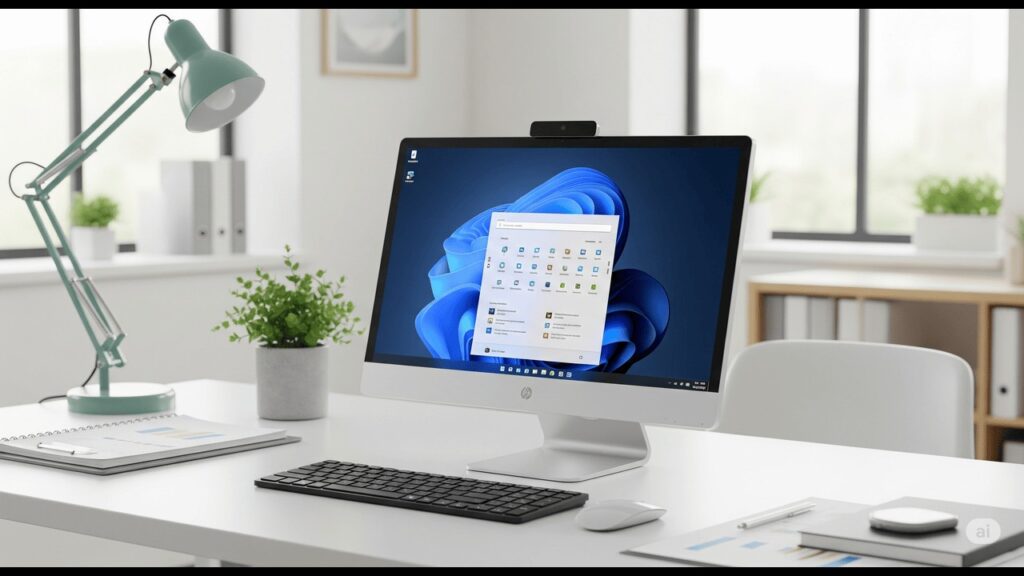
Introduction It feels like every other day, our lives get more connected, and with that, the demand for streamlined tech grows. That’s where All-in-One (AIO) PCs shine. Blending the monitor and computer into one sleek package, AIOs are quickly becoming the go-to for many homes and offices, clearing up desk clutter and offering a minimalist aesthetic without sacrificing power. They’re perfect for everything from online classes and creative projects to managing small businesses or just kicking back with some entertainment. When you’re diving into the AIO market, two names consistently rise to the top: HP and Dell. Both are industry giants, each with a long-standing reputation for producing reliable and innovative computing solutions. They’ve poured years of expertise into their AIO lines, offering a diverse range of models designed to cater to various needs and budgets. But with so many options from both brands, how do you pick the right one? This blog post “HP vs Dell AIO PCs”, will cut through the noise, offering a detailed brand comparison between HP and Dell AIO PCs. We’ll pit them against each other across key categories like design, performance, display quality, and unique features. By breaking down what each brand brings to the table, we’ll help you pinpoint which AIO PC aligns best with your specific needs and priorities, ensuring you make a truly informed decision. Design And Aesthetics When you’re choosing an All-in-One (AIO) PC, the first thing that often catches your eye is its design. HP vs Dell AIO PCs, while both crafting highly functional machines, take noticeably different approaches to aesthetics. HP AIOs HP’s AIO PCs generally embody a sleek, modern, and minimalist design philosophy. They often exude a more premium feel, making them appear less like a traditional computer and more like a piece of contemporary furniture. You’ll frequently see thin bezels around the display, maximizing screen real estate and contributing to that immersive feel. Many HP AIOs incorporate refined materials like fabric finishes on the speaker grilles or base, adding a touch of warmth and sophistication that blends seamlessly into a home or modern office environment. Some models even feature cleverly integrated soundbars, making the audio delivery part of the overall aesthetic rather than an afterthought. HP’s design choices primarily target users who prioritize aesthetics and desire a machine that not only performs well but also enhances the visual appeal of their workspace. Dell AIOs In contrast, Dell’s AIO PCs typically lean into a practical, functional, and professional design philosophy. While certainly not unattractive, their focus tends to be more on robustness and utility rather than cutting-edge style. Dell AIOs often feature robust stands that offer excellent stability and sometimes more ergonomic adjustments. You’ll also notice that Dell often places a greater emphasis on connectivity, frequently providing a more generous array of easily accessible ports directly on the display unit or base. Their designs are generally more straightforward and less adorned, prioritizing a clean, uncluttered look that fits well into various professional settings. Dell’s design choices are particularly appealing to business users and individuals who prioritize uncompromised functionality and reliability in their hardware. Comparison & Key Differences Ultimately, the “better” design is highly subjective and depends entirely on your personal preference. HP consistently strives for a more luxurious and stylish appearance, often innovating with materials and integrated features that make their AIOs stand out as design statements. If you’re looking for an AIO that blends seamlessly into a modern living space or office with a touch of elegance, HP will likely catch your eye. Dell, on the other hand, prioritifies a more pragmatic approach. Their designs, while perhaps less “flashy,” offer solid build quality and often superior ergonomics and port accessibility, which are crucial for productivity and long-term use. While HP might win points for sheer visual flair, Dell often wins for practical everyday usability and a more “get-to-work” aesthetic. Neither brand has significant design “shortcomings” in terms of build quality, but their differing philosophies mean they cater to distinct visual tastes. Performance And Specifications When investing in an AIO PC, the internal components dictate its overall speed, responsiveness, and capability. Both HP and Dell offer a wide range of configurations, but their approaches and typical offerings can differ. Processor Options (Intel vs. AMD) Graphics (Integrated vs. Discrete) RAM And Storage Connectivity And Ports     AIO PCs aim to minimize cable clutter, but a robust selection of ports is still crucial for connecting peripherals and external devices. Display Quality The display isn’t just about size; it encompasses a multitude of factors that contribute to a vibrant and accurate visual experience. HP and Dell both understand this, offering a variety of options to cater to diverse needs and budgets. Resolution Options (Full HD, 4K) The resolution of your display dictates the sharpness and detail of the images on screen. Panel Type (IPS, VA) The type of panel used in a display significantly influences viewing angles and color accuracy. Touchscreen And Non-Touch Options The integration of touch technology can transform how you interact with your AIO PC. Special Features (e.g., Anti-glare, Brightness, Color Gamut) Beyond the basics, various special features can further enhance the display experience. Features And Innovation Beyond raw specifications, the everyday user experience of an AIO PC is heavily influenced by its features and the innovations each brand brings to the table. From how you communicate to how you interact with your machine, these elements can be significant differentiators. Webcams And Audio Quality In today’s interconnected world, a high-quality webcam and robust audio are no longer luxuries but necessities for many. Both HP and Dell have their approaches to integrating these crucial components into their AIO designs. Software And Bloatware The software that comes pre-installed on your AIO PC can significantly impact its out-of-the-box performance and your overall user experience. Both HP and Dell include their own suites of utilities and third-party applications. Ergonomics And Stand Adjustability An AIO PC, by its very nature, integrates the display and computing components. The design of its stand

HP vs Dell AIO PCs: Brand Comparison Read More »

AIO PCs for Small Business

AIO PCs For Small Business: What to Look For

Introduction In today’s dynamic business landscape, small businesses are constantly seeking efficient and innovative solutions to maximize productivity while minimizing overheads. Gone are the days when clunky desktop towers dominated every office space. The evolving needs of modern small businesses demand sleek, powerful, and, most importantly, space-saving technology. This is where All-in-One (AIO) PCs step into the spotlight, emerging as a compelling option that aligns perfectly with these growing demands. Space is often at a premium, whether you’re running a boutique retail store, a bustling coffee shop, a home-based consultancy, or a compact office. AIOs reclaim valuable desk real estate, allowing for a cleaner, more organized, and professional environment. Their integrated design also contributes to a modern and sophisticated aesthetic, which can be a subtle yet impactful element in creating a positive impression on clients and customers. Furthermore, the ease of setup and maintenance means less time spent on IT headaches and more time focused on what truly matters: growing your business. Choosing the right technology is a critical investment for any small business. With a myriad of options available, understanding what truly matters when selecting an AIO PC can be the difference between a smart purchase and a costly mistake. This blog post “AIO PCs For Small Business”, aims to be your comprehensive guide, dissecting the key considerations and essential features small business owners should look for to ensure they pick an All-in-One PC that not only meets their current needs but also supports their future growth. The “All-in-One” Advantage For Small Businesses For small businesses, every decision, from office layout to technology investments, significantly impacts efficiency and budget. This is where All-in-One (AIO) PCs truly shine, offering a suite of advantages that cater directly to the unique demands of smaller operations. Space Saving & Aesthetics     One of the most immediate and impactful benefits of an AIO PC is its incredibly compact design. Unlike traditional desktop setups that require a separate tower, monitor, and an array of tangled cables, an AIO integrates all computing components directly into the display. Simplified Setup & Maintenance     Time is money, especially for small businesses. AIOs are designed with simplicity in mind, translating into tangible benefits for setup and ongoing management. Energy Efficiency     Operating costs are a constant concern for small businesses. AIO PCs contribute positively to your bottom line through their energy-efficient design. Portability (Relative To Traditional Desktops)     While not as portable as a laptop, AIO PCs offer a level of flexibility that traditional desktops simply cannot match. Key Factors To Consider When Choosing An AIO PC Selecting the right AIO PC for your small business isn’t just about picking the first one you see. It’s about making a strategic investment that will empower your team and streamline your operations. Here’s a detailed look at the crucial factors to consider: Performance The internal components dictate how smoothly your AIO PC will run your business applications. Don’t overspend on power you don’t need, but certainly don’t underspend and hinder productivity. Display Since the display is an integral part of an AIO PC, its quality directly impacts user comfort and productivity. Connectivity A modern AIO PC should offer a robust selection of ports and reliable wireless connectivity to integrate seamlessly into your business ecosystem. Ergonomics & Design The physical design of an AIO PC significantly impacts user comfort, office aesthetics, and overall functionality. Security Features Protecting your business data is paramount. Look for AIOs that offer built-in hardware and software security enhancements. Operating System & Software Compatibility The chosen operating system defines the user experience and compatibility with your existing business software. Budget & Brand Reputation Finally, balance your needs with your financial reality and choose a trustworthy provider. Common Use Cases for AIO PCs In Small Businesses The versatility and sleek design of AIO PCs make them an ideal choice for a variety of roles within a small business environment. Their ability to blend seamlessly into different settings while providing robust computing power is a significant advantage. Let’s explore some of the most common and effective ways small businesses leverage AIO PCs: Front Desk/Reception For the front desk or reception area, an AIO PC needs to be presentable, easy to use, and capable of handling basic administrative tasks and customer interactions. A touch screen can be a significant advantage for quick sign-ins or interactive displays. What to Look For: Top Recommendations: Retail Point-of-Sale (POS) POS systems require reliability, a responsive interface (often touchscreen), and the ability to connect to various peripherals like barcode scanners, receipt printers, and cash drawers. Durability and a compact footprint are also key. What to Look For: Top Recommendations: General Office Workstations Top Recommended AIO PCs in Small Businesses: Tailored for Every Use Case All-in-One (AIO) PCs are a fantastic choice for small businesses due to their space-saving design, minimal cable clutter, and often sleek aesthetics. Their integrated nature makes them easy to set up and manage, freeing up valuable space and reducing IT headaches. However, the “best” AIO PC heavily depends on the specific needs of your business. Here, we break down top recommendations for various common small business use cases, along with the key specs to look for. A. Front Desk/Reception For the front desk or reception area, an AIO PC needs to be presentable, easy to use, and capable of handling basic administrative tasks and customer interactions. A touch screen can be a significant advantage for quick sign-ins or interactive displays. What to Look For: Top Recommendations: B. Retail Point-of-Sale (POS) POS systems require reliability, a responsive interface (often touchscreen), and the ability to connect to various peripherals like barcode scanners, receipt printers, and cash drawers. Durability and a compact footprint are also key. What to Look For: Top Recommendations: C. General Office Workstations For everyday office tasks like document creation, email, web Browse, and basic spreadsheet work, an AIO PC needs to be efficient, comfortable to use for extended periods, and offer a clear display. What to Look For: Top Recommendations:

AIO PCs For Small Business: What to Look For Read More »

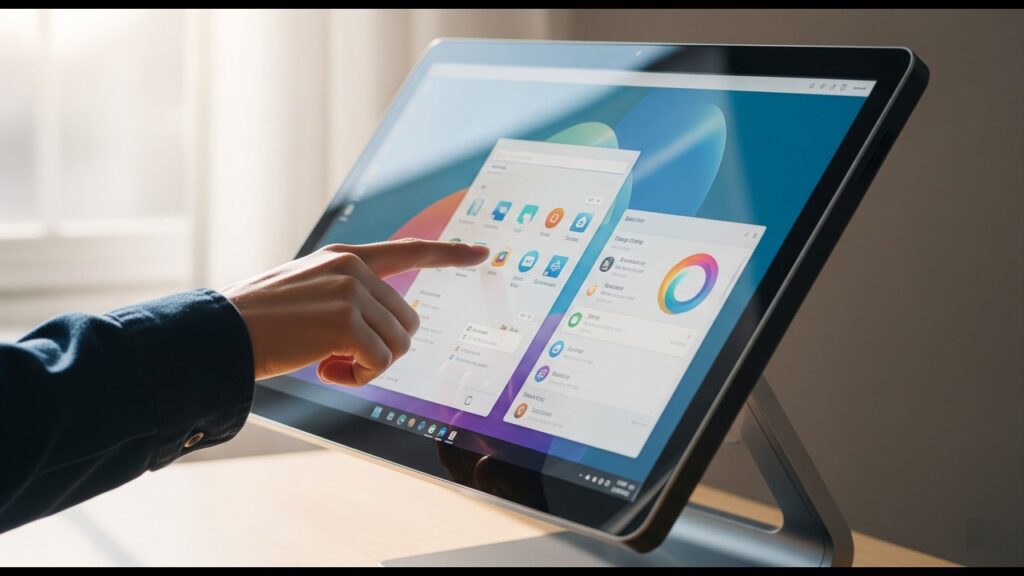
Touch Screen AIO PCs

Best Touch Screen AIO PCs For Designers

Introduction In the dynamic world of design, creativity is paramount, but efficiency and the right tools are what truly bring visions to life. Gone are the days when a powerful desktop and a separate drawing tablet were the only viable setup for serious designers. Today’s creative professionals – whether you’re a graphic designer, illustrator, 3D artist, or video editor – demand seamless workflows, intuitive interaction, and uncompromised visual fidelity. You need tools that not only keep pace with your imagination but actively enhance it, allowing you to manipulate your digital canvas with the same fluidity as a traditional one. Enter the Touch Screen All-in-One (AIO) PC – a revolutionary solution that perfectly blends computing power, a stunning display, and direct, intuitive interaction. Imagine sketching directly onto your artwork, pinching to zoom on intricate details, or rotating a 3D model with a simple swipe of your hand. This isn’t just about convenience; it’s about breaking down the barriers between you and your creative output. Touch Screen AIOs offer a compelling alternative to traditional setups by integrating everything into a single, sleek unit. This means less cable clutter, a more streamlined workspace, and the unique ability to interact directly with your designs in a way that standard monitors simply can’t match. For designers, this direct manipulation often translates to a more natural, efficient, and ultimately more enjoyable creative process. If you’re a designer looking to upgrade your workstation or simply explore the possibilities of touch-enabled computing, this guide is for you. We’ll dive deep into the essential features that make a Touch Screen AIO PC truly suitable for design work, from critical display specifications like color accuracy and resolution to powerful internal components like processors and graphics cards. We’ll also explore the nuances of stylus support, ergonomic design, and connectivity. Why Touch Screen AIOs Are A Game-Changer For Designers For years, designers have juggled powerful workstations, dedicated graphics tablets, and external monitors to bring their visions to life. While effective, this setup often felt like managing a complex orchestra rather than a seamless creative flow. Enter the touch screen All-in-One (AIO) PC – a powerful fusion that’s rapidly reshaping the designer’s workspace. These integrated machines are far more than just sleek desktops; they offer a fundamental shift in how designers interact with their work, leading to tangible benefits in productivity, comfort, and precision. Enhanced Workflow & Productivity The most immediate and impactful benefit of a touch screen AIO for designers is the sheer fluidity it brings to the creative process. It bridges the gap between traditional and digital artistry, allowing for an intuitive, hands-on approach. Space-Saving & Ergonomics Beyond the direct interaction, AIOs offer practical advantages that contribute to a more organized and comfortable design environment. Visual Fidelity For designers, the display is not just a window to their work; it is their work. Touch screen AIOs built for creative professionals understand this, prioritizing exceptional visual quality. Key Features To Look For In A Designer-Friendly Touch Screen AIO Choosing the right touch screen AIO PC is paramount for designers, as it directly impacts your efficiency, accuracy, and overall creative output. Here’s a breakdown of the crucial features you should prioritize: Display Quality The display is arguably the most critical component for any designer. It’s your window into your creations, and its quality directly affects the fidelity and accuracy of your work. Performance Beyond the display, the internal components dictate how smoothly your design software runs, how quickly files render, and how efficiently you can multitask. Touch & Stylus Experience Since you’re specifically looking for a touch screen AIO, the quality of its touch and stylus integration is paramount. Ergonomics & Design A workstation that fits your workflow and comfort can significantly reduce fatigue and boost productivity during long design sessions. Software Compatibility While most modern AIOs are versatile, there are some fundamental considerations regarding the operating system. Top Recommended Touch Screen AIO PCs For Designers Choosing the right touch screen AIO PC is crucial for designers, as it directly impacts your workflow, efficiency, and creative output. Here are our top recommendations, categorized by performance and price point: Premium/High-End Choices For designers who demand the absolute best in terms of display quality, raw power, and an unhindered creative experience, these AIOs are at the forefront. They come with a higher price tag but deliver professional-grade performance. Mid-Range/Value Choices These AIOs offer a compelling blend of features and performance, making them excellent choices for designers who need capable touch screen capabilities without breaking the bank. Honorable Mentions / Niche Options Considerations Before Buying Before you dive into the exciting world of touch screen AIO PCs, taking a moment to reflect on your specific needs and constraints will ensure you make the best investment. This isn’t just about picking the most powerful machine; it’s about finding the right machine for you. Budget Let’s be realistic – touch screen AIO PCs, especially those geared towards professional design work, can range significantly in price. Establish a clear budget range before you start Browse. Remember, a higher price often correlates with better components, a more vibrant and accurate display, and superior build quality, which can directly impact your productivity and the quality of your output. Specific Design Needs – 2D Illustration, 3D Modeling, Video Editing, etc. Your primary design discipline will heavily influence the specifications you need. Don’t overspend on features you won’t use, but also don’t underspend and hamstring your workflow. Operating System Preference (Windows vs. macOS) This is often a deeply personal choice, but it can impact your AIO options and software compatibility. Consider the software you currently use or plan to use. While most major applications are cross-platform, some designers have workflows deeply embedded in one OS. Future-proofing AIO PCs, by their nature, are less upgradeable than traditional desktop towers. However, some offer more flexibility than others. Investing in a slightly more powerful configuration upfront, even if it stretches your budget a bit, can save you money and frustration in the long run by

Best Touch Screen AIO PCs For Designers Read More »

AIO PCs For Gaming

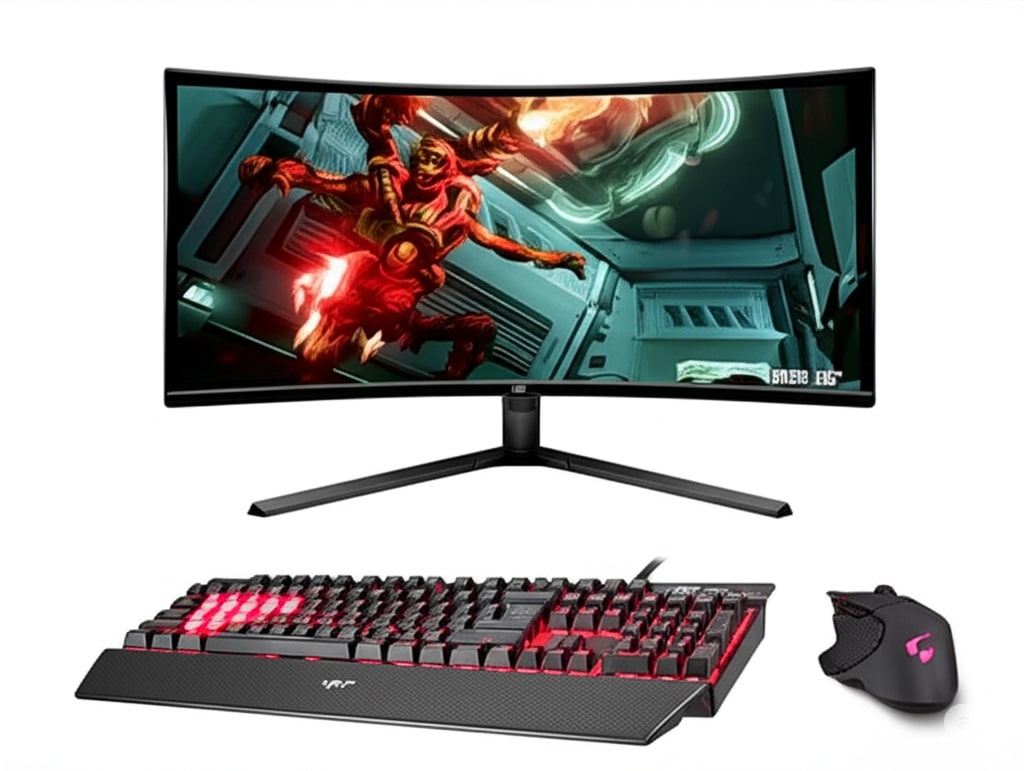
Best AIO PCs For Gaming In 2025

Introduction The world of PC gaming is constantly evolving, and with it, the machines we choose to play on. For years, the dedicated gaming rig – a formidable tower brimming with components – reigned supreme. However, a significant shift is underway. As technology advances and living spaces become more compact, the All-in-One (AIO) PC is rapidly emerging as a surprisingly powerful and incredibly appealing option for gamers. So, what exactly is an AIO PC? Simply put, it’s a computer where all the essential components – the processor, graphics card, RAM, storage, and even speakers – are integrated directly into the monitor itself. This design offers immense advantages for gamers, particularly unparalleled space-saving, a sleek and minimalist aesthetic, and the blessed absence of tangled cable clutter. While AIOs were once stereotyped for their performance limitations, especially for demanding games, this notion is quickly becoming a relic of the past. Thanks to breakthroughs in miniaturization, thermal design, and power efficiency, the AIO PCs of 2025 are a different breed entirely. This post will delve into the cutting-edge of AIO gaming, showcasing the very best models available in 2025. We’ll explore how these machines deliver uncompromising gaming experiences by meticulously examining their performance capabilities, the stunning quality of their integrated displays, and the innovative features that set them apart. Prepare to discover how an AIO PC might just be your next ultimate gaming companion. Why Choose An AIO PC For Gaming In 2025? Firstly, space efficiency and aesthetics are paramount. AIOs integrate all essential components behind the display, freeing up valuable desk space and creating a remarkably clean, modern gaming setup. This makes them ideal for smaller apartments, dorm rooms, or even living room entertainment centers where a traditional tower would be an eyesore. Secondly, the simplified setup and cable management is a game-changer. Forget wrestling with countless wires; an AIO typically requires just a single power cable and perhaps one or two peripheral connections, offering a true plug-and-play experience. Crucially, improved performance is where AIOs truly shine in 2025. Manufacturers have made significant strides in thermal design and component integration. We’re seeing mobile GPUs like the NVIDIA GeForce RTX 50-series (the likely successor to the 40-series by 2025) and AMD Radeon RX 8000M-series pushing performance levels closer than ever to their desktop counterparts. Paired with highly efficient cooling solutions, these AIOs can sustain high frame rates even during intense gaming sessions. Furthermore, AIOs often come equipped with integrated high-quality displays. These aren’t just any screens; many boast vibrant colors, high refresh rates (144Hz or more), and resolutions ranging from crisp 1440p to stunning 4K, eliminating the need for a separate monitor purchase. This delivers an immersive visual experience right out of the box. Ultimately, choosing an AIO provides a streamlined experience. It’s less hassle than meticulously researching and building a custom rig, yet in 2025, it no longer means sacrificing significant gaming power. Key Factors to Consider When Buying an AIO Gaming PC in 2025 Choosing the perfect AIO gaming PC requires a careful look at several crucial components. Given the integrated nature of these machines, understanding what’s inside is even more important, as upgrades are typically limited. Processor (CPU) The CPU is the brain of your gaming rig. In 2025, look for the latest Intel Core Ultra processors or next-generation AMD Ryzen chips. Focus on models with high core counts and impressive clock speeds, as these are vital for running demanding games and multitasking. Crucially, the CPU’s performance is intrinsically linked to the AIO’s cooling system – a robust cooling solution is essential to prevent thermal throttling and ensure sustained high performance during long gaming sessions. Graphics Card (GPU) Without a doubt, the GPU is the single most important component for gaming performance. For 2025 AIOs, you’ll primarily find powerful mobile versions of leading discrete graphics cards. Aim for NVIDIA GeForce RTX 4070 Mobile or RTX 4080 Mobile, or their AMD counterparts like the Radeon RX 7800M XT or RX 7900M XT. These mobile GPUs now offer incredible performance, capable of handling modern titles at high settings. Don’t forget to check for support for technologies like NVIDIA’s DLSS or AMD’s FSR, which use AI upscaling to significantly boost frame rates without sacrificing visual quality, especially beneficial for ray tracing. RAM (Memory) For a smooth gaming experience in 2025, a minimum of 16GB of DDR5 RAM is essential. However, to truly future-proof your investment and handle upcoming titles or heavy multitasking, 32GB of DDR5 is ideally recommended. Pay attention to the RAM speed (measured in MHz), as faster RAM can provide a noticeable performance uplift, particularly for CPU-intensive games. Storage Modern games demand fast storage. An NVMe SSD is a must-have for both your operating system and your game library. Prioritize drives utilizing PCIe Gen 4 or, ideally, PCIe Gen 5 for lightning-fast load times. While 1TB is a bare minimum, we strongly recommend a 2TB or larger capacity to accommodate the ever-growing file sizes of AAA titles and your general software needs. Display Since the display is integrated, its quality directly impacts your gaming experience. For crisp visuals, aim for a 1440p resolution, though some high-end AIOs may offer stunning 4K panels. A refresh rate of at least 120Hz is crucial for fluid gameplay, with 144Hz or higher being ideal. Consider the panel type: IPS displays offer excellent color accuracy and wide viewing angles, while OLED panels deliver unparalleled contrast and true blacks. Finally, a low response time is vital to minimize ghosting in fast-paced games. Cooling Solution This is where AIOs have made significant strides. Efficient cooling is paramount to prevent thermal throttling and maintain peak performance. Look for systems that incorporate advanced liquid cooling or highly robust air cooling designs. A superior cooling solution not only ensures sustained performance but also contributes to lower noise levels, enhancing your immersion. Connectivity A good selection of ports ensures versatility. Look for at least one USB-C port (preferably Thunderbolt 4 or USB4) for high-speed data transfer and display output. Multiple USB-A

Best AIO PCs For Gaming In 2025 Read More »

Best Tower PCs

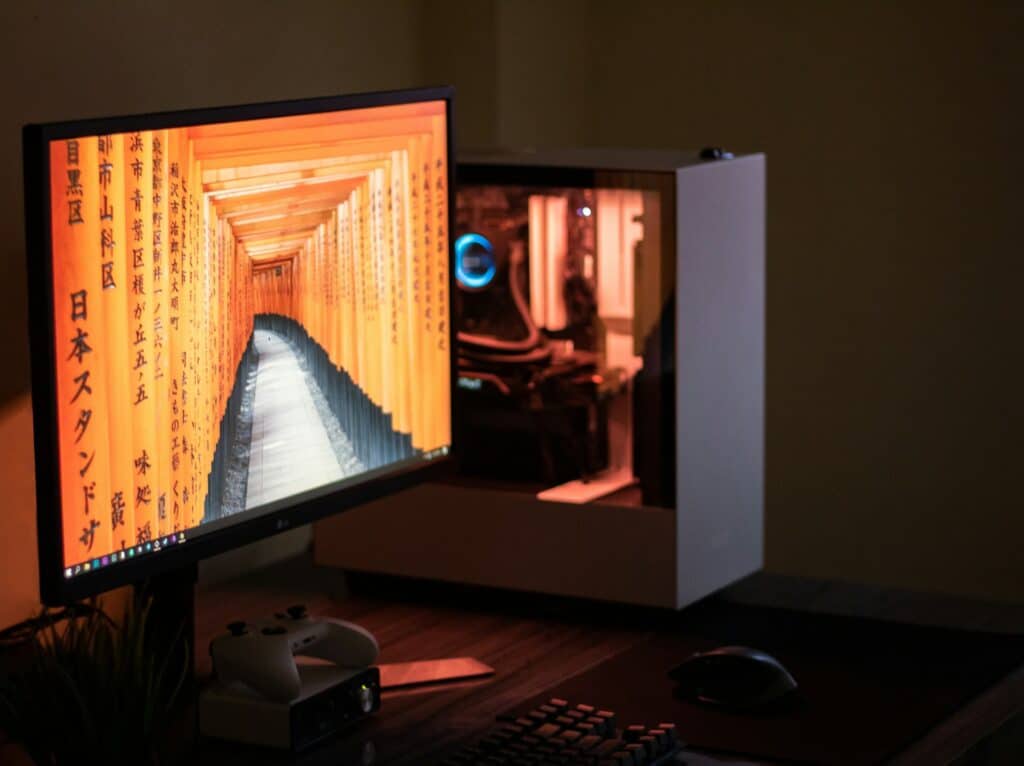
Best Tower PCs For Every Budget In 2025

Introduction In an age where sleek, portable laptops seem to rule the digital landscape, it’s easy to overlook the silent workhorses that continue to dominate serious computing: the humble, yet mighty, tower PC. While laptops offer unparalleled convenience for life on the go, they simply can’t match the raw power, unparalleled upgradeability, and deep customization offered by a well-built desktop tower. For tasks that demand sustained performance, expandability, and the freedom to tweak every last component, the tower PC remains king. So, why would you choose a stationary behemoth over a portable powerhouse? The reasons are compelling and often hinge on your specific needs: Given the sheer variety of components and configurations available, stepping into the world of tower PCs can feel overwhelming. How much power do you really need? What’s the difference between an Intel i5 and an AMD Ryzen 7? Is an SSD truly necessary? And most importantly, how do you get the best possible performance without breaking the bank? The challenge lies in navigating this complex landscape to find a system that not only meets your current demands but also fits comfortably within your financial boundaries. It’s about smart choices, not just big spending. That’s where this guide comes in. This comprehensive guide will break down the best tower PCs available, or the ideal component combinations for a DIY build, categorized precisely by budget. Whether you’re a student in need of a reliable machine for studies, a casual gamer ,a budding content creator, or a professional demanding top-tier performance, we’ll help you pinpoint the perfect tower PC to power your digital life. Let’s dive in and find the best fit for your budget. Factors To Consider When Buying A Tower PC Navigating the world of PC components can feel like learning a new language, but understanding a few key terms will empower you to make the best decision. Here’s a breakdown of the essential components and what they mean for your tower PC’s performance: Processor (CPU) The Central Processing Unit (CPU) is often called the “brain” of the computer, responsible for executing most of the instructions and calculations. Graphics Card (GPU) The Graphics Processing Unit (GPU) is a specialized processor designed to render images, videos, and animations. It’s crucial for anything visual-heavy. RAM (Memory) Random Access Memory (RAM) is your computer’s short-term memory, where it temporarily stores data and instructions that the CPU needs to access quickly. Think of it as your desktop workspace. Storage Storage is where your operating system, programs, files, and games are permanently saved. Motherboard The motherboard is the main circuit board that connects all the components of your PC. It’s like the nervous system, allowing everything to communicate. Power Supply Unit (PSU) The Power Supply Unit (PSU) converts the AC power from your wall outlet into DC power that your PC components can use. It’s often overlooked but incredibly important. Cooling PC components generate heat, especially the CPU and GPU. Effective cooling is crucial for maintaining performance and extending the lifespan of your hardware. Case The PC case isn’t just about looks; it plays a vital role in protecting your components, managing airflow, and providing easy access. Operating System (OS) The Operating System (OS) is the software that manages your computer’s hardware and software resources and provides common services for computer programs. Connectivity (Ports) The ports on your PC allow you to connect external devices and access networks. Understanding these components will empower you to make informed decisions and choose a tower PC that perfectly aligns with your needs and budget. Best Tower PCs For Every Budget Entry-Level / Budget-Friendly (Under ₹60,000) If you’re dipping your toes into the world of tower PCs or just need a reliable machine for everyday tasks, this budget tier is perfect. Mid-Range / Mainstream (₹60,000 – ₹1,20,000) This is the sweet spot for many users, offering a significant jump in performance without breaking the bank. High-End / Enthusiast (₹1,20,000 – ₹2,50,000) Stepping up to the enthusiast tier means unlocking serious power for demanding users. Premium / Workstation Class (₹2,50,000+) This tier is for the ultimate performance, designed for professionals and enthusiasts who demand the absolute best. Pre-built vs. Custom-Built: When you’re diving into the world of tower PCs, one of the biggest decisions you’ll face is whether to buy a pre-built system or go for a custom-built rig. Both options have their own set of advantages and disadvantages, and the “right” choice ultimately depends on your comfort level, budget, and how much hands-on involvement you want. Pre-built PCs Pre-built PCs are exactly what they sound like – systems assembled by a manufacturer and sold as a complete package. Think of brands like Dell, HP, Alienware, or CyberPowerPC. Pros of Pre-built PCs: Cons of Pre-built PCs: Custom-Built PCs A custom-built PC means you’re selecting each component individually – the CPU, GPU, RAM, motherboard, storage, power supply, and case – and assembling them yourself (or having a specialized builder do it). Pros of Custom-Built PCs: Cons of Custom-Built PCs: So, which path is right for you? If you prioritize convenience, a single warranty, and just want something that works right out of the box, a pre-built PC is a solid choice. However, if you love to tinker, want maximum control over your components, aim for the best possible performance-to-price ratio, and don’t mind getting your hands a little dirty, then building a custom PC is an incredibly rewarding experience. Tips For Maximizing Your PC Budget Building or buying a new tower PC can feel like a significant investment, but with smart planning, you can get the most bang for your buck. Here’s how to stretch your budget without compromising on performance where it matters most: Prioritize Components Based On Your Primary Use Case This is arguably the most crucial tip. Don’t fall into the trap of trying to equally beef up every component. Instead, identify what you’ll primarily use your PC for and allocate your budget accordingly. Look For Sales And Promotions Patience can be a virtue,

Best Tower PCs For Every Budget In 2025 Read More »

Mini PC vs Desktop

Mini PC vs Desktop: Which One Suits Your Needs?

Introduction The landscape of personal computing is rapidly evolving, offering a diverse range of options that extend far beyond the traditional desktop tower. We’re seeing powerful machines shrink in size while still delivering impressive performance. One of the most exciting developments in this evolution is the rise of the Mini PC. These pint-sized powerhouses are changing the way many people think about their computing setup, offering a compact and often stylish alternative to their larger desktop cousins. They’re popping up in home offices, living rooms, and even replacing traditional workstations in various industries, gaining traction for their efficiency and minimal footprint. But with new options come new questions. If you’re in the market for a new computer, you might be wondering: should I stick with a classic, full-sized desktop, or is a nimble Mini PC the way to go? This blog post, Mini PC vs Desktop, is here to help you navigate that very decision. We’ll dive deep into a head-to-head comparison, exploring the strengths and weaknesses of each to help you understand what truly matters. Ultimately, there’s no single “best” choice; the ideal computer for you depends entirely on your individual needs, priorities, and how you plan to use it. What Is A Mini PC? The computing world isn’t just about bulky towers anymore. Enter the Mini PC, a revolutionary shift in how we think about personal computers. Definition And Key Characteristics At its core, a Mini PC is precisely what its name suggests: a computer significantly smaller than a traditional desktop tower. Think of it as a highly miniaturized version of a full-fledged PC, often no larger than a paperback book, a small external hard drive, or even a USB stick. Its key characteristics define its appeal: Common Form Factors Mini PCs come in a surprising variety of shapes and sizes, catering to different needs and aesthetics: Typical Use Cases The versatility of Mini PCs makes them suitable for a range of applications where a full-sized desktop might be overkill or impractical: What Is A Traditional Desktop PC? When most people picture a computer, they’re likely imagining a traditional desktop PC. This stalwart of personal computing has been around for decades, and for good reason. It’s built for power, flexibility, and the ability to adapt to nearly any computing task. Definition And Key Characteristics At its core, a traditional desktop PC is a computer system where the main processing components are housed in a separate, relatively large case. Unlike laptops or all-in-ones, the monitor, keyboard, and mouse are distinct peripherals. This design philosophy underpins its key characteristics: Common Form Factors Traditional desktop PCs come in various case sizes, each with slightly different implications for space and expandability: Typical Use Cases The robust nature and performance potential of traditional desktop PCs make them the ideal choice for a wide array of demanding applications: Head-to-Head Comparison – Mini PC vs. Desktop When it comes down to making a choice, a direct comparison across key areas is essential. Let’s pit the Mini PC against the traditional Desktop to see where each truly shines. Performance Performance is often the first consideration for many users. It dictates how smoothly your applications run, how quickly tasks complete, and what kind of demanding software your machine can handle. Size & Portability The physical footprint of your computer is a practical concern, especially in smaller living or working spaces. Upgradeability & Expandability The ability to upgrade components over time is crucial for extending the lifespan and enhancing the capabilities of your computer. Price Cost is always a significant factor. It’s not just about the initial purchase price, but also long-term value and energy consumption. Aesthetics & Noise The visual appeal of your computer and the sound it generates can impact your overall user experience and workspace environment. Who Should Choose A Mini PC? While traditional desktops still hold their ground for raw power, Mini PCs have carved out a significant niche by offering compelling advantages for specific user groups. If any of the following profiles resonate with you, a Mini PC might just be your perfect computing companion: Hybrid Solutions/Considerations While the Mini PC and traditional desktop represent distinct ends of the spectrum, the computing landscape offers a few other compelling options that blur the lines or cater to very specific needs. Understanding these alternatives can further refine your decision-making process, ensuring you pick the absolute best solution for your unique situation. Conclusion So, after diving deep into the worlds of Mini PCs and traditional Desktop PCs, one thing should be crystal clear: there’s no single “best” option. The ideal choice truly boils down to your individual needs, priorities, and what you’ll primarily be using your computer for. Ultimately, before you make your decision, take a moment to honestly evaluate your computing habits. What’s your budget? How much space do you have? What kind of tasks will you be performing daily? Do you foresee needing to upgrade components in the future? By answering these questions, you’ll be well-equipped to choose the device that perfectly aligns with your digital lifestyle. Both Mini PCs and Desktops offer incredible advantages in the ever-evolving landscape of personal computing, and the right one for you is waiting.

Mini PC vs Desktop: Which One Suits Your Needs? Read More »