MPD

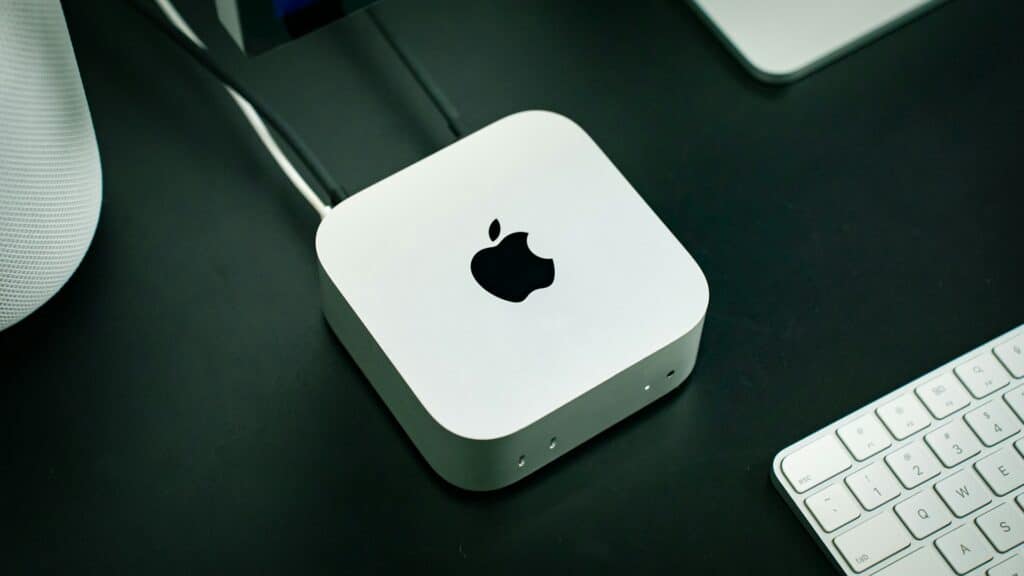
Mini PCs

The Ultimate Guide To Mini PCs

Introduction The traditional desktop PC, once the undisputed king of personal computing, is facing a formidable challenge. For decades, the hulking tower and its tangle of cables dominated our workspaces and homes. However, the landscape of personal computing is undergoing a significant transformation. We’re seeing a clear shift towards more streamlined, efficient, and aesthetically pleasing solutions. The demand for powerful yet compact technology has never been higher, driven by evolving work-from-home trends, a growing appreciation for minimalist design, and the continuous pursuit of energy efficiency. This is where the Mini PC steps in – not as a niche gadget, but as a serious contender, redefining what a personal computer can be. So, what exactly are these increasingly popular devices? Mini PCs are exactly what they sound like: fully functional computers packed into incredibly small form factors, often no bigger than a paperback book or a small lunchbox. Unlike their bulky predecessors, they integrate essential components like the processor, memory, and storage into a compact chassis, often designed to be discreetly placed on a desk, mounted behind a monitor, or tucked away in an entertainment center. Their popularity has surged, fueled by advancements in component miniaturization, increased processing power of integrated graphics, and a broader understanding of their diverse applications. What was once a compromise is now a compelling choice for millions. This ultimate guide will equip you with everything you need to know about Mini PCs. We’ll dive deep into their core advantages, explore their myriad use cases, and break down the crucial specifications and components you should look for when making a purchase. We’ll also highlight the top brands and models dominating the market today, peer into the future of Mini PC technology, and even touch upon any potential drawbacks. By the end of this guide, you’ll be empowered to confidently decide if a Mini PC is the perfect computing solution for your needs. What Exactly Is A Mini PC? In an era where digital lives are increasingly mobile and physical spaces are at a premium, the concept of the personal computer has undergone a significant transformation. Enter the Mini PC – a marvel of modern engineering that redefines what we expect from a desktop computer. Definition And Core Characteristics At its heart, a Mini PC is precisely what its name suggests: a fully functional computer housed within an incredibly compact enclosure. Unlike traditional desktop towers that often resemble monolithic structures, Mini PCs are designed to be as small and discreet as possible, often no larger than a paperback book or a small lunchbox. Their core characteristics revolve around this inherent miniaturization: How They Differ From Traditional Desktops And Laptops To truly appreciate the Mini PC, it’s helpful to understand how it slots into the computing landscape, differing distinctly from its more established siblings: A Brief History/Evolution Of Mini PCs The concept of compact computing isn’t entirely new. Early iterations included Nettops and specialized embedded systems. However, the modern Mini PC truly began its ascent with the release of the Intel NUC (Next Unit of Computing) in 2012. Key Advantages Of Mini PCs The appeal of Mini PCs is stronger than ever, driven by several compelling advantages: Why Choose A Mini PC? The appeal of Mini PCs goes far beyond just their size. They’ve evolved into incredibly versatile and powerful machines, capable of tackling a wide array of tasks. Here’s why a Mini PC might be the perfect computing solution for you: Versatile Use Cases & Tangible Benefits Mini PCs are no longer just niche devices; they’ve become mainstream alternatives for various computing needs, often outperforming traditional desktops in specific scenarios due to their inherent advantages. Significant Economic Advantages Beyond their functional benefits, Mini PCs often come with a favorable economic profile that can save you money both upfront and in the long run. Key Components And Specifications To Look For Choosing the right Mini PC means understanding the core components that drive its performance and capabilities. In 2025, the technology landscape offers exciting advancements that make these compact machines more powerful and versatile than ever. Here’s what you need to prioritize: Processor (CPU) The CPU dictates your Mini PC’s overall speed and ability to handle various tasks. In 2025, you’ll primarily see offerings from Intel and AMD, with intriguing developments in ARM-based options. Memory (RAM) RAM is your Mini PC’s short-term memory, crucial for running multiple applications smoothly. Storage (SSD) Gone are the days of slow mechanical hard drives in performance-oriented Mini PCs. Solid State Drives (SSDs) are the standard for speed and responsiveness. Connectivity/Ports A Mini PC’s utility often depends on its array of ports. Ensure the model you choose offers the right mix for your peripherals and displays. Operating System While Mini PCs often come with an OS, you might have choices or preferences. Cooling And Noise Levels Given their compact size, how a Mini PC handles heat and noise is paramount. Expandability And Upgradability While Mini PCs are inherently less upgradable than full-sized desktops, some offer surprising flexibility. Top Mini PC Brands and Models in 2025 The Mini PC landscape in 2025 is more diverse and competitive than ever. Here, we highlight the key players and some of their standout offerings. A. Established Players: Reliability Meets Innovation These brands have a long-standing reputation in the computing world, bringing their expertise in quality, support, and widespread availability to the Mini PC segment. B. Emerging/Specialized Brands: Innovation and Value These brands have rapidly gained traction by offering compelling performance, aggressive pricing, and often more diverse configurations, appealing to a broader user base. C. Highlighted “Best Of” Categories in 2025 To help you narrow down your choices, here are some top picks across key categories. Please note: Specific model names for 2025 are projections based on current trends and expected releases. Actual top models will solidify as the year progresses. This comprehensive overview should give you a solid foundation for navigating the exciting world of Mini PCs in 2025, helping you identify the perfect device for your

The Ultimate Guide To Mini PCs Read More »
Tower PC

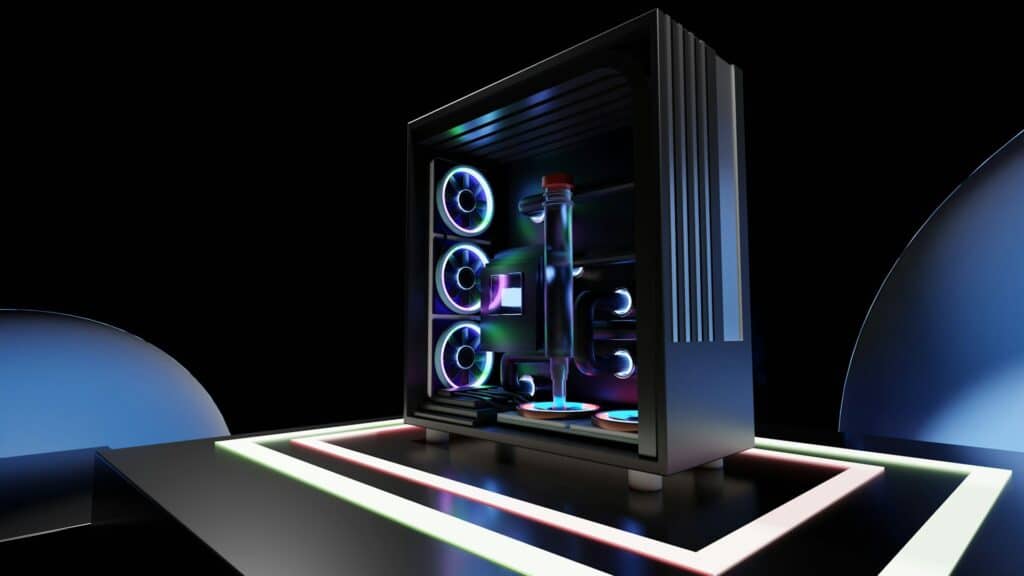
The Ultimate Guide To Tower PCs: What You Need To Know

Introduction In an era dominated by sleek laptops, ultrabooks, and compact all-in-one desktops, it’s easy to wonder if the traditional tower PC still holds its ground. Yet, despite the rise of portable and minimalist computing, the tower PC continues to be the undisputed champion for users who demand uncompromising performance, unparalleled expandability, and complete control over their computing experience. So, what exactly is a tower PC? Simply put, it’s a personal computer housed in a vertical, standalone case (the “tower”). Unlike laptops that integrate all components into a portable form factor, or all-in-ones that embed them behind the monitor, a tower PC separates its internal hardware from its display and peripherals. This design choice is not merely aesthetic; it’s fundamental to the tower PC’s enduring power and versatility. This guide is your comprehensive roadmap to understanding everything about tower PCs. Whether you’re a hardcore gamer seeking the ultimate frame rates, a creative professional tackling demanding video renders, a budget-conscious student looking for long-term value, or simply someone curious about the capabilities of a dedicated desktop, this guide is essential. We’ll demystify the components, weigh the pros and cons, explore different types of tower PCs, and help you decide whether building your own or buying pre-built is the right path for you. Get ready to embrace the true power of the tower PC and discover why it remains the ultimate choice for serious computing. Essential Components Explained A tower PC is a symphony of meticulously designed components working in harmony to deliver computing power. Understanding each part is crucial, whether you’re planning a custom build or simply want to appreciate what’s inside your machine. Let’s pull back the curtain and explore the essential components that make a tower PC tick. The Case (The “Tower” Itself) Often overlooked but incredibly important, the case is more than just a box – it’s the structure that houses and protects all your valuable components. It’s literally the “tower” in tower PC. Motherboard If the CPU is the brain, the motherboard is the central nervous system – the “heart of any tower PC.” It’s a large circuit board that connects and allows communication between all the components. CPU (Central Processing Unit) The CPU is the primary processing unit of your tower PC, often referred to as its “brain.” It executes instructions, performs calculations, and manages the flow of information for every task you perform. GPU (Graphics Processing Unit) The GPU, often called a graphics card or video card, is a specialized processor designed to render images, videos, and animations. It’s critical for gaming, video editing, 3D modeling, and any visually intensive tasks on your tower PC. RAM (Random Access Memory) RAM is your tower PC’s short-term memory, where data and instructions are temporarily stored for quick access by the CPU. Unlike long-term storage (like SSDs), RAM is volatile, meaning its contents are lost when the PC is turned off. Storage Storage is where your operating system, programs, and all your files are permanently saved, even when your tower PC is off. PSU (Power Supply Unit) The PSU is the unsung hero of your tower PC, converting AC power from your wall outlet into the DC power that each component requires. A reliable PSU is crucial for system stability and longevity. Cooling Systems Heat is the enemy of electronics. Effective cooling is paramount to ensure your tower PC operates optimally, prevents thermal throttling (where components reduce performance to avoid overheating), and prolongs the lifespan of your hardware. Why Choose a Tower PC? When considering your next computer, the classic tower PC might seem a bit old-school in an era of sleek laptops and minimalist all-in-ones. However, the tower PC continues to hold its ground as a powerhouse option for a multitude of reasons. Understanding its strengths and weaknesses is crucial to deciding if a tower PC is the right choice for your specific needs. Advantages The robust design and ample internal space of a tower PC provide a foundation for capabilities that smaller form factors simply cannot match. Disadvantages While the advantages are compelling, it’s important to acknowledge the inherent trade-offs that come with choosing a tower PC. Types Of Tower PCs Not all tower PCs are created equal. Just as a hammer is built for different tasks than a screwdriver, the internal components of a tower PC are tailored to specific uses. Understanding these distinctions is crucial for finding a tower PC that perfectly aligns with your needs and budget. Let’s delve into the various types of tower PCs you’ll encounter. Gaming Tower PCs For many, the tower PC is synonymous with gaming. These machines are engineered for raw performance, aiming to deliver smooth frame rates, stunning visuals, and an immersive experience. Workstation/Professional Tower PCs Workstation tower PCs are built for demanding, computationally intensive tasks that go far beyond typical gaming. These are the workhorses for creators, engineers, data scientists, and anyone who needs maximum processing power and reliability. Budget/Entry-Level Tower PCs A budget tower PC is perfect for those who want the advantages of a desktop without a hefty initial investment. This category focuses on balancing performance with affordability. Home Office/Everyday Use Tower PCs For general productivity, web Browse, media consumption, and managing household tasks, a home office/everyday use tower PC prioritizes reliability, efficiency, and quiet operation over raw processing power or cutting-edge graphics. Building Your Own Tower PC vs. Buying Pre-Built When it comes to acquiring your ideal tower PC, you essentially have two main roads to travel: embarking on the rewarding journey of building one yourself, or opting for the immediate gratification of a pre-built system. Each approach offers distinct advantages and disadvantages, and understanding them is crucial for making an informed decision that aligns with your budget, technical comfort, and time availability. Building Your Own Tower PC For many PC enthusiasts, the act of assembling a tower PC from individual components is a rite of passage, a truly satisfying endeavor that offers unparalleled control and understanding of their machine. Buying A

The Ultimate Guide To Tower PCs: What You Need To Know Read More »

Best All-In-One PCs

Best All-In-One PCs Of 2025

Introduction In today’s increasingly cluttered world, the desire for simplicity and efficiency extends to our technology. Enter the All-in-One (AIO) PC, a marvel of integrated design that elegantly combines the essential components of a desktop computer – the processing power, display, speakers, and often even the webcam – into a single, sleek unit. Over the past few years, we’ve witnessed a significant surge in the increasing popularity of AIOs across various user segments. For home users, they serve as stylish and functional hubs for entertainment, communication, and everyday tasks. In office environments, AIOs offer a professional and streamlined look while providing the necessary power for productivity. Even creative professionals are increasingly drawn to high-performance AIOs boasting large, high-resolution displays and powerful processors capable of handling demanding design and editing software. As we step firmly into 2025, the landscape of All-in-One PCs is more dynamic and exciting than ever. Manufacturers are pushing the boundaries of innovation, introducing exciting new models and updates to existing lines. We’re seeing advancements in display technology with even thinner bezels and improved color accuracy, more powerful and energy-efficient processors, enhanced integrated graphics, and innovative features designed to cater to the evolving needs of users. Therefore, the purpose of this blog post “Best All-In-One PCs” is to serve as your comprehensive guide to navigating this exciting world of All-in-One PCs in 2025. We aim to cut through the noise and provide you with the essential information and recommendations to make an informed decision. Whether you’re a student looking for a space-saving solution for your dorm, a professional seeking a clutter-free workstation, or a creative enthusiast in need of a powerful and visually stunning display, we’ll help you identify the best AIO PC that perfectly aligns with your individual needs and preferences in 2025. What to Consider When Buying an All-In-One PC in 2025 This section delves deeper into the crucial factors you need to evaluate before investing in an All-in-One PC in 2025. Understanding these aspects will ensure you choose a machine that perfectly aligns with your needs and budget. Performance Needs Consider the type of applications you use. If you frequently run multiple programs simultaneously or engage in CPU-intensive tasks, opting for a higher-end processor is crucial. For web browsing and document editing, a mid-range option will likely be sufficient. Consider your typical workload. If you often have numerous browser tabs open alongside several applications, more RAM is beneficial for smoother performance. Consider how much storage you need and how important speed is to you. For most users, an SSD is highly recommended for the primary drive. If you have a vast media library, a secondary, larger HDD might be useful. Consider whether you plan to play graphically intensive games or work with visual content creation software. If so, a dedicated graphics card is a must. Display Quality Consider your desk space and how you intend to use the PC. A larger screen is better for multitasking and immersive experiences, but requires more desk space. Consider the screen size – higher resolutions look better on larger screens. Also, consider the processing power needed to drive higher resolutions, especially for gaming. Consider whether touch interaction would enhance your workflow or entertainment experience. Not all users find it necessary, and it can add to the cost. Consider your primary use case. For color-sensitive work, IPS is generally preferred. For gaming, TN might be advantageous for response time, while VA offers a good balance for general use and media consumption. Features and Connectivity Consider the types of devices you need to connect and whether the AIO has the necessary ports and the latest versions for optimal performance. Consider the speed and reliability of your home or office network and the Bluetooth devices you intend to use. Consider how frequently you’ll be using the webcam and the importance of video quality for your calls. Consider whether the built-in speakers will be sufficient for your needs (casual listening, video calls) or if you’ll need to invest in external speakers or headphones for a better audio experience. Design And Aesthetics Operating System Budget Top All-In-One PC Picks of 2025 Best Overall All-in-One PC Best Budget-Friendly All-in-One PC Best Premium All-in-One PC Best All-in-One PC for Business Best All-in-One PC For Creative Professionals Conclusion As we’ve journeyed through the exciting landscape of All-in-One PCs for 2025, several key takeaways should guide your decision-making process. Firstly, the importance of understanding your individual needs and priorities cannot be overstated. Whether you’re a student, a home user, a business professional, or a creative enthusiast, your primary use case will dictate the features and performance levels that truly matter. Secondly, setting a realistic budget early on is crucial for narrowing down your options and ensuring you find the best value for your money. Finally, remember to meticulously compare different models based on their specifications, features, and reviews to make an informed choice. Ultimately, the “best” All-in-One PC for you is the one that seamlessly integrates into your life and empowers your specific digital activities. We strongly encourage you to leverage the information provided in this guide and conduct thorough research based on your unique requirements. Don’t hesitate to delve deeper into product specifications, read user reviews, and even visit physical stores to ge Image by Freepik

Best All-In-One PCs Of 2025 Read More »

AIO PC

Ultimate Guide To AIO PCs: Everything You Need To Know

Introduction In today’s fast-paced world, where our living and working spaces often blend, the traditional desktop computer with its bulky tower and jumble of cables feels increasingly out of place. We crave simplicity, elegance, and efficiency in our technology. That’s precisely where the All-in-One (AIO) PC shines, quietly becoming the go-to choice for homes, offices, and creative studios alike. If you’ve been seeing more sleek, self-contained computers around and wondering what the fuss is about, you’re in the right place. Think of an AIO PC as a desktop computer and a monitor that have seamlessly merged into one. Unlike traditional setups where the computer’s brains are housed in a separate tower, an AIO integrates all essential components—CPU, GPU, RAM, storage, speakers, and often even a webcam and microphone—directly into the display itself. The result? A single, elegant piece of hardware that dramatically cuts down on clutter. All you need is a power cord, a keyboard, and a mouse, and you’re ready to go. It’s truly a “plug-and-play” experience reimagined for modern living. The appeal of AIO PCs isn’t just about looks; it’s about a smarter way to compute: This comprehensive guide will arm you with all the knowledge you need. We’ll dive deep into: By the end, you’ll have a complete picture of the All-in-One advantage and whether it’s the right computing solution for you. Let’s get started. Core Components & Features An All-in-One PC might look like just a monitor, but beneath that sleek exterior lies a sophisticated array of components, each playing a crucial role in its performance. Understanding these elements is key to choosing an AIO that truly meets your needs. Display Since the display is the AIO, its quality and specifications are paramount. This is where your eyes will spend all their time, so choosing wisely is crucial. Processor (CPU) The CPU is the central processing unit, the engine that executes all the instructions and calculations. It dictates the overall speed and responsiveness of your AIO. Graphics Card (GPU) The GPU handles all visual processing, from rendering your desktop to displaying complex 3D graphics in games or design software. Memory (RAM) RAM (Random Access Memory) is your computer’s short-term memory. The more RAM you have, the more applications you can run smoothly simultaneously and the faster your system can switch between them. Storage Storage is where your operating system, programs, and all your files are permanently saved. Connectivity AIOs, despite their minimalist design, need robust connectivity options. Webcam & Microphones One of the major benefits of AIOs is their integrated communication tools. Speakers AIOs come with integrated speakers, eliminating the need for external ones. While they offer convenience, their sound quality can vary significantly. Premium AIOs often feature higher-quality stereo speakers, sometimes co-engineered with audio brands (e.g., Bang & Olufsen, Harman Kardon) and may include technologies like Dolby Atmos for a richer audio experience. For casual listening or video calls, they are perfectly adequate; for audiophiles, external speakers or headphones will always provide a superior experience. The Pros And Cons Of AIO PCs Every computing solution comes with its unique set of advantages and drawbacks, and All-in-One PCs are no exception. Understanding these trade-offs is crucial for determining if an AIO aligns with your priorities and workflow. Advantages AIO PCs boast several compelling benefits that make them a highly attractive option for a wide range of users: Disadvantages While AIO PCs offer many benefits, they also come with certain limitations that are important to acknowledge before making a purchase: Who Needs an AIO PC? While AIO PCs are fantastic for anyone seeking a blend of power and panache, certain individuals and environments will find them particularly indispensable. Their integrated design and streamlined aesthetic make them a smart choice for a diverse range of users. The Modern Home User For the typical household, an AIO PC is a game-changer. Imagine a single, sleek screen that serves as your family’s digital hub – no bulky tower, no messy cables. The Savvy Student From dorm rooms to study nooks, AIOs are a student’s best friend, maximizing precious space while delivering essential functionality. Small Businesses & Offices In professional settings where appearance and efficiency matter, AIOs offer a clean, professional image and streamlined operations. The Casual Gamer Think you need a monstrous tower to game? Think again! Many AIOs, particularly those with dedicated graphics, offer a surprisingly satisfying gaming experience. Designers & Content Creators For creative professionals, a well-equipped AIO can be a powerful and elegant workstation, offering a clean setup that sparks creativity. Anyone Who Values Aesthetics & Simplicity Beyond specific tasks, the biggest draw of an AIO is its very nature. Key Considerations Before Choosing Your Perfect AIO Selecting the ideal All-in-One (AIO) PC isn’t just about picking the first sleek model you see. It’s about a thoughtful assessment of your needs, desires, and budget. By carefully considering the following factors, you’ll ensure your new AIO is a perfect fit for your digital life. Budget Before you even start Browse, establish a clear budget. AIO PCs range significantly in price, from entry-level models perfect for basic web Browse and email to high-performance machines capable of demanding creative work and gaming. Knowing your financial limits upfront will help you narrow down your options and prevent overspending. Remember to factor in potential costs for peripherals you might need, like a specialized keyboard or mouse, though most AIOs come with basic ones. Intended Use This is perhaps the most crucial question. Your primary use case will dictate almost every other specification. Performance Needs Once you’ve defined your intended use, you can translate that into concrete performance requirements: Pay attention to the processor (CPU), RAM (memory), and storage (SSD is highly recommended for speed, with HDD for mass storage if needed). Design and Aesthetics AIO PCs are designed to be focal points. Their integrated nature means the monitor and computer components are housed in one sleek unit, reducing cable clutter. Consider the overall design, color, and footprint. Do you prefer a

Ultimate Guide To AIO PCs: Everything You Need To Know Read More »

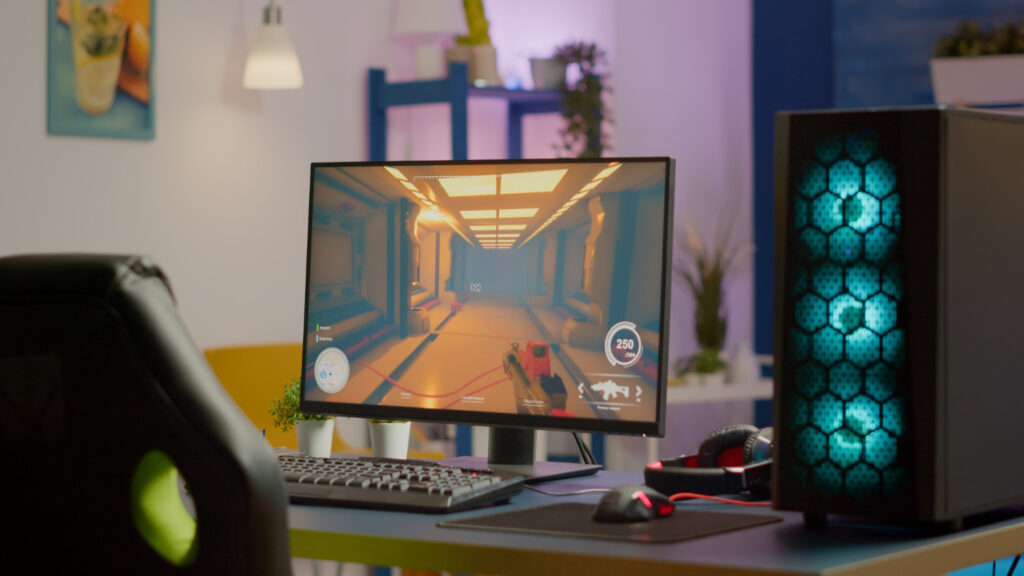
Desktop PC

Choosing The Right Desktop PC: Your Ultimate Guide

Introduction: The Enduring Power Of Desktop PCs In a world dominated by sleek laptops and pocket-sized smartphones, the desktop PC might seem like a relic of the past. However, appearances can be deceiving. The truth is, the world of desktop PCs is alive and thriving, offering unparalleled versatility and enduring relevance in today’s dynamic technology landscape. From powering demanding workstations and immersive gaming rigs to serving as reliable home computing hubs, desktops continue to be the workhorse of the digital age. The beauty of the desktop lies in its adaptability. Whether you’re a creative professional tackling complex design projects, a hardcore gamer seeking ultimate performance, a student juggling assignments, or a family needing a central computer for everyday tasks, there’s a desktop PC tailored to your specific needs. You might require the raw processing power for video editing and 3D rendering, the dedicated graphics for smooth, high-fidelity gaming, or simply a reliable machine for browsing, communication, and managing household tasks. This comprehensive guide is designed to demystify the world of desktop PCs and empower you to make an informed decision. We understand that navigating the myriad of specifications, components, and price points can feel overwhelming. Our purpose is to cut through the jargon, explore the different types of desktops available, and provide you with the knowledge and tools necessary to identify the perfect desktop PC that aligns perfectly with your unique requirements and budget. Let’s embark on this journey together and unlock the potential of finding your ideal desktop companion. Understanding Desktop PC Basics Embarking on the journey of choosing the right desktop PC begins with grasping its fundamental nature and the key players within its chassis. A desktop PC, at its core, is a personal computer designed for regular use at a single location on or near a desk or table. Unlike its portable counterparts like laptops, a desktop typically comprises separate components that work in concert to deliver computing power. Let’s break down the essential building blocks: Defining the Core Components Imagine a desktop PC as a highly organized team, each member with a specific role. Different Form Factors While the internal components remain largely the same, desktop PCs come in various shapes and sizes, known as form factors. For the purpose of this guide, we will primarily focus on the traditional tower form factor as it offers the most flexibility and upgrade potential for users looking to build or buy a capable desktop PC. Key Components to Consider Now that we have a foundational understanding, let’s zoom in on some crucial components that significantly impact your desktop’s performance and capabilities: Understanding these fundamental components and their roles is the first crucial step in making an informed decision when choosing the right desktop PC for your needs. In the subsequent sections, we’ll delve deeper into how these components work together and how to select the best options based on your specific requirements and budget. Exploring Different Types Of Desktop PCs Based On Need Choosing the right desktop PC can feel overwhelming, but understanding the different categories tailored to specific needs can simplify the process significantly. Let’s delve into some common types. Gaming Desktop PCs For those who crave immersive gaming experiences, a dedicated gaming desktop is the weapon of choice. These machines are engineered to handle demanding games at high settings and smooth frame rates. Key features to look for: Popular Brands and Configurations: Several brands specialize in gaming desktops, offering pre-built systems and customizable options. Some popular names include: Configurations can vary widely based on budget and performance goals. A mid-range gaming PC might feature an NVIDIA RTX 4060 or AMD Radeon RX 7600 GPU, an Intel Core i5 or AMD Ryzen 5 processor, 16GB of RAM, and a 1TB NVMe SSD. High-end configurations could include an RTX 4080 or RX 7900 XTX, an Intel Core i9 or AMD Ryzen 9 processor, 32GB or more of RAM, and multiple SSDs for storage. Desktop PCs for Professionals and Productivity For professionals and those focused on productivity, the key priorities shift towards reliability, processing power for demanding tasks, and seamless multitasking capabilities. Focus on: Brands known for business-oriented PCs: Several major manufacturers offer reliable and well-supported business-class desktops: These brands often offer various configurations and form factors (tower, small form factor, all-in-one) to suit different workspace needs. They also typically provide robust warranty and support options. Home And Everyday Use Desktop PCs For general home use, including web browsing, email, multimedia consumption, and basic productivity tasks, the focus is often on finding a balance between adequate performance and affordability. Considerations for: While specific brands aren’t always as critical in this category, many mainstream manufacturers offer suitable options, including: Pre-built systems in this category often come in various configurations to match different budgets. Consider your primary use cases and choose a system that offers sufficient performance without breaking the bank. By understanding these different categories and their key features, you can navigate the world of desktop PCs with greater confidence and choose the perfect machine to meet your specific needs. Top Desktop PC Brands Choosing the right brand can significantly simplify your desktop PC search. Each manufacturer brings its own strengths, specializations, and characteristic features to the table. Here’s a closer look at some of the leading players: HP Desktop PCs HP offers a broad spectrum of desktop PCs catering to diverse needs and budgets. Dell Desktop PCs Dell is another major player, known for its reliable machines and extensive range catering to both individual consumers and businesses. Lenovo Desktop PCs Lenovo has established itself as a strong contender in the desktop market, offering a variety of models known for their practicality and performance. Acer Desktop PCs Acer provides a range of desktop options that often focus on value and cater to a wide array of users. ASUS Desktop PCs ASUS is known for its innovative designs and high-quality components, offering a range of desktops for various needs. Budget-Friendly Options Finding a desktop PC that meets your needs without

Choosing The Right Desktop PC: Your Ultimate Guide Read More »