
Introduction
Purchasing a high end gaming desktop PC is about much more than just throwing the most expensive components into a case and hoping for the best. A true high end system requires a delicate balance of GPU performance, multi-threaded CPU power, robust thermal cooling, clean power delivery, ultra-fast storage and future upgradeability.
If you are a demanding gamer, content creator or enthusiast looking to step away from mainstream rigs and invest in a high end gaming desktop PC, this guide will help you navigate the landscape. We will examine what makes a system genuinely high end, analyze pricing tiers, break down vital component specifications, compare prebuilt options against custom builds and help you find the best high end gaming desktop PC for your specific setup.
Best High End Gaming Desktop PCs At A Glance
|
|
Best For |
CPU |
GPU |
RAM |
Storage |
|
|---|---|---|---|---|---|---|
|
ASUS ROG Strix G22CH |
Best Overall |
Intel Core i7-14700F (14th Gen) |
NVIDIA GeForce RTX 4070 (12GB) |
16GB |
1TB SSD |
|
|
Alienware Area-51 |
Best 4K |
Intel Core Ultra 9 285K |
NVIDIA RTX 5080 (16GB GDDR7) |
32GB DDR5 |
2TB SSD |
|
|
ASUS T500 |
Best Value |
Intel Core i5-13420H |
NVIDIA GeForce RTX 3050 (6GB) |
16GB RAM |
1TB SSD |
|
|
HP Omen 35L |
Best Upgradeability |
AMD Ryzen 7 7800X3D |
NVIDIA GeForce RTX 5060 Ti |
32GB DDR5 |
1TB SSD |
|
|
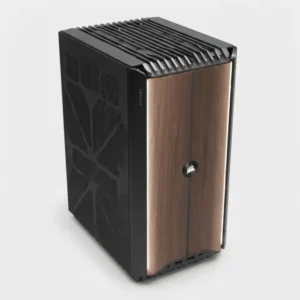
Corsair ONE i500 |
Best Luxury PC |
Intel Core i9-14900F |
NVIDIA GeForce RTX 5070 |
32GB Vengeance DDR5 |
1.1TB M.2 SSD |
|
ASUS ROG Strix G22CH: Best Overall
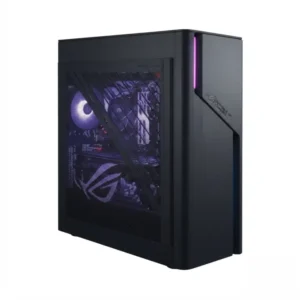
Quick Specs:
- CPU: Intel Core i7-14700F (14th Gen)
- GPU: NVIDIA GeForce RTX 4070 (12GB)
- RAM: 16GB
- Storage: 1TB SSD
Overview
The ASUS ROG Strix G22CH strikes an ideal balance as a high end gaming desktop PC with a space-saving compact footprint. It delivers phenomenal 1440p gaming and reliable entry-level 4K capabilities without dominating your entire desk space.
Key Performance Highlights
- Processing & Graphics: The 14th Gen Intel Core i7 paired with the RTX 4070 provides a buttery-smooth gaming experience across modern AAA titles with high settings enabled.
- Cooling & Acoustics: Features an optimized chassis design with isolated air zones and custom liquid cooling to keep thermal throttling at bay during extended gaming sessions.
- Design & Aesthetics: Compact, aggressive styling featuring customizable Aura Sync RGB lighting that fits neatly into modern setups.
Pros
- Space-saving compact form factor without sacrificing core power.
- Excellent thermal management for its size.
Cons
- RAM and storage are a bit conservative out of the box and may need future upgrades.
- Less internal clearance for massive future graphics card upgrades.
Verdict
An exceptional, well-rounded powerhouse that offers the best overall plug-and-play experience for mainstream enthusiasts and gamers.
Alienware Area-51: Best 4K
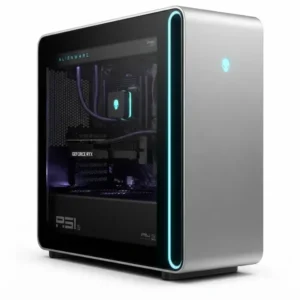
Quick Specs:
- CPU: Intel Core Ultra 9 285K
- GPU: NVIDIA RTX 5080 (16GB GDDR7)
- RAM: 32GB DDR5
- Storage: 2TB SSD
Overview
The Alienware Area-51 represents the pinnacle of uncompromised desktop performance, making it the ultimate high end gaming desktop PC built specifically to tackle punishing 4K gaming and heavy computational workflows. It leverages cutting-edge hardware components to push high frame rates and maximum ray-tracing fidelity.
Key Performance Highlights
- Processing & Graphics: Armed with the Intel Core Ultra 9 and a next-gen RTX 5080, it easily commands high refresh rates at native 4K resolutions.
- Cooling & Acoustics: Incorporates advanced high-performance liquid cooling loops and strategic chassis venting to tame ultra-high-wattage components.
- Design & Aesthetics: Features Alienware’s iconic futuristic chassis design, premium materials, and fully customizable AlienFX lighting.
Pros
- Absolute powerhouse for native 4K gaming and path-tracing.
- Generous 32GB DDR5 RAM and fast 2TB NVMe baseline storage.
Cons
- Carries a heavy, premium price tag.
- Large, heavy footprint that requires plenty of physical desk or floor space.
Verdict
The ultimate machine for affluent gamers and content creators who demand zero compromises in visual fidelity and processing power at 4K.
ASUS T500: Best Value
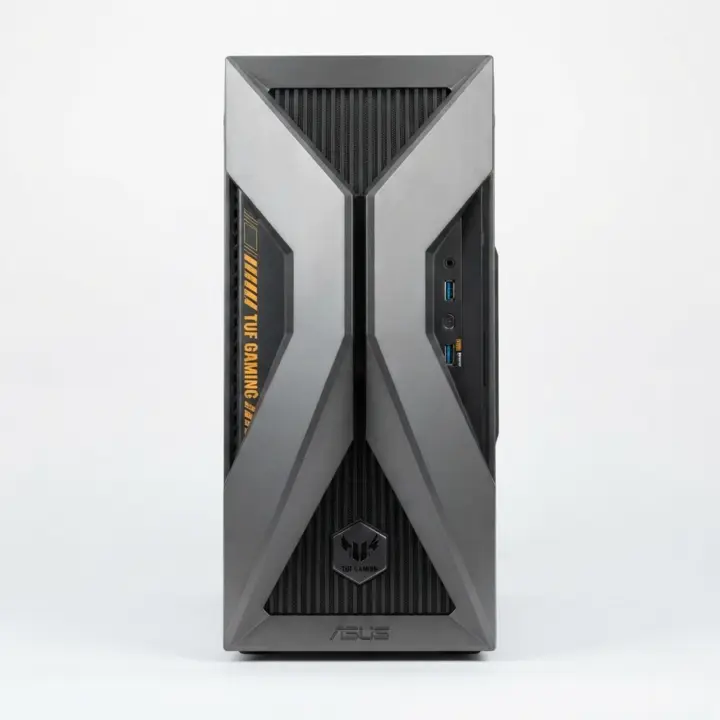
Quick Specs:
CPU: Intel Core i5-13420H
GPU: NVIDIA GeForce RTX 3050 (6GB)
RAM: 16GB RAM
Storage: 1TB SSD
Overview
The ASUS T500 delivers entry-to-mid tier high performance geared toward gamers on a tighter budget. It focuses on offering reliable hardware specifications without forcing you to pay an enthusiast tax.
Key Performance Highlights
- Processing & Graphics: Perfectly tailored for smooth 1080p and entry-level 1440p gaming, powered by a capable Core i5 and RTX graphics combo.
- Cooling & Acoustics: Utilizes a streamlined, efficient air-cooling module designed to run quiet under everyday workloads and standard gaming sessions.
- Design & Aesthetics: A clean, understated mini-tower case that blends seamlessly into office or bedroom environments.
Pros
- Highly accessible price point providing great cost-to-performance value.
- Compact 15-liter mini-tower chassis with decent baseline expansion slots.
Cons
- Weaker GPU relative to true high end cards, limiting heavy 4K or path-tracing capabilities.
- Lower power supply ceiling restricts major future GPU upgrades without a PSU swap.
Verdict
An ideal budget-friendly pick for casual gamers stepping into desktop PC gaming who want reliable performance without breaking the bank.
HP Omen 35L: Best Upgradeability
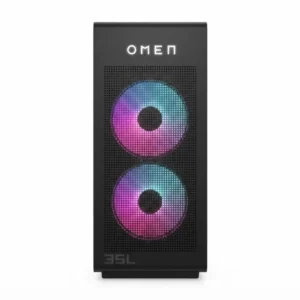
Quick Specs:
- CPU: AMD Ryzen 7 7800X3D
- GPU: NVIDIA GeForce RTX 5060 Ti
- RAM: 32GB DDR5
- Storage: 1TB SSD
Overview
The HP Omen 35L bridges the gap between prebuilt convenience and custom-build flexibility, acting as a versatile high end gaming desktop PC designed for future-proofing.. Built inside a standardized, tool-friendly mid-tower chassis, it provides easy internal access so users can swap parts down the road.
Key Performance Highlights
- Processing & Graphics: Combines the legendary gaming prowess of the Ryzen 7 X3D processor with a balanced RTX 5060 Ti for stellar frame consistency in esports and AAA titles.
- Cooling & Acoustics: Equipped with robust Omen liquid cooling and optimized mesh-panel intake airflow paths to maintain cool operation.
- Design & Aesthetics: Clean, modern aesthetic featuring broad glass panels and subtle, software-controlled lighting arrays.
Pros
- Built using non-proprietary parts layout, making future upgrades simple.
- Elite gaming CPU architecture (Ryzen X3D) providing incredible frame rate lows.
Cons
- Stock configuration leans heavily on mid-range graphics relative to the processor.
- Chassis size is somewhat bulky compared to small-form-factor alternatives.
Verdict
The best choice for smart buyers who want a great system today with the freedom to seamlessly upgrade components over the next several years.
Corsair ONE i500: Best Luxury PC
Quick Specs:
- CPU: Intel Core i9-14900F
- GPU: NVIDIA GeForce RTX 5070
- RAM: 32GB Vengeance DDR5
- Storage: 1.1TB M.2 SSD
Overview
The Corsair ONE i500 is a masterclass in engineering, packing ultra-flagship hardware into a stunning, minimalist high end gaming desktop PC that occupies a remarkably tiny footprint. It functions as much as a piece of modern art as it does a high-performance computer.
Key Performance Highlights
- Processing & Graphics: Features an uncompromised Intel Core i9 processor and a powerful RTX 5070 card, making short work of heavy multi-threaded tasks and high-refresh gaming.
- Cooling & Acoustics: Utilizes specialized, whisper-quiet liquid cooling channels for both the CPU and GPU to exhaust heat efficiently out of the top chassis.
- Design & Aesthetics: Exquisite wood-accented or aluminum casing with ambient rear lighting that matches high end executive or gaming aesthetics.
Pros
- Breathtaking luxury design with a minimal vertical desk footprint.
- Top-tier acoustic performance (runs exceptionally quiet under load).
Cons
- Premium luxury pricing model means you pay more for the bespoke form factor.
- Custom internal layout makes DIY component replacement much trickier than standard towers.
Verdict
A stunning luxury statement piece for enthusiasts who prioritize elite craftsmanship, quiet acoustics, and a striking aesthetic alongside high end performance.
How Much Does A High End Gaming PC Cost?
When shopping for a high end gaming desktop PC, setting a realistic budget is crucial. While prices can fluctuate based on supply chains, tariffs and component generations, high end systems generally fall into specific pricing segments.
- Approx. ₹1,50,000 – ₹2,00,000: This is the entry point for serious high end gaming. Systems in this bracket comfortably handle high-refresh-rate 1440p gaming and solid entry-level 4K gaming, usually featuring configurations like an RTX 5080 or equivalent GPU paired with a capable mid-to-high tier CPU.
- Approx. ₹2,,000 – ₹3,00,000: The premium enthusiast segment. Here, you get robust liquid cooling and top-tier graphics cards typical of a mid-to-upper tier high end gaming desktop PC, 32GB to 64GB of fast DDR5 RAM, expansive NVMe storage and top-tier graphics cards capable of maxing out modern ray-tracing titles at native 4K.
- Approx. ₹3,00,000 – ₹4,00,000: Flagship territory. Systems featuring top-of-the-line CPUs and flagship graphics cards like the NVIDIA RTX 5090 reside here, delivering uncompromising frame rates and heavy creative workload capabilities.
- ₹4,00,000+: Ultra-premium/custom-loop enthusiast systems with custom water cooling blocks, massive memory capacities and dual-storage arrays.
It is vital to keep the law of diminishing returns in mind. A ₹4,00,000 flagship high end gaming desktop PC is not twice as fast as a ₹2,,000 system. You are often paying a massive premium for the final 10% to 15% of performance headroom, aesthetic flair, custom lighting and bespoke cooling layouts.
Best High End Gaming PC Specifications
To build or buy the best high end gaming desktop, you need to evaluate individual components carefully. Let’s break down the critical hardware specs.
CPU (Processor)
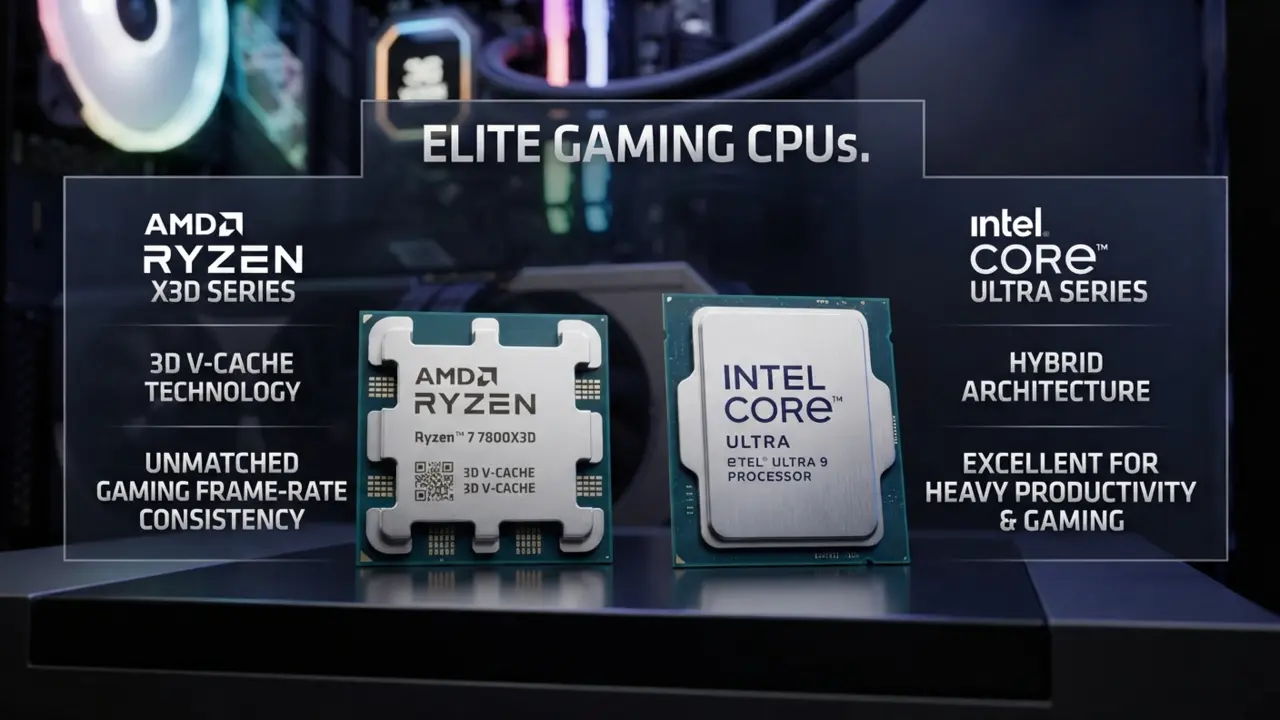
Your CPU handles game logic, physics, background tasks to keep your high end gaming desktop PC running smoothly and feeds data to your graphics card. For a high end system, look toward:
- AMD Ryzen X3D Processors: Renowned for their massive 3D V-Cache, chips like the Ryzen 7 7800X3D or newer variants are universally praised as elite gaming CPUs, offering unmatched frame-rate consistency.
- Intel Core Ultra Processors: Excellent for users who split their time evenly between heavy productivity tasks (video editing, rendering) and high end gaming.
The Balance: Avoid blindly buying the most expensive processor. If you are playing AAA games exclusively at 4K, your graphics card does most of the heavy lifting, meaning a mid-to-high tier CPU will avoid bottlenecks just as well as a flagship chip. Conversely, high-refresh 1080p and 1440p competitive gaming heavily rely on CPU single-core speed and cache.
GPU (Graphics Card)
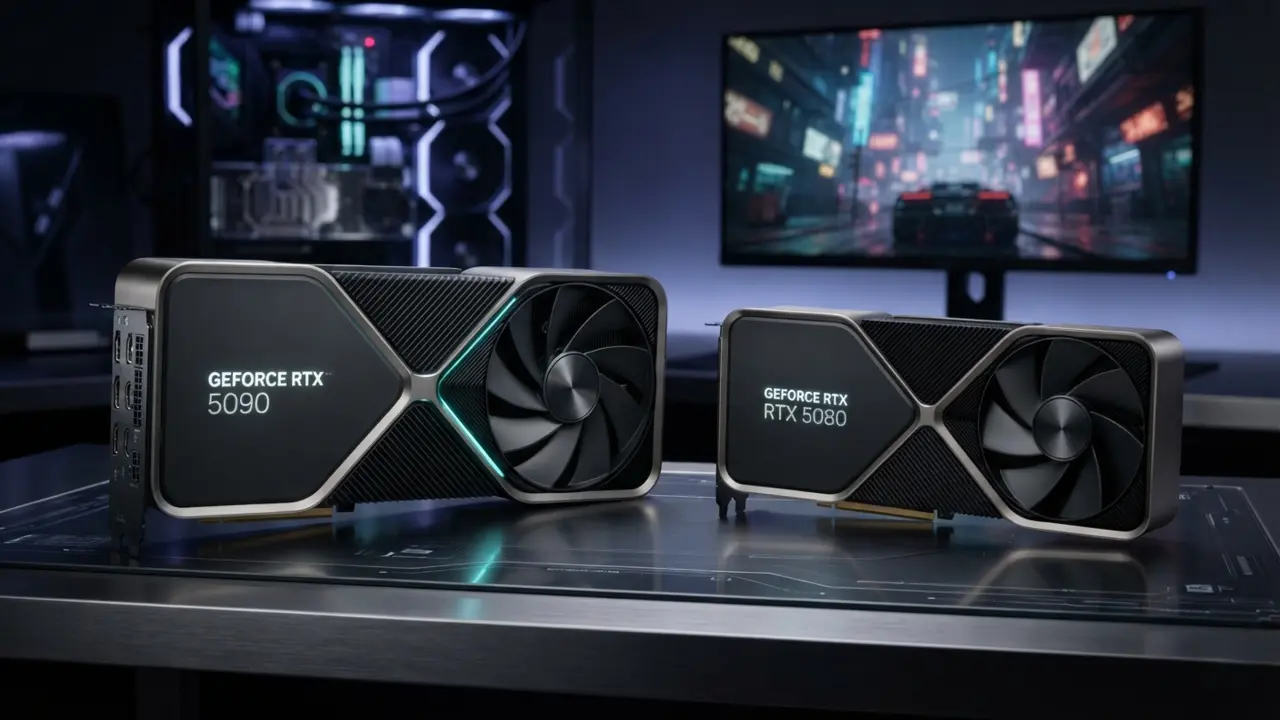
As the centerpiece of any high end gaming desktop PC, the GPU dictates your visual fidelity, resolution ceiling and ray-tracing performance.
- The 50-Series Shift: Flagship GPUs like the NVIDIA RTX 5090 sit at the pinnacle of the market, built for uncompromised 4K path tracing and absolute maximum settings. Meanwhile, RTX 5080-class systems occupy a more practical, highly efficient high end tier that saves you hundreds of dollars while delivering 90% of the flagship experience.
- VRAM, Upscaling and Frame Generation: Look for a minimum of 16GB to 24GB of VRAM to future-proof your system against heavily modded textures and unoptimized game ports. Advanced upscaling technologies and AI frame generation are essential tools for pushing high-refresh 4K panels to their absolute limits.
RAM (Memory)
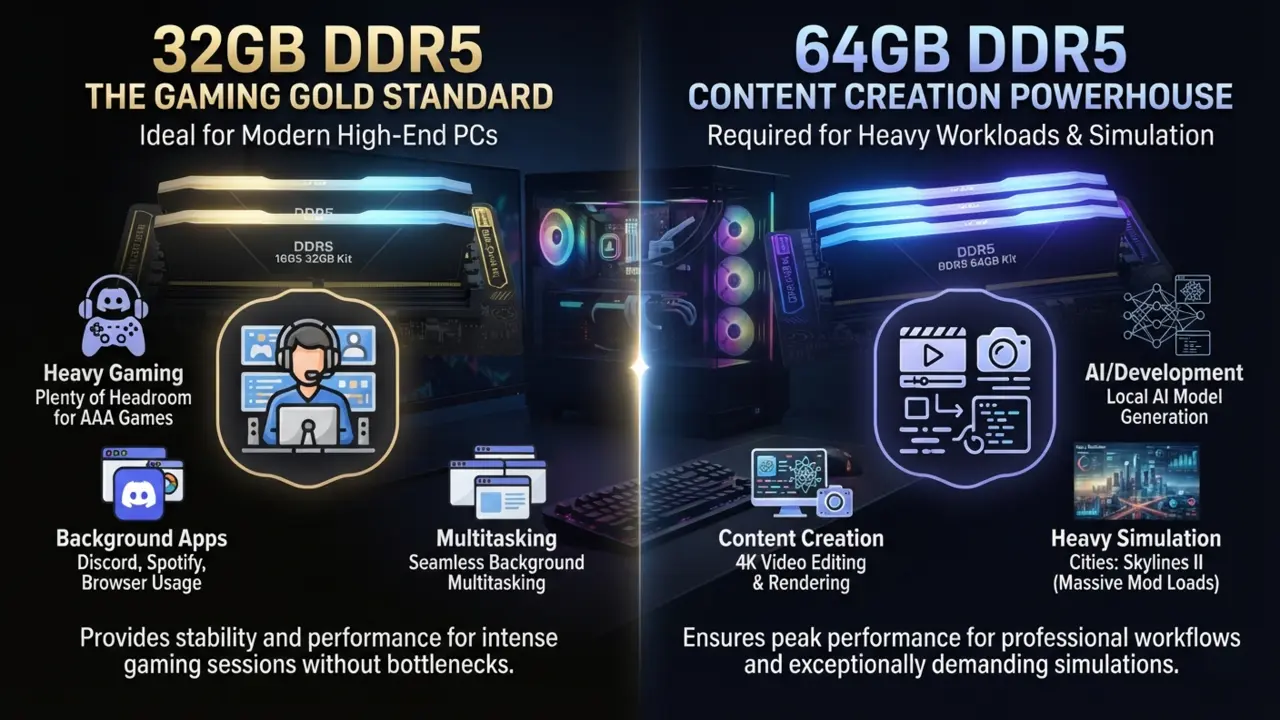
- 32GB DDR5: It is the gold standard baseline for a modern high end gaming desktop PC. It provides plenty of headroom for heavy gaming sessions, background Discord/browser usage and multitasking.
- 64GB DDR5: It only makes sense if you are concurrently running heavy content creation workflows, 4K video editing, local AI model generation or running exceptionally heavy simulation games (like Cities: Skylines II with massive mod loads). Ensure your system runs a fast, stable dual-channel kit.
Storage
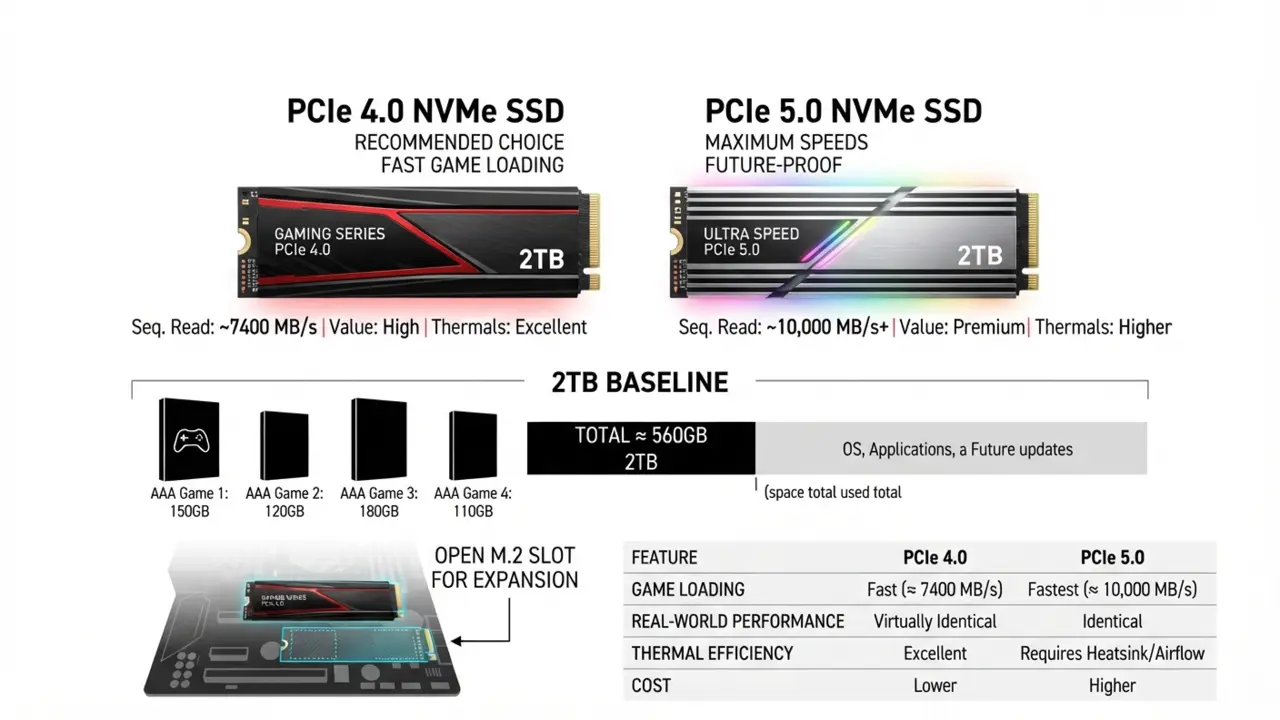
Forget mechanical hard drives entirely. A true high end gaming desktop PC demands lightning-fast NVMe storage to eliminate stutter and load screens.
- 2TB NVMe SSD is the recommended baseline starting capacity because modern AAA games routinely exceed 100GB to 150GB each.
- Look for fast PCIe 4.0 or PCIe 5.0 drives. While PCIe 5.0 offers staggering sequential read/write speeds, PCIe 4.0 offers virtually identical real-world game loading performance at a lower cost and with significantly better thermal efficiency. Always leave an open M.2 slot for future expansion.
Cooling
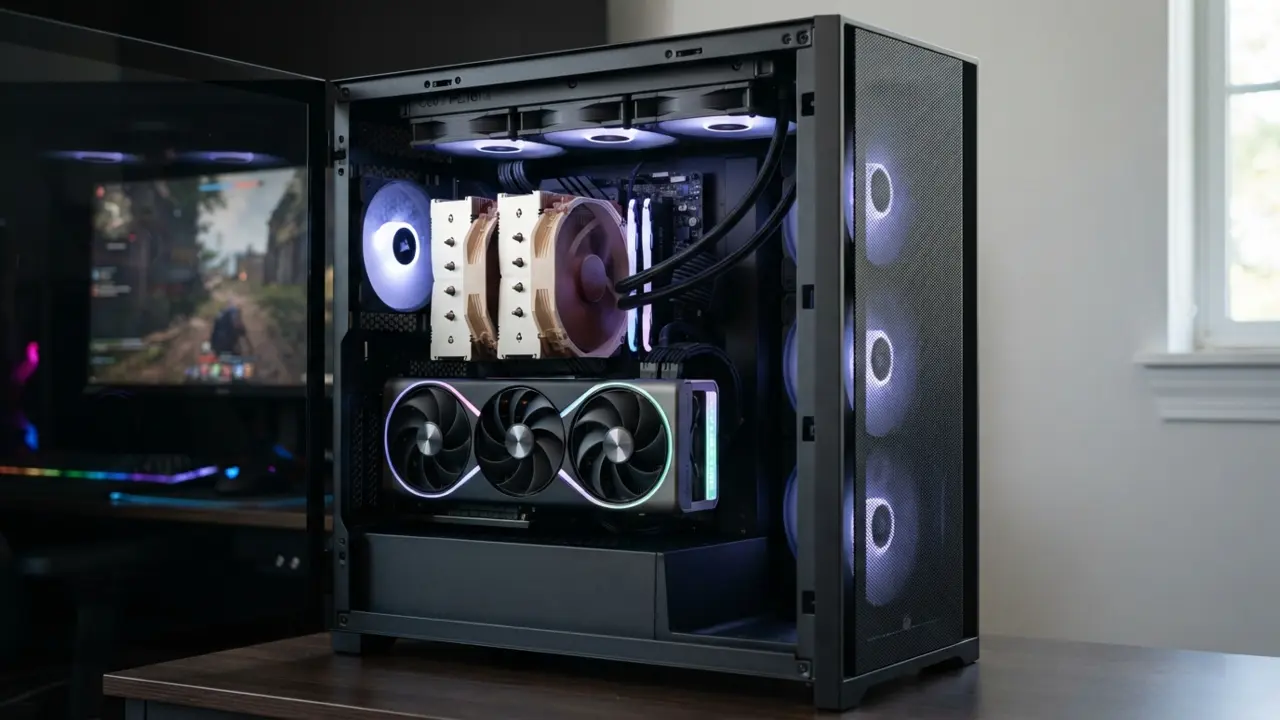
Expensive components are entirely wasted if a poorly designed chassis causes thermal throttling. High end hardware runs hot, meaning every high end gaming desktop PC requires serious thermal dissipation.
- Air Cooling: Large dual-tower air coolers can handle certain gaming CPUs effectively, but they lack the aesthetic and footprint flexibility of liquid solutions.
- AIO Liquid Coolers: A 240mm or 360mm All-In-One (AIO) liquid cooler is practically mandatory for high end Core Ultra or Ryzen 9 processors to sustain boost clocks.
- Case Airflow: Look for mesh front panels, ample intake/exhaust fan configurations and unobstructed airflow paths to keep your GPU temperatures low and noise levels manageable.
Power Supply (PSU)
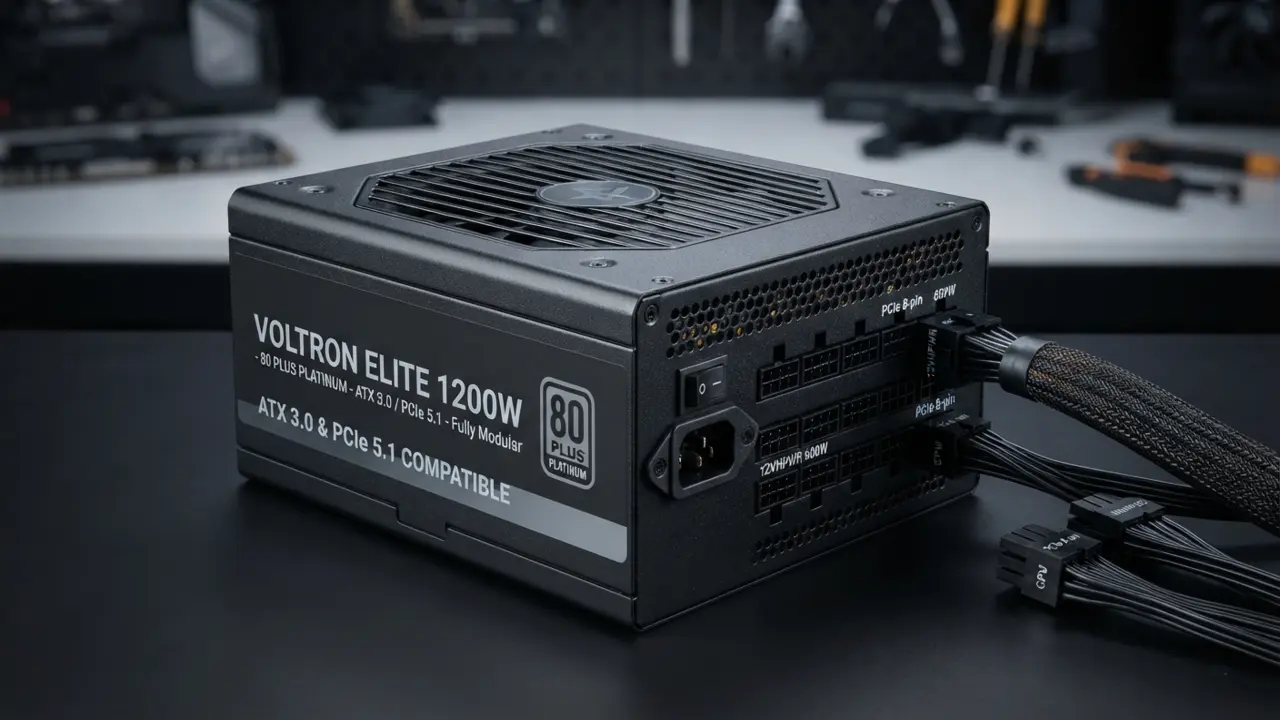
Never cheap out on your power supply. Modern flagship components draw immense power spikes, making a reliable power supply mandatory for your high end gaming desktop PC.
- Wattage & Headroom: A high end system with an RTX 5080 or 5090 typically requires an 850W to 1200W+ PSU.
- Efficiency & Quality: Look for 80 PLUS Gold or Platinum certified units from reputable brands with ATX 3.0 / PCIe 5.1 native power cables to safely deliver clean, stable power directly to your hardware.
Best High End Gaming PC For 4K Gaming
If you own a stunning 4K monitor, your high end gaming desktop PC needs raw graphical horsepower. True 4K gaming requires a system capable of pushing 8.3 million pixels per frame.
- For 4K 60 FPS to 120 FPS: An RTX 5080 or RTX 5090 paired with a high end Ryzen X3D or Intel Core Ultra processor will effortlessly chew through AAA titles at maximum graphical settings.
- Ray Tracing and Path Tracing: At 4K, enabling ray tracing or path tracing (such as in Cyberpunk 2077 or Alan Wake 2) plummets native frame rates. High end systems utilize tensor-core powered DLSS and frame generation to transform sub-optimal frame rates into buttery-smooth experiences without perceptible visual degradation.
Best High End Gaming PC For 1440p High Refresh Rate
Interestingly, the most expensive PC on the market is not automatically the best choice for every gamer. Many competitive enthusiasts prefer high-refresh 1440p gaming (165Hz, 240Hz or even 360Hz) over 4K, where a well-optimized high end gaming desktop PC balances CPU single-core speed with high framerates.
At 1440p, your CPU choice becomes even more critical. Because the GPU renders fewer pixels than 4K, the bottleneck frequently shifts to the processor’s ability to feed frames to the card. Pairing a robust GPU like an RTX 5080 with a massive-cache gaming CPU ensures your competitive shooter or fast-paced action game runs at frame rates matching your high-hz monitor’s capabilities.
Prebuilt Vs Custom High End Gaming PC
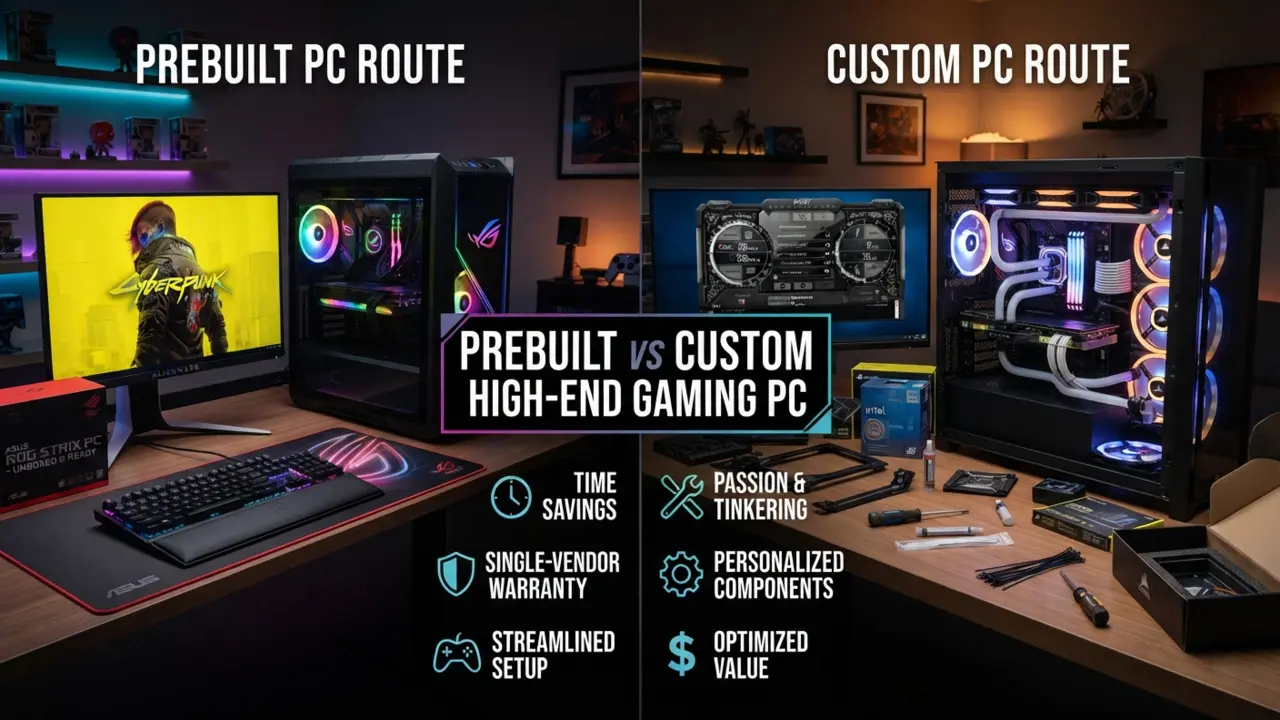
Deciding whether to buy a prebuilt machine or assemble a custom rig is a classic dilemma.
| Factor | Prebuilt | Custom |
| Convenience | Excellent (Plug and play out of the box) | Lower (Requires assembly time and troubleshooting) |
| Customization | Moderate (Standard OEM parts sometimes used) | Excellent (Complete control over every aesthetic and part) |
| Warranty | Usually simpler (Single point of contact for entire system) | Component-dependent (RMA individual parts separately) |
| Cable management | Usually done professionally | DIY (Depends on your patience and skill) |
| Component choice | Limited to builder configurations | Maximum (Pick exact preferred brands/coolers) |
| Upgradeability | Varies (Some use proprietary motherboards/cases) | Usually excellent (Standard non-proprietary parts) |
| Price | Includes assembly and support markup | Potentially better value per dollar |
If you value your time, want a comprehensive single-vendor warranty and prefer an unboxing experience that gets you straight into games, buying a prebuilt high end gaming desktop PC from brands like ASUS, Corsair or Alienware is a fantastic route.
If you love tinkering, want zero proprietary parts and want to optimize every dollar spent, building custom is hard to beat.
How To Choose A High End Gaming Desktop PC
To make a confident purchase, run through this step-by-step decision framework before finalizing your high end gaming desktop PC order.:
- Gaming Resolution: Are you targeting 1440p or native 4K?
- Target FPS: Do you want stable 60 FPS or ultra-smooth 144Hz–240Hz competitive rates?
- Games Played: Heavy cinematic single-player AAA titles or lightweight esports games?
- GPU & CPU Requirements: Balance a strong graphics card with a processor that prevents bottlenecks.
- RAM & Storage: Prioritize 32GB DDR5 and a rapid 2TB NVMe SSD.
- Cooling & PSU: Ensure adequate AIO liquid cooling and a high-wattage Gold-certified PSU.
- Upgradeability & Warranty: Check if the chassis allows future GPU/RAM swaps and verify support coverage.
- Budget: Define your hard spending limit to prevent feature creep.
Are High End Gaming PCs Worth It?
Worth it if:
- You play demanding AAA games with maximum visual fidelity.
- You own a 4K or high-refresh-rate monitor.
- You love maxed-out ray tracing and path tracing effects.
- You use virtual reality (VR) headsets that demand extreme rendering resolutions.
- You perform heavy creative workloads like 4K video rendering alongside gaming.
Probably unnecessary if:
- You mainly play esports titles at 1080p.
- You game on a basic 60Hz monitor.
- Your favorite titles are lightweight indie games.
- Your budget is strictly limited.
How Long Does A High End Gaming PC Last?
A well-selected high end gaming PC will comfortably deliver 3 to 5+ years of top-tier gaming life without feeling sluggish.
Because you are investing in a robust foundation—such as a high-wattage power supply, a roomy chassis with stellar airflow and a fast motherboard platform—you can easily extend the lifespan of your system. Down the road, you can drop in a new generation graphics card, add extra NVMe storage or double your RAM, keeping your system competitive for years to come.