
Introduction: Why Choosing The Right Tablet Matters
Tablets have evolved from simple media consumption devices into remarkably versatile tools capable of handling work, education, entertainment and creative projects. Yet choosing the right tablet can feel surprisingly complicated. With dozens of models, operating systems, screen sizes and feature sets available, utilizing a comprehensive tablet buying guide ensures that finding the perfect match requires more than simply picking the most expensive option.
The reality is simple: the best tablet is the one that fits your lifestyle. Understanding your needs before shopping can save money, prevent buyer’s remorse and ensure years of satisfaction. By following this tablet buying guide, you can easily navigate the crowded marketplace.
Understanding What A Tablet Can Really Do
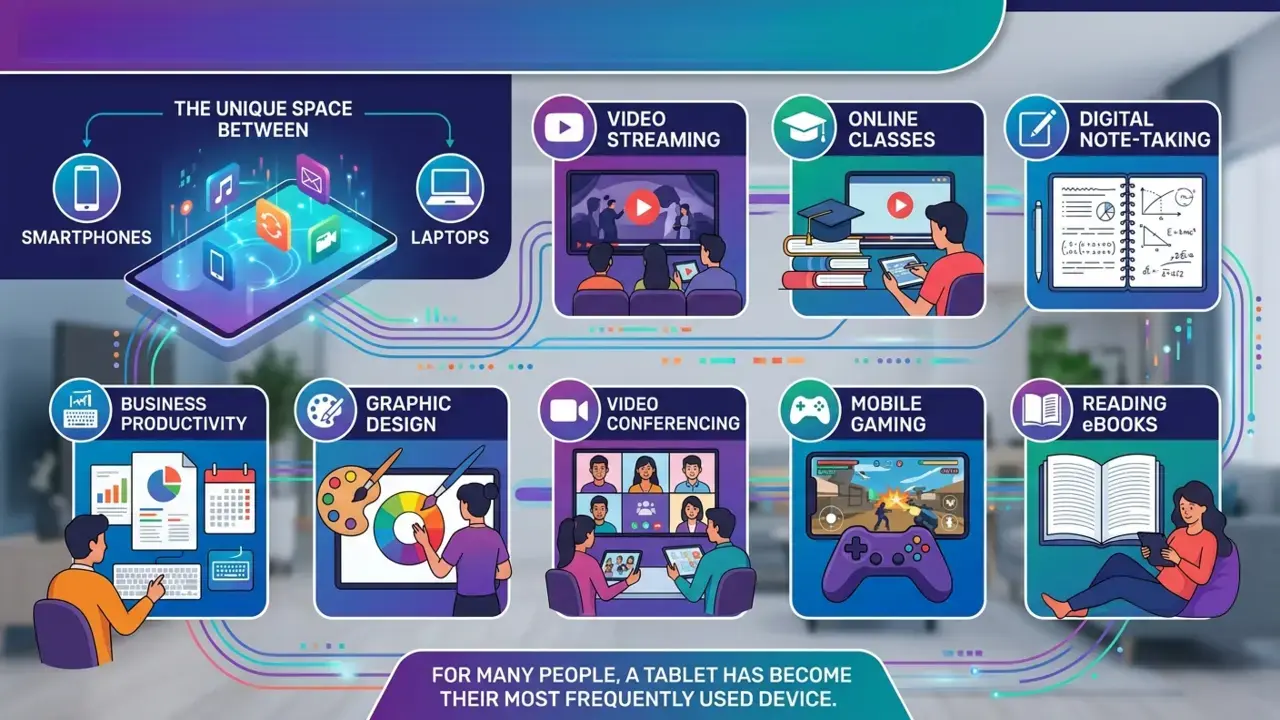
Modern tablets occupy a unique space between smartphones and laptops. They’re portable enough to carry anywhere yet powerful enough to handle many daily computing tasks.
Unlike smartphones, tablets offer larger displays that make reading, streaming, gaming and multitasking significantly more enjoyable. Compared to laptops, they provide greater portability, longer battery life and intuitive touchscreen navigation.
Today’s users rely on tablets for:
- Video streaming
- Online classes
- Digital note-taking
- Reading eBooks
- Mobile gaming
- Video conferencing
- Graphic design
- Business productivity
For many people, a tablet has become their most frequently used device, which is why consulting a thorough tablet buying guide is so crucial before making a purchase.
Keeping these everyday tasks in mind is the first step any reader should take when consulting a tablet buying guide.
Start With Your Needs: How To Use This Tablet Buying Guide
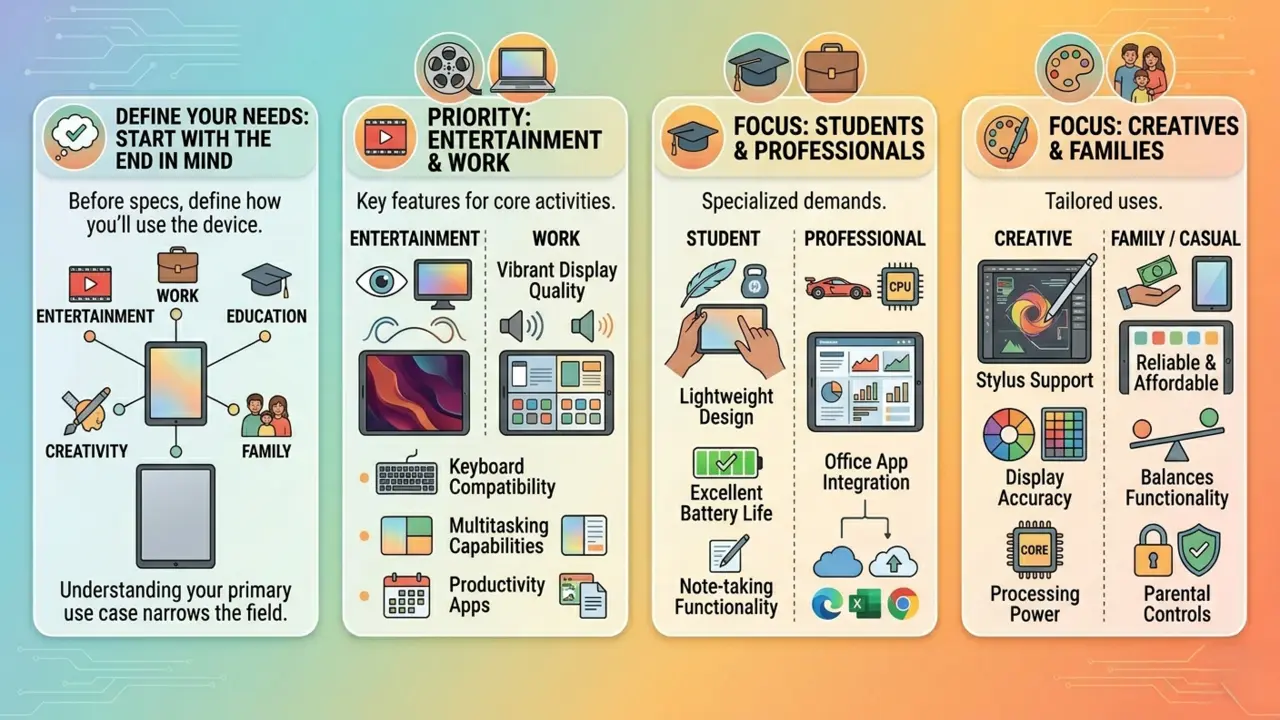
Before comparing specifications, define how you’ll primarily use the device.
If entertainment is your priority, display quality and audio performance should sit at the top of your checklist. For work-related tasks, productivity features, keyboard compatibility and multitasking capabilities become more important.
Students benefit from lightweight devices with excellent battery life and note-taking functionality. Professionals often require stronger performance and seamless integration with office applications. Creative users should prioritize stylus support, display accuracy, and processing power.
Meanwhile, casual users and families may simply need a reliable tablet that balances affordability and functionality.
Understanding your primary use case narrows the field considerably.
Choosing The Right Operating System: What Our Tablet Buying Guide Recommends
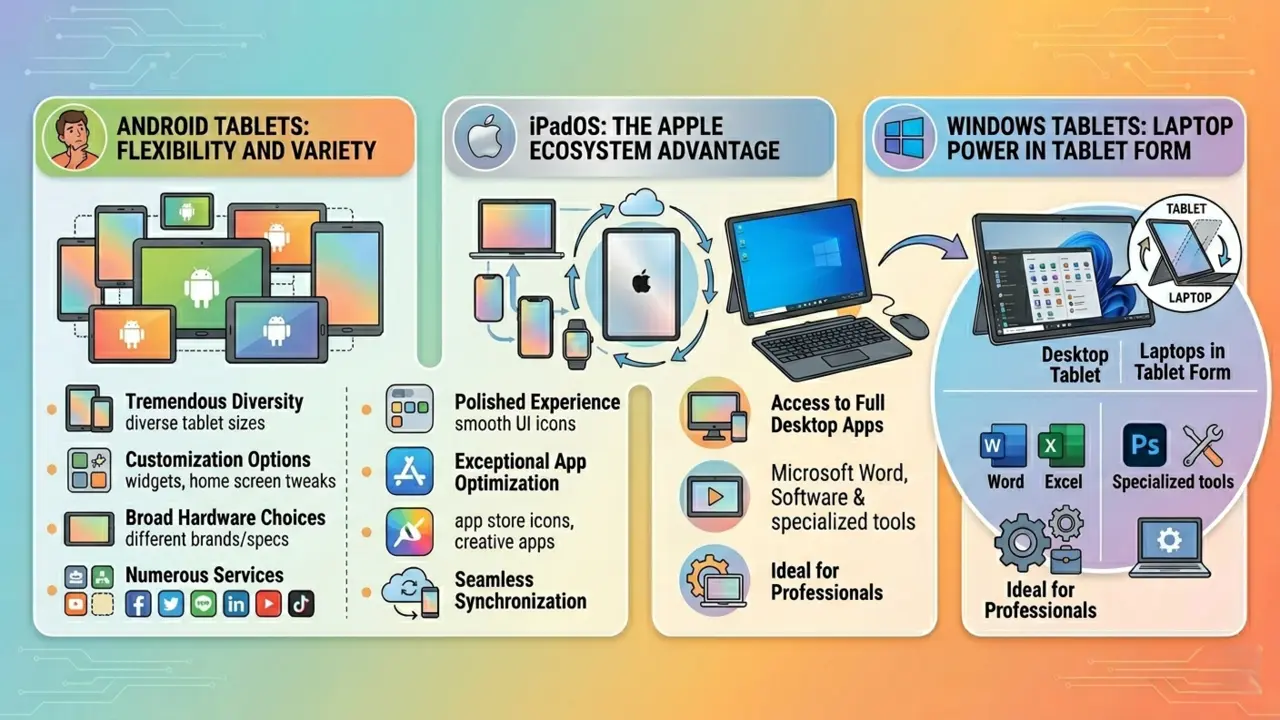
The operating system shapes the entire user experience.
Android Tablets: Flexibility And Variety
Android tablets offer tremendous diversity. Budget-friendly models, premium devices, and everything in between are available. Users enjoy customization options, broad hardware choices, and compatibility with numerous services.
iPadOS: The Apple Ecosystem Advantage
Apple’s iPadOS delivers a polished experience with exceptional app optimization. Those already invested in Apple’s ecosystem often benefit from seamless synchronization across devices.
Windows Tablets: Laptop Power in Tablet Form
Windows tablets blur the line between tablet and laptop. They provide access to full desktop applications, making them attractive for professionals who require traditional software.
Which Operating System Fits Your Lifestyle Best?
There is no universally superior operating system. The ideal choice depends on existing devices, preferred applications, and workflow requirements.
App availability should also play a role. Certain creative, educational, or business applications may perform better on one platform than another.
Because ecosystems vary wildly, no tablet buying guide would be complete without evaluating how Apple, Android and Windows fit into your daily tech habits.
Display Quality: The Feature You’ll Notice Every Day
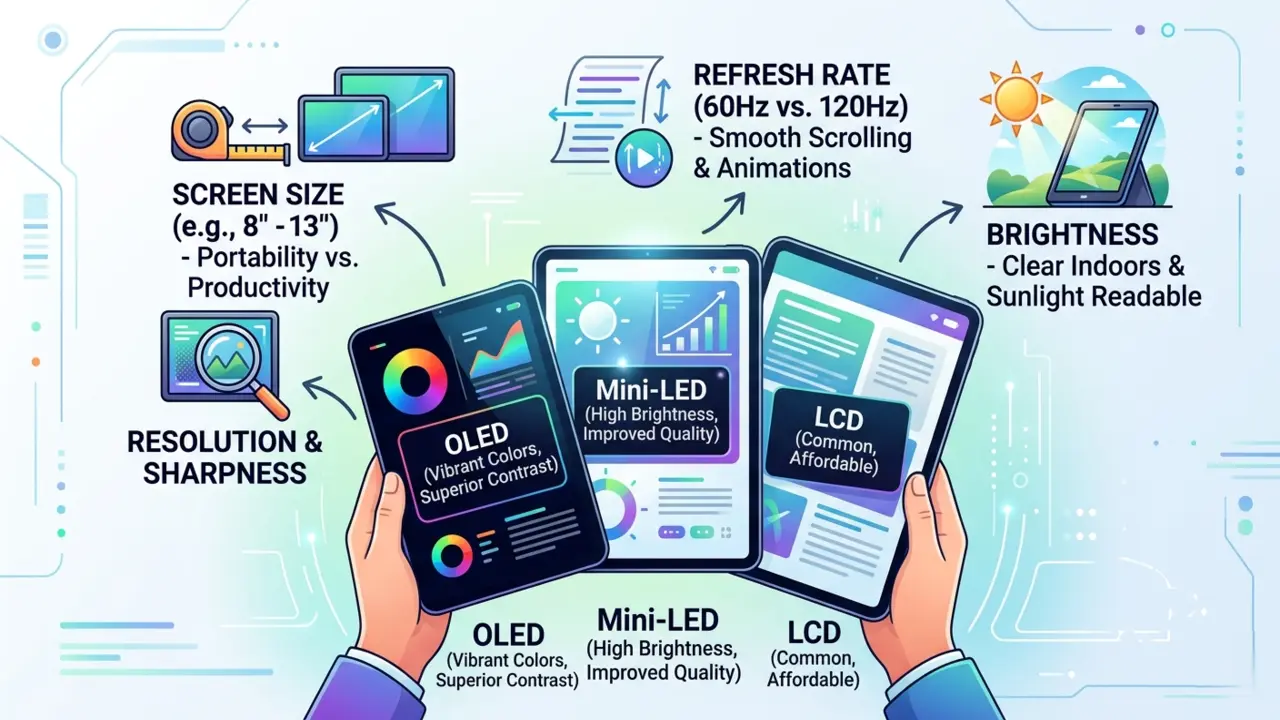
The display is arguably the most important part of a tablet because it’s the component you’ll interact with constantly.
Screen sizes typically range from compact 8-inch models to expansive 13-inch devices. Smaller tablets maximize portability, while larger displays improve productivity and entertainment.
Display technology matters too. LCD panels remain common and affordable. OLED displays offer deeper blacks, superior contrast and vibrant colors. Mini-LED technology bridges the gap by delivering excellent brightness and improved image quality.
Resolution affects sharpness, while refresh rates influence fluidity. Standard 60Hz displays remain perfectly usable, but 120Hz screens create noticeably smoother scrolling and animations.
Brightness deserves attention as well. A tablet that looks excellent indoors may become difficult to use under direct sunlight if brightness levels are insufficient.
Performance And Processing Power
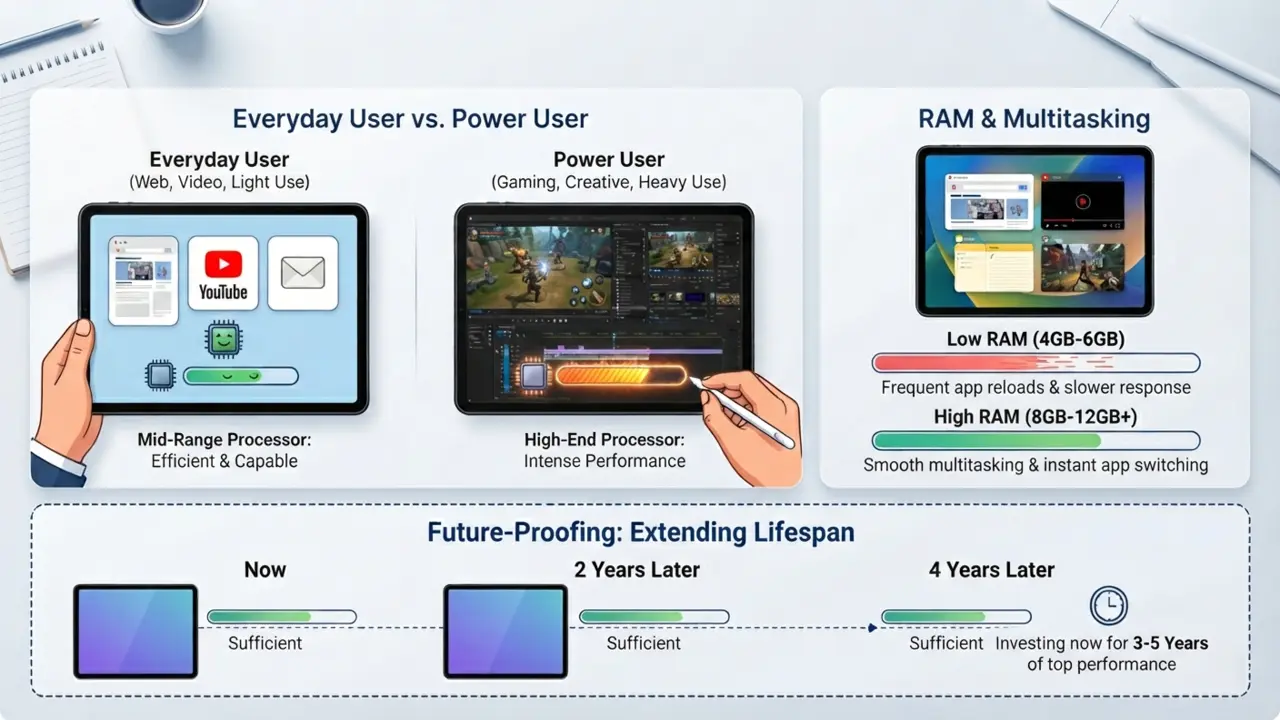
A tablet’s processor functions as its brain. It handles everything from launching applications to rendering graphics and managing multitasking.
For web browsing, video streaming, and everyday productivity, mid-range processors are usually more than sufficient. Gamers and creative professionals, however, often require more powerful hardware.
RAM plays a supporting role by allowing multiple applications to remain active simultaneously. More memory generally translates into smoother multitasking and improved responsiveness.
Future-proofing matters. Choosing slightly more performance than you currently need can extend the useful lifespan of your tablet by several years.
Storage: How Much Space Do You Really Need?
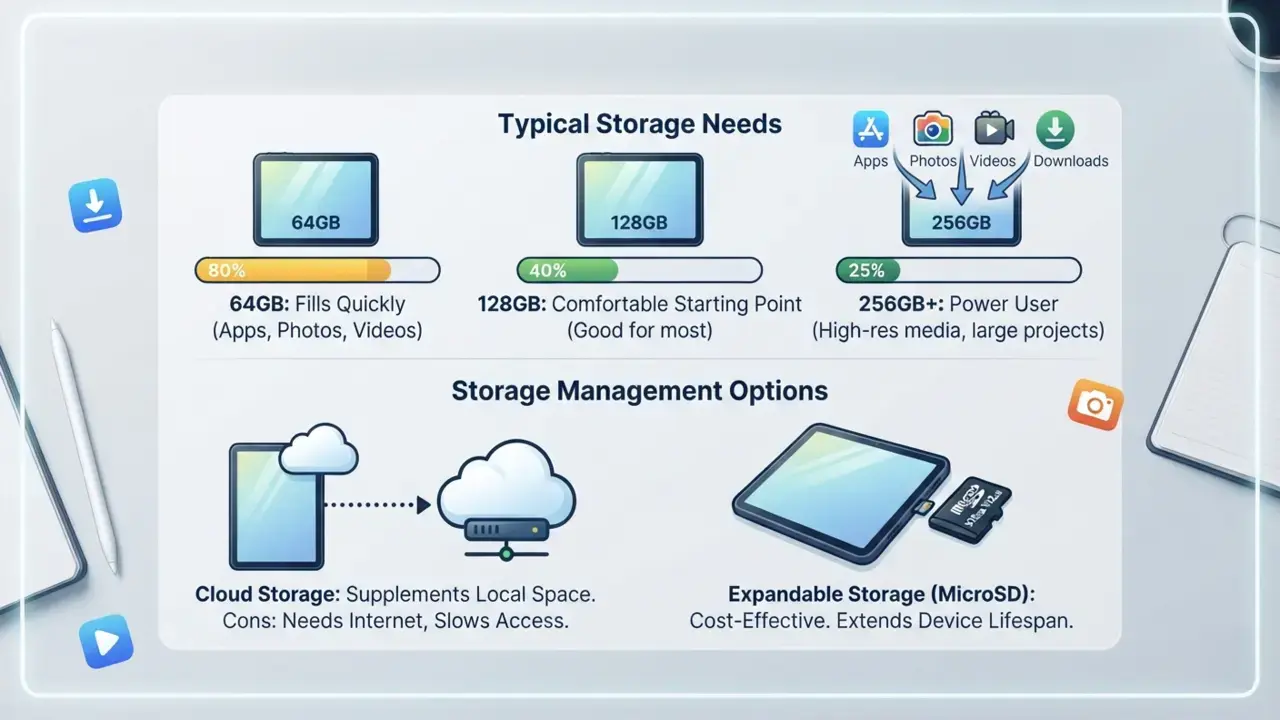
Storage capacity is frequently underestimated during the shopping process. A good tablet buying guide will always remind you that applications, photos and videos quickly consume local space.
A tablet with 64GB may seem spacious initially, but applications, photos, videos and downloads can quickly consume available space. For many users, 128GB represents a comfortable starting point. Power users may benefit from 256GB or more.
Cloud storage services can supplement local storage, but relying entirely on cloud solutions isn’t always practical, especially when internet access is limited.
Expandable storage through MicroSD cards remains valuable on devices that support it. This feature can significantly extend a tablet’s lifespan without requiring a costly upgrade.
Battery Life: Staying Powered Throughout the Day
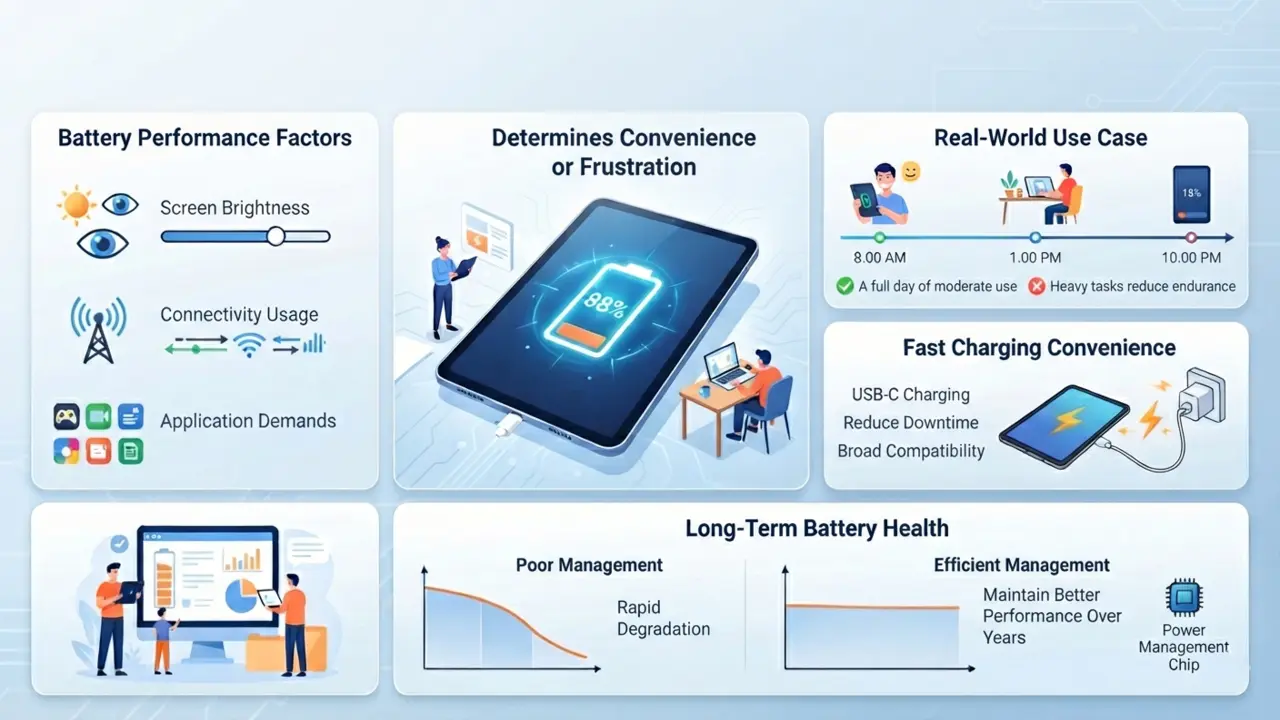
Battery life often determines whether a tablet feels convenient or frustrating.
Manufacturer estimates typically represent ideal conditions. Real-world performance varies based on screen brightness, connectivity usage, and application demands.
Most quality tablets comfortably provide a full day of moderate use. Heavy gaming or intensive creative work can reduce endurance substantially.
Fast charging capabilities add convenience by reducing downtime. USB-C charging has become increasingly common and offers broad compatibility with modern accessories and chargers.
Long-term battery health should not be overlooked. Devices with efficient power management systems often maintain better battery performance over several years.
Connectivity Options Explained
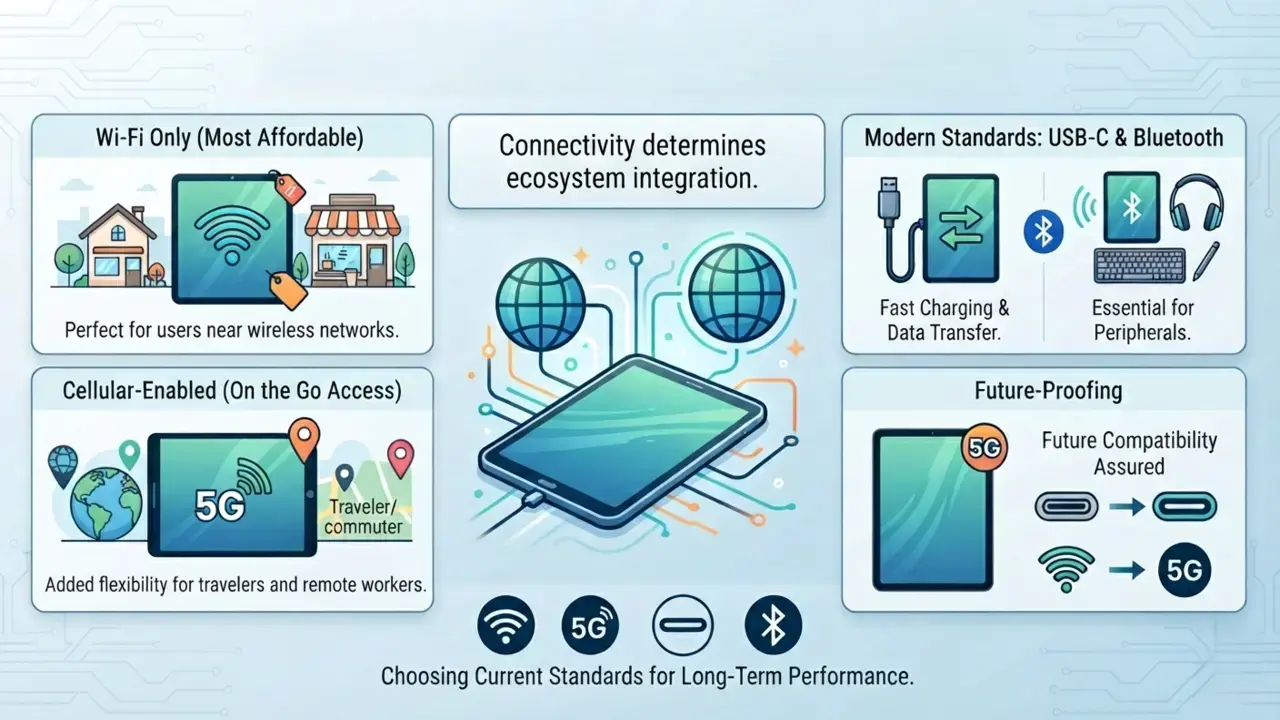
Connectivity determines how effectively a tablet integrates into your digital ecosystem.
Wi-Fi-only models remain the most affordable option and work perfectly for users who spend most of their time near wireless networks.
Cellular-enabled tablets offer internet access on the go. For frequent travelers or remote workers, the added flexibility can be worthwhile. 5G connectivity provides faster mobile data speeds, though not everyone will notice a meaningful difference in everyday tasks.
Modern USB-C ports improve charging, data transfer, and accessory support. Bluetooth connectivity remains essential for wireless headphones, keyboards, styluses, and other peripherals.
Choosing current connectivity standards helps ensure long-term compatibility.
Cameras And Audio: Often Overlooked But Important

Tablet cameras rarely rival smartphone cameras, but they still serve important functions. Front-facing cameras have become increasingly important due to video conferencing, virtual meetings, and online education. A high-quality webcam experience can significantly improve communication.
Audio quality matters too. Dual speakers are good. Quad-speaker setups are even better. Richer sound enhances movies, games and video calls.
Built-in microphones also deserve attention, particularly for professionals and students who participate in frequent online meetings.
Accessories That Transform The Tablet Experience
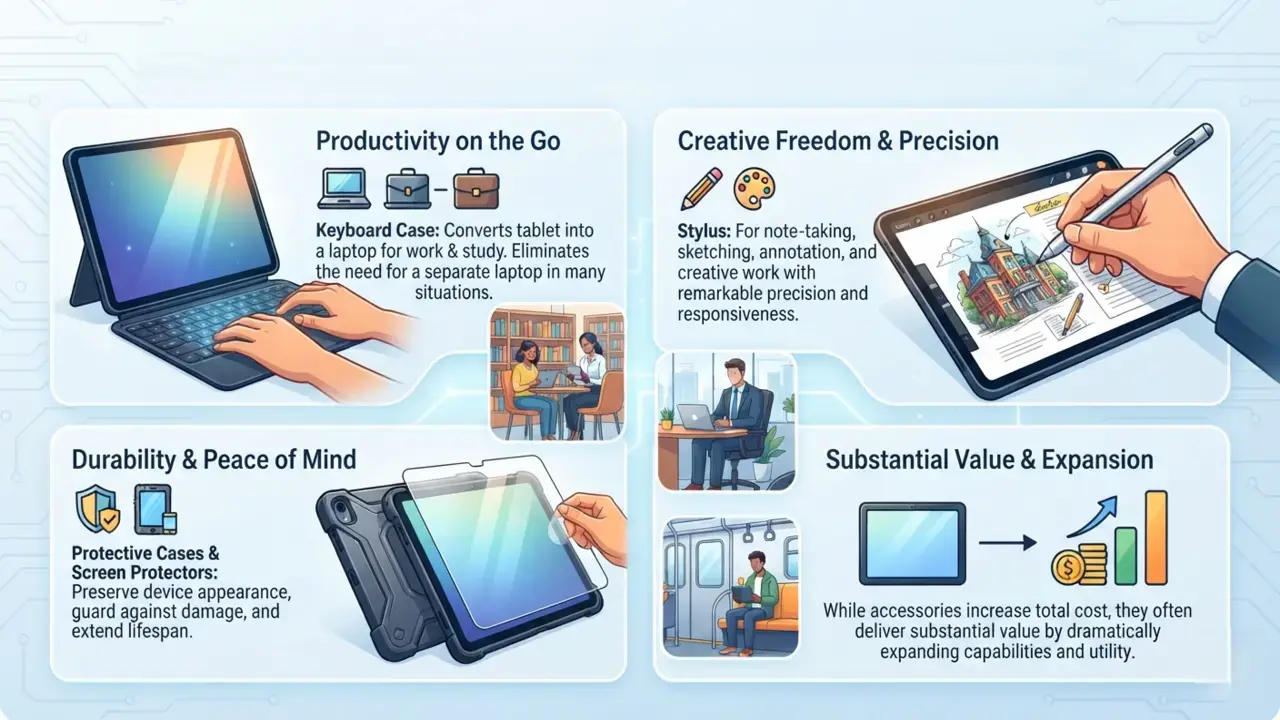
Accessories can dramatically expand a tablet’s capabilities.
A keyboard attachment can convert a tablet into a lightweight productivity machine. For students and professionals, this may eliminate the need for a separate laptop in certain situations.
Stylus support is invaluable for note-taking, sketching, annotation, and creative work. Modern styluses offer remarkable precision and responsiveness.
Protective cases and screen protectors help preserve the device’s appearance and durability.
While accessories increase the total investment, any comprehensive tablet buying guide will emphasize that keyboards and styluses dramatically expand a device’s capabilities.
Choosing The Best Tablet For Entertainment
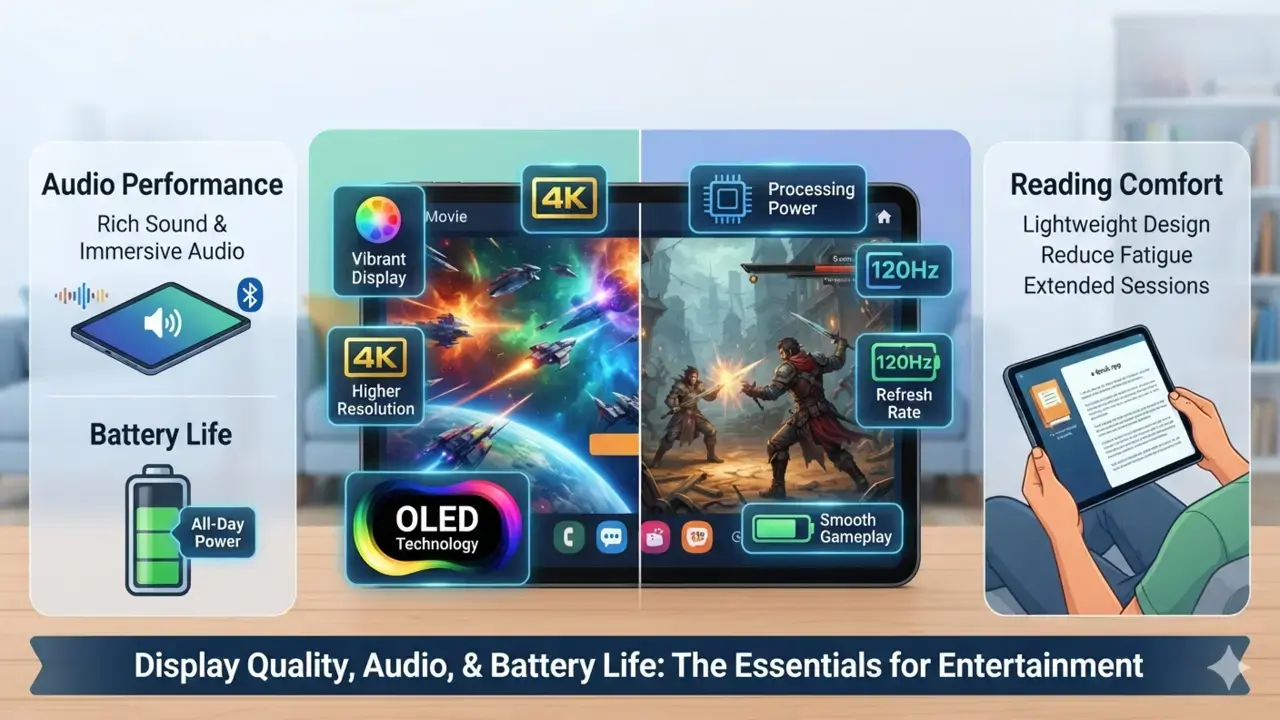
Entertainment-focused users should prioritize display quality, audio performance and battery life.
A vibrant screen enhances movies, television shows and streaming content. Higher resolutions improve visual clarity, while OLED technology creates more immersive viewing experiences.
Mobile gamers should pay attention to processing power and refresh rates. Smooth gameplay often depends on both.
For readers, comfort is essential. Lightweight designs reduce fatigue during extended reading sessions.
Choosing The Best Tablet For Productivity
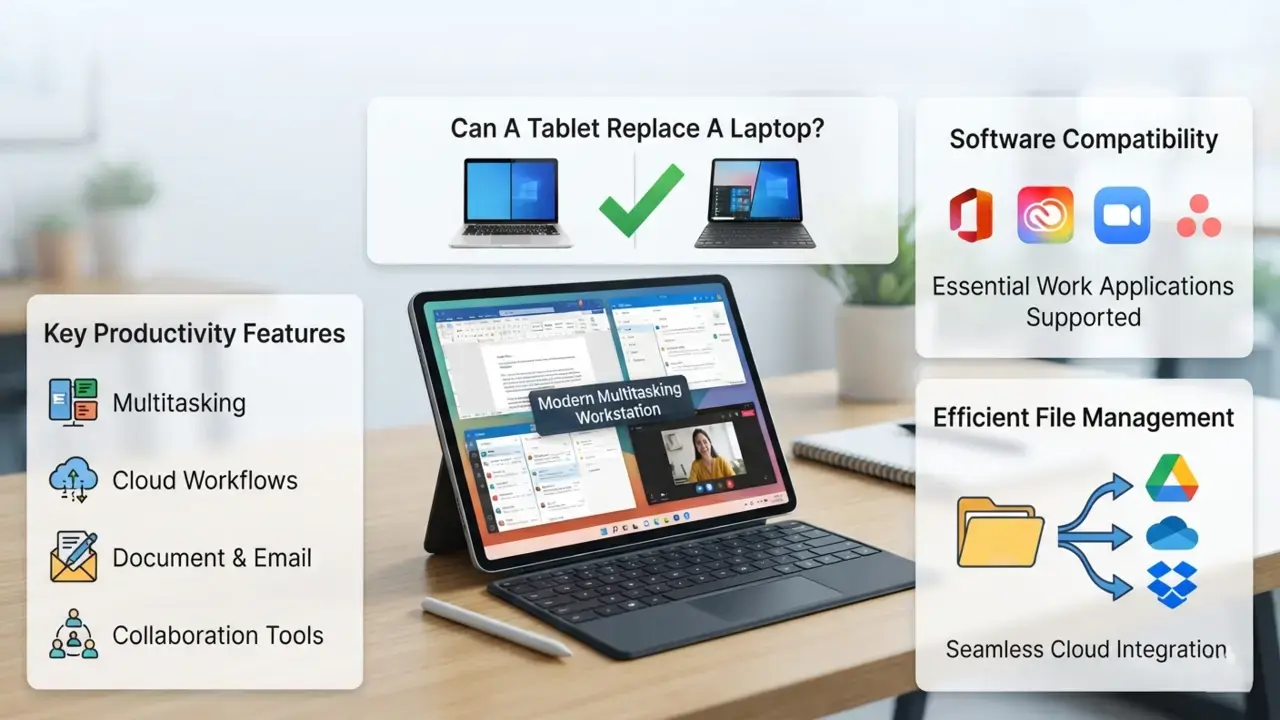
Can a tablet replace a laptop? For many users, the answer is yes.
Modern tablets support multitasking features, cloud-based workflows, document editing, email management, and collaboration tools. When paired with a keyboard, they become surprisingly capable workstations.
Business users should evaluate software compatibility carefully. The best productivity tablet is one that supports the applications required for daily work.
Efficient file management and cloud integration further enhance productivity.
Choosing The Best Tablet For Students
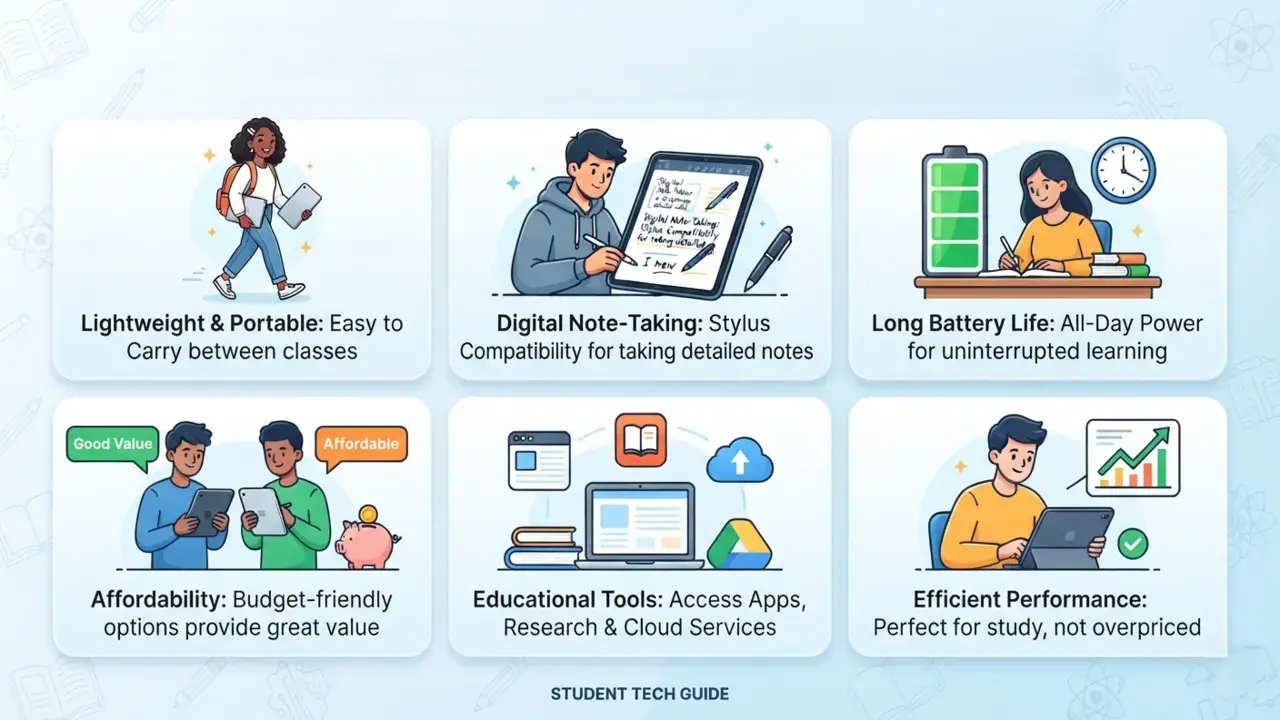
Students require a unique blend of portability, battery life, and affordability.
Digital note-taking has become increasingly popular, making stylus compatibility a major advantage. Lightweight designs reduce the burden of carrying devices between classes.
Long battery life ensures uninterrupted learning throughout the day. Educational applications, online research tools, and cloud storage services further enhance the learning experience.
Fortunately, students don’t always need premium flagship devices to achieve excellent results.
Choosing The Best Tablet For Creative Professionals
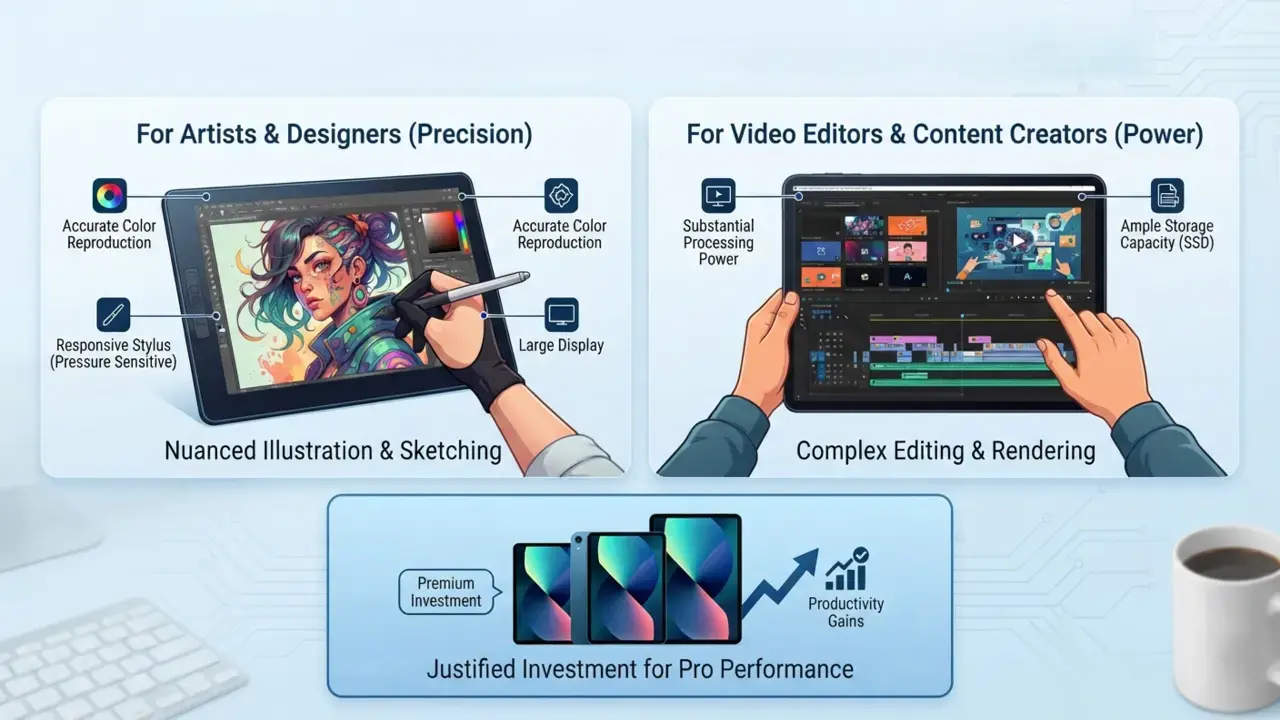
Creative users often place the highest demands on tablet hardware.
Artists and designers benefit from accurate color reproduction, responsive styluses, and large displays. Pressure-sensitive pens allow for nuanced digital illustration and sketching.
Video editors and content creators require substantial processing power and ample storage capacity.
While premium creative tablets command higher prices, the productivity gains often justify the investment.
Understanding Tablet Build Quality And Design
Build quality influences both durability and user satisfaction.
Premium tablets frequently utilize aluminum or other high-quality materials, resulting in greater rigidity and a more refined feel. Budget devices may rely on plastic construction but can still provide excellent functionality.
Weight, thickness, and ergonomics affect daily comfort. A device that feels pleasant during short demonstrations may become cumbersome during extended use.
Design should never be viewed solely as aesthetics. Practicality matters equally.
Budgeting For The Right Tablet: A Core Element Of Any Good Tablet Buying Guide
A great tablet buying guide always emphasizes setting a realistic budget to simplify decision-making. Setting a realistic budget simplifies decision-making.
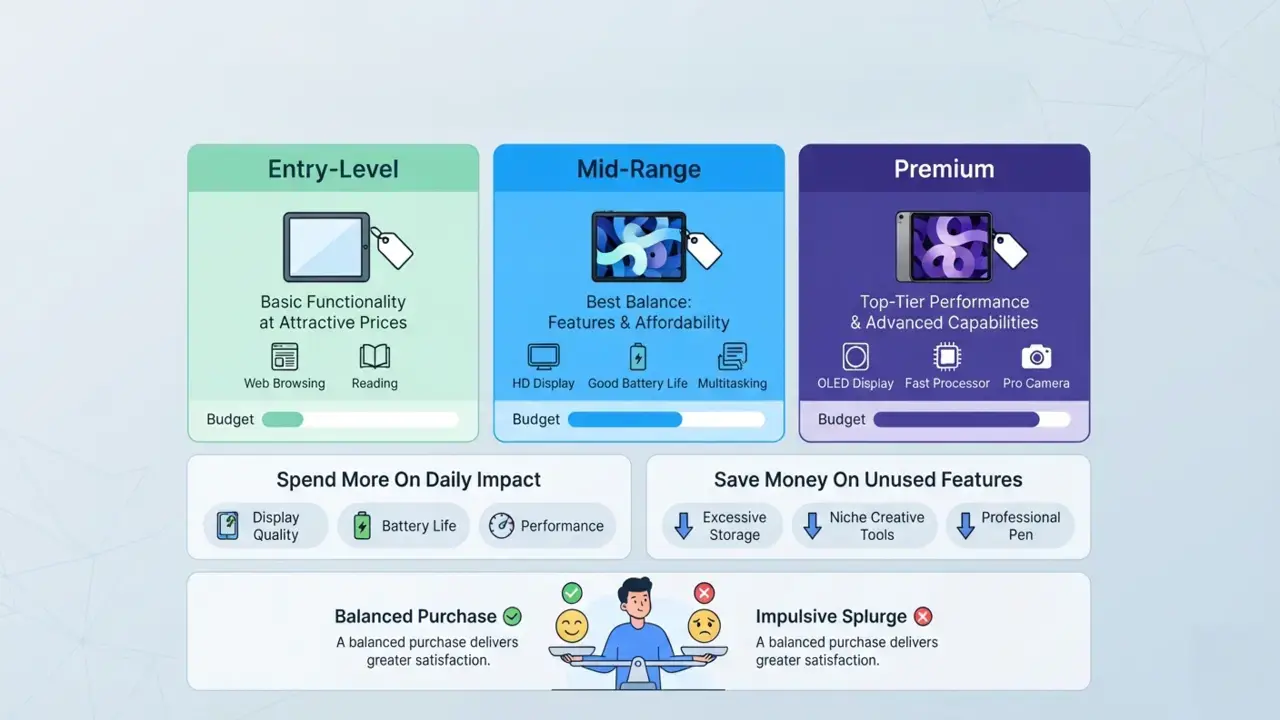
Entry-level tablets provide basic functionality at attractive prices. Mid-range devices often offer the best balance between features and affordability. Premium models deliver top-tier performance and advanced capabilities.
Spend more on features that directly affect your daily experience, such as display quality, battery life, and performance. Save money on features you may never use.
A balanced purchase almost always delivers greater satisfaction than an impulsive splurge.
Common Mistakes Highlighted In Every Pro Tablet Buying Guide
Many buyers make avoidable mistakes.
Some become captivated by marketing terminology without understanding its real-world benefits. Others purchase far more performance than they actually need.
Accessory costs are another common oversight. A keyboard, stylus, and protective case can significantly increase the total investment.
Software support also deserves attention. A tablet’s longevity often depends as much on updates as hardware specifications.
Finally, brand loyalty should never replace objective evaluation.
How Long Should A Tablet Last?
A quality tablet should comfortably last between four and seven years, depending on usage patterns and software support.
When evaluating longevity, a reliable tablet buying guide will note that regular software updates improve security, compatibility and overall functionality over a span of four to seven years. Devices that receive long-term software support often retain value and usefulness significantly longer.
Signs that an upgrade may be necessary include sluggish performance, reduced battery life, and software incompatibilities.
Proper care, protective accessories and responsible charging habits can extend a tablet’s lifespan considerably.
Tablet Comparison Checklist Before You Buy
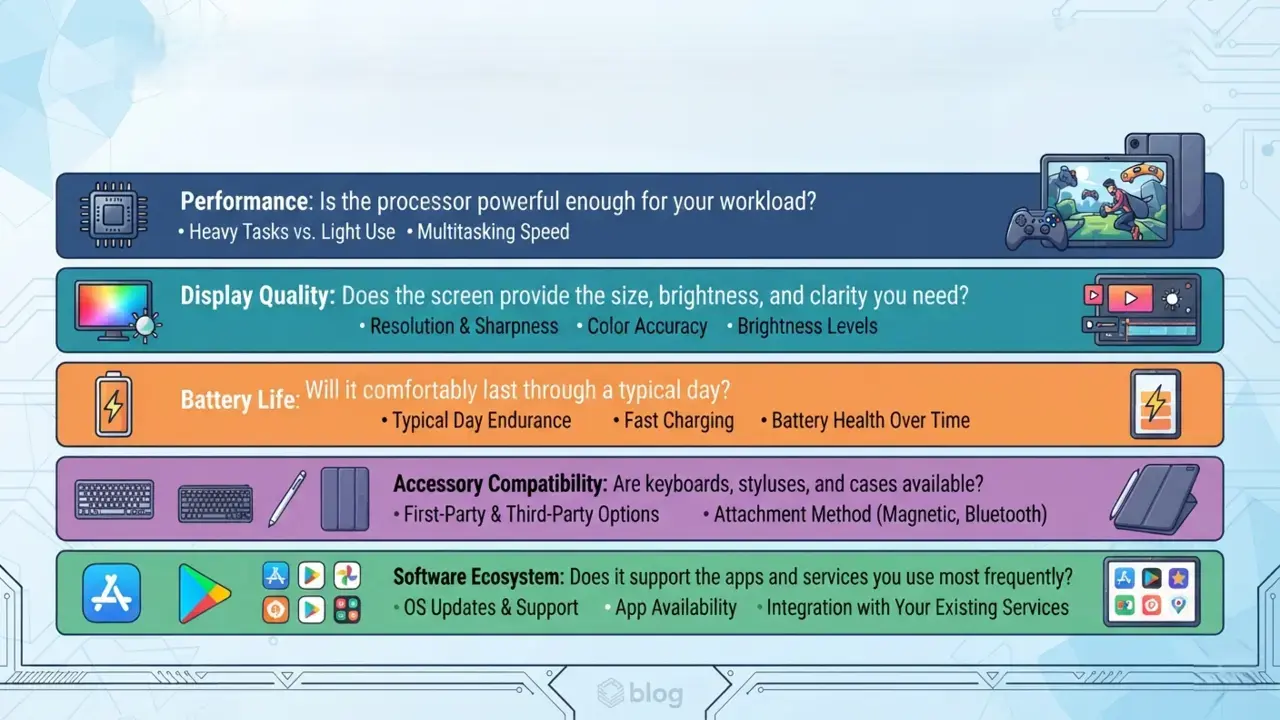
Before making a final decision, compare tablets using five essential categories:
- Performance: Is the processor powerful enough for your workload?
- Display Quality: Does the screen provide the size, brightness, and clarity you need?
- Battery Life: Will it comfortably last through a typical day?
- Accessory Compatibility: Are keyboards, styluses, and cases available?
- Software Ecosystem: Does it support the apps and services you use most frequently?
A structured comparison often reveals the best choice surprisingly quickly.
Final Thoughts: Finding The Tablet That’s Right For You
The perfect tablet isn’t necessarily the newest model, the most expensive device or the one with the longest specification sheet. Instead, it’s the tablet that aligns with your habits, goals, and budget.
By keeping the advice in this tablet buying guide in mind, you’ll focus on real-world usage rather than marketing hype. Prioritize the features you’ll interact with every day. Balance performance, portability, and longevity carefully.